
Enter a matched fan operating point to predict final airflow, pressure, shaft power, and fan speed after a planned change.
Matched baseline operating point
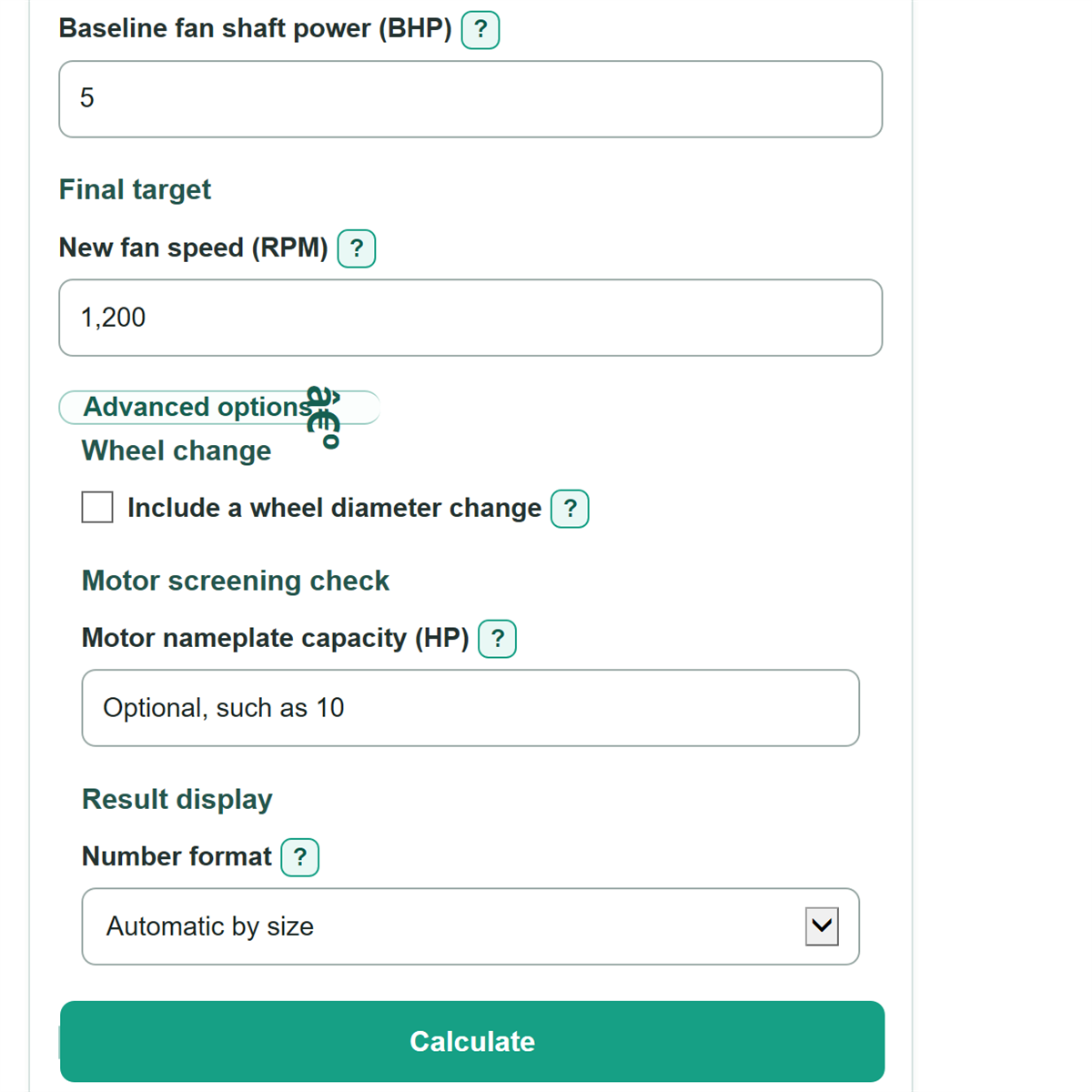
Final target
Advanced options
Wheel change
Motor screening check
Result display
Calculation details
Table of contents
How to use our Fan Affinity Laws Calculator
- Choose what you already know under "What do you want to enter?", such as a new fan speed or desired airflow.
- Select the same "Pressure type" used in your records, then copy the baseline airflow, fan speed, pressure, and shaft power from one operating point.
- Enter the visible new or desired target value. Open Advanced options only if the wheel diameter changes or you want to compare against motor nameplate capacity.
- Click Calculate and read the final fan speed, predicted airflow, pressure, and shaft power. A positive motor capacity margin means the entered nameplate HP is above predicted shaft power.
- Sanity-check the direction: raising speed should raise airflow, pressure, and shaft power; shaft power changes fastest because it follows a cube relationship.
Definitions
Fan affinity laws: Scaling relationships that estimate how a similar fan changes as fan speed, and optionally wheel diameter, changes: airflow follows a first-power relationship, pressure follows a square relationship, and shaft power follows a cube relationship for speed-only work. [1]
CFM: Cubic feet per minute, a US unit for airflow.
RPM: Revolutions per minute. This calculator needs fan wheel RPM, which can differ from motor RPM on a belt-driven fan.
in. w.g.: Inches of water gauge, a pressure unit commonly used for HVAC fans.
Fan static pressure: Fan pressure after accounting for velocity pressure at the fan outlet; it is different from fan total pressure and external static pressure.
BHP: Brake horsepower, also called fan shaft power. It is power delivered at the fan shaft, not motor nameplate capacity or electrical input power.
Speed ratio: Final fan wheel RPM divided by baseline fan wheel RPM. A ratio above 1 means the fan runs faster.
Motor capacity margin: Entered motor nameplate HP minus predicted final fan shaft power. A negative margin means predicted shaft power is above the entered nameplate HP.
Common mistakes and quick fixes
Mistake: Combining "Baseline airflow" from a design schedule with "Baseline fan speed" from a different VFD setting.
Fix: Copy all baseline values from the same fan curve point, TAB record, or measured operating condition.
Mistake: Entering motor nameplate RPM in "Baseline fan speed" or "New fan speed" for a belt-driven fan.
Fix: Enter actual fan wheel RPM, verified by a tachometer, fan record, or sheave ratio.
Mistake: Entering motor HP in "Baseline fan shaft power".
Fix: Use brake horsepower or fan shaft power from the fan curve or selection report; use "Motor nameplate capacity (HP)" only for the optional screening check.
Mistake: Selecting fan static pressure but entering an external static pressure value as "Baseline fan pressure".
Fix: Set "Pressure type" to match the pressure number and use that same definition for the target and predicted final fan pressure.
Mistake: Treating "Predicted final fan shaft power" as electrical input power or a motor approval.
Fix: Treat it as an estimated fan shaft-power value; verify the motor, drive, VFD, amperage, and manufacturer limits separately.
Mistake: Turning on "Include a wheel diameter change" without confirmed wheel sizes.
Fix: Enter both "Current wheel diameter (in.)" and "Final wheel diameter (in.)", or leave the option off for a speed-only change.
Limitations & Key Assumptions / Boundary Conditions
- The estimate assumes the baseline airflow, fan speed, pressure, and shaft power describe one matched operating point on the same fan.
- It assumes comparable air density and a similar fan and system condition. Major duct changes, damper positions, filter loading, or density changes can make the estimate inaccurate.
- Keep one pressure definition throughout the calculation. Fan static pressure, fan total pressure, and external static pressure are not interchangeable.
- Wheel-diameter scaling assumes geometrically similar fan behavior. Confirm a wheel trim or replacement with the manufacturer fan curve or selection data.
- The optional motor comparison is only a screening check. It does not verify motor service factor, efficiency, drive losses, current, VFD limits, or manufacturer approval.
- Zero or negative baseline values and active target values are outside this positive-ratio model and are rejected.
Methodology
Calculation method
The calculator first finds a speed ratio, r, from the final value chosen under "What do you want to enter?". For a speed entry, r is final fan RPM divided by baseline fan RPM. For airflow, pressure, or shaft-power targets, it rearranges the matching relationship to find r.
If a wheel diameter change is enabled, d is final wheel diameter divided by current wheel diameter. If it is off, d equals 1.
r = final fan RPM / baseline fan RPM
final airflow = baseline airflow * r * d^3
final pressure = baseline pressure * r^2 * d^2
final shaft power = baseline shaft power * r^3 * d^5
These fan affinity relationships use the usual speed, pressure, and power scaling rules. [1]
Worked example
With no wheel change, a fan at 10,000 CFM, 1,000 RPM, 1.50 in. w.g., and 5.00 BHP is raised to 1,200 RPM. The speed ratio is 1.2. The calculator predicts 12,000 CFM, 2.16 in. w.g., and 8.64 BHP. That is a 20% airflow increase, a 44% pressure increase, and a 72.8% shaft-power increase.
Motor comparison
When "Motor nameplate capacity (HP)" is filled in, the calculator subtracts predicted final fan shaft power from nameplate HP and also shows predicted shaft power as a percent of nameplate capacity.
motor capacity margin = motor nameplate HP - final shaft power
motor load percent = final shaft power / motor nameplate HP * 100