
Enter your LED cabinet ratings and venue circuit details to estimate maximum wall power, current, minimum circuits, and plan headroom.
Table of contents
How to use our LED Video Wall Power and Circuit Size Calculator
- Choose the unit printed for the maximum cabinet rating under "Cabinet rating shown on the label." Use maximum amps or maximum watts, not a typical draw.
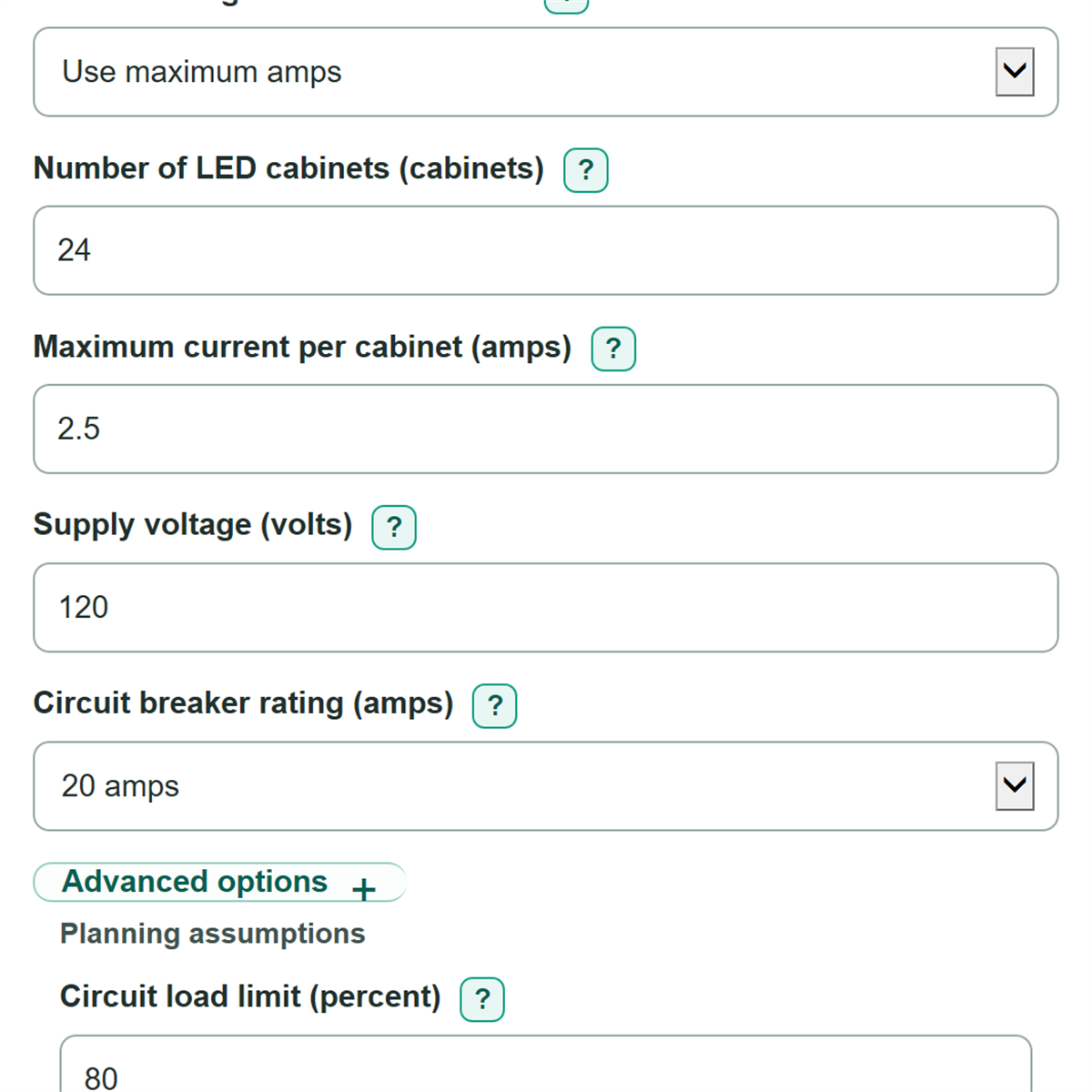
- Enter the "Number of LED cabinets," the matching per-cabinet rating, "Supply voltage," and "Circuit breaker rating" from the wall plan and venue power information.
- Open Advanced options to confirm "Circuit load limit (percent)" and "Power factor." Replace the example values if your electrician or cabinet data sheet specifies different values.
- Optionally enter "Circuits you plan to use" to check a draft circuit plan, then select Calculate.
- Check that "Estimated load on each used circuit" does not exceed your selected circuit load limit and that "Spare current across used circuits" is not negative. A negative spare-current result means the draft plan is too small.
Definitions
LED cabinet: One powered display panel or module in the video wall. The calculator adds the load from all powered cabinets.
Maximum input current: The highest AC current one cabinet may draw, measured in amps (A). This is different from a typical current value.
Maximum input power: The highest real power one cabinet may use, measured in watts (W).
Power factor: A ratio from greater than 0 through 1 that connects AC voltage and current to real power. A lower power factor means more current is needed for the same wattage.
Circuit load limit: The portion of a breaker's amp rating used for this planning estimate. It is an editable project assumption.
Headroom: Allowed planning current minus estimated wall current. Positive headroom remains available; negative headroom means the checked circuit plan is over the selected limit.
Common mistakes and quick fixes
Mistake: Choosing maximum watts but entering an amps value in "Maximum power per cabinet."
Fix: Match "Cabinet rating shown on the label" to the unit on the manufacturer label, then enter the value in the matching field.
Mistake: Using a typical draw instead of the maximum rating in "Maximum current per cabinet" or "Maximum power per cabinet."
Fix: Use the maximum input rating for early circuit planning. Typical draw can be lower and may understate the needed circuits.
Mistake: Entering the total wall amps as "Maximum current per cabinet."
Fix: Enter the rating for one cabinet only. The calculator multiplies it by "Number of LED cabinets."
Mistake: Assuming "Supply voltage" is always 120 V.
Fix: Use the actual voltage feeding the cabinets from the venue power plan, distribution equipment, or electrician.
Mistake: Treating "Circuit load limit (percent)" as proof that the installation is code compliant.
Fix: Use it as a planning assumption and have a qualified electrician verify the breaker, cable, connectors, distribution, load balance, and local requirements.
Mistake: Ignoring a negative "Spare current across used circuits" after entering "Circuits you plan to use."
Fix: Add circuits or change the plan. A negative value means estimated wall current exceeds the selected allowed planning capacity.
Limitations & Key Assumptions / Boundary Conditions
- This is an early planning estimate, not an electrical design, permit calculation, or code-compliance decision.
- Use maximum cabinet ratings from the correct label, data sheet, or manual. Typical values can understate the load.
- The calculation assumes the wall current is shared equally across the circuits checked. Real circuit loading can differ with cabinet layout, power-home-run routing, and distribution choices.
- The entered supply voltage and power factor are treated as stable values. Actual voltage, power factor, and current can vary during operation.
- The estimate covers LED cabinets only. Add processors, media servers, network equipment, cooling, and other support loads separately.
- A qualified electrician must verify branch wiring, receptacles, connectors, power distribution, protection devices, load balancing, and local rules before installation.
Methodology
Calculation method
The calculator uses the maximum rating from each LED cabinet and multiplies it by the number of powered cabinets. If the cabinet label gives amps, it first calculates wall current directly. If the label gives watts, it calculates current from supply voltage and power factor.
allowed current per circuit = breaker rating x circuit load limit / 100
wall current from amps = number of LED cabinets x maximum current per cabinet
wall power from amps = wall current x supply voltage x power factor
wall power from watts = number of LED cabinets x maximum power per cabinet
wall current from watts = wall power / (supply voltage x power factor)
minimum circuits = ceiling(wall current / allowed current per circuit)
The ceiling step always rounds up because a fraction of a branch circuit cannot supply the remaining load. For an optional draft-plan check, the calculator divides wall current across the entered circuit count, then calculates spare current as allowed capacity across those circuits minus wall current.
estimated load per circuit = wall current / (circuits checked x breaker rating) x 100
spare current = circuits checked x allowed current per circuit - wall current
Worked example
For 24 cabinets at 2.5 A each, estimated wall current is 60 A. With a 20 A breaker and an 80 percent planning limit, each circuit has 16 A of allowed planning current. Dividing 60 A by 16 A gives 3.75, so the minimum is 4 circuits. With 4 circuits, the estimated load on each is 93.75 percent of the full 20 A breaker rating, which is within the selected 80 percent planning limit.
Assumptions and limits
Power factor is used only to convert between AC current and real power. The calculator uses maximum cabinet data for planning and assumes equal sharing across circuits. It does not add support equipment or determine whether a specific electrical installation meets code or equipment requirements.