
Calculate the power supply watts and amps needed for LED strips or pixels, with an optional wire voltage drop check.
Advanced options
Table of contents
How to use our LED Power Supply Calculator
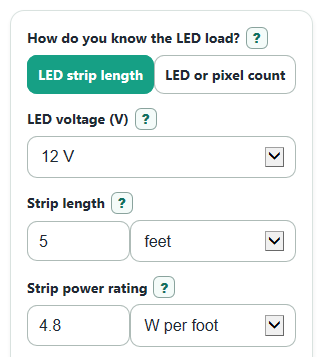
- Choose How do you know the LED load? based on the information you have: strip length and rating, or LED or pixel count.
- Select LED voltage, then enter either Strip length and Strip power rating or Number of LEDs or pixels and Power per LED or pixel.
- Open Advanced options if you want to change Extra capacity to add, Expected max power used, Number display, or add Wire length from supply to LEDs and Copper wire size.
- Click Calculate and use Recommended power supply size and Recommended power supply current to choose a supply with the same voltage as the LEDs.
- Sanity-check the answer: Estimated LED load should match your product rating, and a large Wire voltage drop means you should use shorter wire, thicker wire, or power injection.
Definitions
LED voltage: The DC voltage your LEDs are made to use. The power supply voltage should match this value.
Strip power rating: The watts used by each foot or meter of LED strip at the rating you choose.
Power per LED or pixel: The maximum watts for one LED or pixel, usually from a datasheet or product page.
Extra capacity to add: Extra power supply headroom above the estimated LED load.
Expected max power used: The percent of the listed LED power you expect to use, after dimming or controller limits.
Estimated LED current: The amps the LEDs are expected to draw before extra capacity is added.
Voltage drop: Voltage lost as current moves through wire resistance; too much drop can make LED strips dim or shift color [3].
AWG: American Wire Gauge, a wire size system where a smaller number means a thicker wire.
Common mistakes and quick fixes
Mistake: Using the wrong LED voltage for the strip or pixels.
Fix: Set LED voltage to the voltage printed on the LED product, such as 5 V, 12 V, or 24 V.
Mistake: Mixing feet and meters between Strip length and Strip power rating.
Fix: Match the unit selectors, or let the calculator convert by choosing the correct unit beside each field.
Mistake: Entering average brightness in Power per LED or pixel when the LEDs may run full white.
Fix: Use the maximum datasheet wattage in Power per LED or pixel, then lower Expected max power used only if a controller truly limits it.
Mistake: Setting Extra capacity to add too low and buying a supply that runs at its limit.
Fix: Keep a practical extra capacity value, then choose a supply at least as large as Recommended power supply size.
Mistake: Leaving out Wire length from supply to LEDs on a long run.
Fix: Enter the one-way wire distance and Copper wire size so Estimated wire voltage drop and Estimated voltage reaching LEDs can flag a weak setup.
Limitations & Key Assumptions / Boundary Conditions
- The calculator is for constant-voltage LED strips and pixels, not constant-current LED drivers.
- It assumes the selected LED voltage matches the actual LED product. A higher voltage can damage LEDs.
- Strip and pixel power values are only as accurate as the package or datasheet rating you enter.
- The wire voltage drop check assumes copper wire, a two-wire DC circuit, and typical resistance values near room temperature.
- Voltage drop is calculated to the first LED input point. Long strips may still need power injection farther down the strip.
- The result does not check electrical code rules, fuse sizing, enclosure temperature, waterproofing, certification, or connector ratings.
- A value of 0 for Expected max power used means the LEDs are assumed off, so power and current results can be 0.
Methodology
Core load math
The calculator first estimates the LED load, which is the watts the LEDs are expected to use before adding extra supply capacity. In strip mode, length and power rating are converted to matching length units before multiplying.
P_led = strip_length * strip_power_per_length * (power_use_percent / 100)
In pixel mode, the load is based on the count and the watts for one LED or pixel.
P_led = led_count * watts_per_led * (power_use_percent / 100)
The recommended supply size adds the selected extra capacity percent.
P_supply = P_led * (1 + safety_extra_percent / 100)
Current is found from power divided by voltage. The calculator uses the recommended supply watts for Recommended power supply current and the LED load watts for Estimated LED current.
I = P / V
Wire check
When Wire length from supply to LEDs is entered, the calculator estimates voltage lost in the copper wire. The factor of 2 counts the out-and-back wire path in a two-wire DC circuit. The copper AWG resistance values are taken from standard copper wire resistance by gauge tables [1].
V_drop = I_led * (2 * wire_one_way_length_ft * awg_ohms_per_1000ft / 1000)
V_at_leds = led_voltage - V_drop
V_drop_percent = (V_drop / led_voltage) * 100
Mini example
For a 10 ft strip rated at 6 W per foot on 12 V, with 100% max power and 20% extra capacity, the LED load is 60 W. The recommended supply size is 72 W, and the recommended supply current is 6 A. If the one-way wire run is 20 ft using 18 AWG copper wire, the estimated LED current is 5 A, the voltage drop is about 1.277 V, and about 10.723 V reaches the LEDs.