
Enter a battery's Wh, kWh, or mWh rating and nominal voltage to find its matching amp-hour capacity.
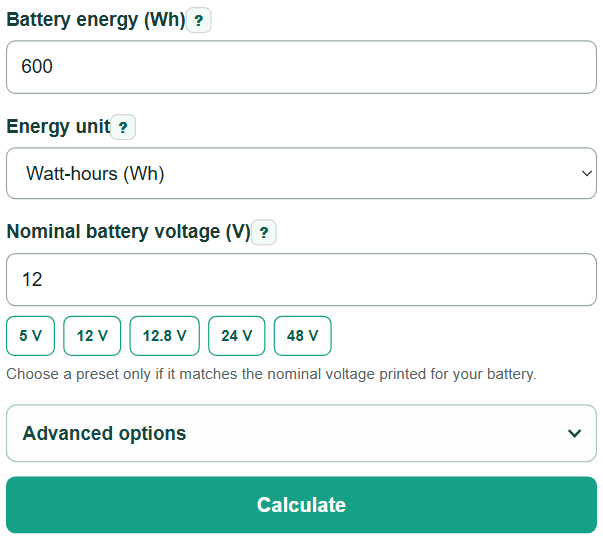
Choose a preset only if it matches the nominal voltage printed for your battery.
Advanced options
Table of contents
How to use our Watt Hours to Amp Hours Calculator
- Find the battery energy number on its label, product page, or specification sheet, then enter it in "Battery energy."
- Choose the unit printed beside that number: Wh, kWh, or mWh.
- Enter the pack's stated nominal voltage in "Nominal battery voltage (V)." Do not use wall-outlet, USB-output, or charger voltage unless it is also the battery's stated nominal voltage.
- Select "Calculate." Open "Advanced options" only if you need a different number of displayed decimal places.
- Check "Entered energy converted to watt-hours" before using the answer. For example, 1.2 kWh should show as 1,200 Wh, while 100,000 mWh should show as 100 Wh.
Definitions
Watt-hour (Wh): A unit of electrical energy. A battery label may use Wh to state its energy rating.
Amp-hour (Ah): A unit of electric charge commonly used for battery capacity. For the same energy rating, the Ah value changes with voltage.
Milliamp-hour (mAh): One thousandth of an amp-hour. 1 Ah equals 1,000 mAh.
Nominal battery voltage: The voltage printed by the manufacturer as the battery pack's normal reference voltage. This is the voltage used in the conversion.
kWh and mWh: A kilowatt-hour is 1,000 Wh, and a milliwatt-hour is 0.001 Wh. [1]
Common mistakes and quick fixes
Mistake: Using 120 V from a wall outlet, 5 V from a USB port, or a charger's voltage.
Fix: Enter the battery pack's nominal voltage from its label or specification.
Mistake: Entering 1.2 while "Energy unit" is set to Wh when the label says 1.2 kWh.
Fix: Choose "Kilowatt-hours (kWh)." The calculator then converts 1.2 kWh to 1,200 Wh.
Mistake: Treating mWh as Wh.
Fix: Choose "Milliwatt-hours (mWh)." For example, 100,000 mWh equals 100 Wh, not 100,000 Wh.
Mistake: Typing a malformed number such as 1,01.
Fix: Use commas only for thousands, such as 1,000. Use a decimal point for decimals, such as 1.01.
Mistake: Reading amp-hours as guaranteed runtime.
Fix: Treat the answer as a rated capacity conversion. Actual runtime also depends on load, losses, temperature, and battery limits.
Limitations & Key Assumptions / Boundary Conditions
- The result is a rated unit conversion using the entered nominal voltage, not a measured battery-capacity test.
- Actual usable energy and runtime can differ because of load, depth-of-discharge limits, temperature, battery age, wiring loss, inverter loss, and battery-management limits.
- Use the battery pack's stated nominal voltage. Outlet, USB-output, charger, and solar-panel voltages may describe different parts of the system.
- Zero energy is valid and gives zero Ah when voltage is positive. Negative energy and zero or negative voltage cannot be used in this conversion.
- The calculator does not adjust a label's energy rating for the test conditions under which the manufacturer measured it.
Methodology
Conversion method
The calculator first changes the entered energy to watt-hours, then divides by nominal battery voltage to find amp-hours.
Ah = Wh / V
mAh = Ah x 1,000
Wh means watt-hours, V means nominal battery voltage in volts, Ah means amp-hours, and mAh means milliamp-hours. The unit conversions are 1 kWh = 1,000 Wh, 1 mWh = 0.001 Wh, and 1 Ah = 1,000 mAh. [1]
Worked example
A battery rated at 600 Wh with a nominal voltage of 12 V converts to 50 Ah. Multiply that result by 1,000 to get 50,000 mAh.
Ah = 600 Wh / 12 V = 50 Ah
Calculation details
Energy must be zero or greater, and nominal voltage must be greater than zero. A zero Wh entry gives a valid result of zero Ah. Dividing by zero volts is undefined. The calculator uses unrounded values for the calculation; the decimal-place setting changes only what is displayed.