
Convert current and voltage into watts for DC, single-phase AC, or balanced three-phase AC circuits.
Table of contents
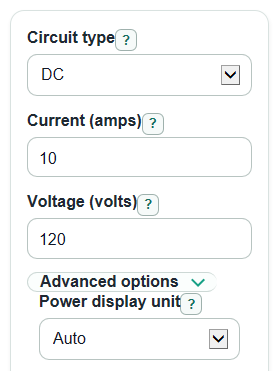
How to use our Amps to Watts Calculator
- Choose the Circuit type: DC, Single-phase AC, or Three-phase AC.
- Enter Current (amps) and Voltage (volts). For AC, use RMS values from the label, meter, or problem.
- For AC, enter Power factor from 0 to 1. For three-phase AC, also choose whether Three-phase voltage is line-to-line or line-to-neutral.
- Open Advanced options only if you want to change Power display unit, Number format, or Decimal places.
- Click Calculate, then sanity-check the Formula used and Apparent power. If an AC result in watts is higher than VA, the power factor or circuit type is wrong.
Definitions
Current (amps): Electric current is the flow of electric charge. The ampere, shortened to amp, is the SI unit for electric current [2].
Voltage (volts): Voltage is electrical push between two points in a circuit. Higher voltage can push more current through the same resistance [3].
Power in watts: Real electrical power is the rate that electrical energy is used. In a simple DC circuit, watts equal volts times amps [1].
Power in kilowatts: Kilowatts are watts divided by 1,000. Large loads are often easier to read in kW.
Power factor: For AC, power factor is the part of apparent power that becomes real power. This calculator uses a value from 0 to 1.
Apparent power: Apparent power is volts times amps before power factor is applied. It is shown in volt-amperes, or VA, for AC results.
Line-to-line: Three-phase voltage measured between two hot phase wires.
Line-to-neutral: Three-phase voltage measured from one hot phase wire to neutral.
Common mistakes and quick fixes
Mistake: Using Single-phase AC when the load is actually Three-phase AC.
Fix: Set Circuit type to Three-phase AC so the calculator uses the balanced three-phase formula.
Mistake: Typing peak AC values into Current (amps) or Voltage (volts).
Fix: Use RMS current and RMS voltage for AC, which is what most meters and equipment labels show.
Mistake: Leaving Power factor at 1 for a motor or other non-resistive AC load.
Fix: Enter the Power factor from the nameplate or problem statement. If you do not know it, treat the watts result as an estimate.
Mistake: Choosing the wrong Three-phase voltage is setting.
Fix: Use Line-to-line if Voltage (volts) is measured between two hot wires, and Line-to-neutral if it is measured from one hot wire to neutral.
Mistake: Reading Apparent power as the same thing as Power in watts.
Fix: For AC, use Power in watts for real work or heat, and Apparent power for VA-rated equipment sizing.
Mistake: Setting Decimal places too low and hiding a small nonzero result.
Fix: Increase Decimal places or set Number format to Scientific notation when working with tiny currents or voltages.
Limitations & Key Assumptions / Boundary Conditions
- The three-phase formulas assume a balanced three-phase load. Unbalanced systems need phase-by-phase measurements.
- AC inputs should be RMS Current (amps) and RMS Voltage (volts), not peak values.
- Power factor must be known for accurate AC real power. If it is guessed, Power in watts is also a guess.
- The calculator treats Power factor as a nonnegative number from 0 to 1. It does not model leading versus lagging power factor.
- DC mode ignores Power factor and Three-phase voltage is because they do not apply to the selected circuit type.
- Apparent power is shown for AC only. DC results focus on real power in watts and kilowatts.
- This tool does not check wire size, breaker size, voltage drop, startup current, heat limits, or electrical code requirements.
Methodology
How the watts result is calculated
The calculator first reads Circuit type, Current (amps), and Voltage (volts). It strips commas and spaces from current and voltage before calculating. For DC, it uses the basic electric power relationship that power equals current times voltage [1].
P_watts = current_a * voltage_v
For Single-phase AC, it multiplies RMS current, RMS voltage, and Power factor.
P_watts = current_a * voltage_v * power_factor
For balanced Three-phase AC with line-to-line voltage, it uses the square root of 3 factor.
P_watts = sqrt(3) * current_a * voltage_v * power_factor
For balanced Three-phase AC with line-to-neutral voltage, it multiplies by 3 instead.
P_watts = 3 * current_a * voltage_v * power_factor
AC apparent power
For AC modes, the calculator also shows Apparent power in VA. Apparent power does not use Power factor.
S_va = current_a * voltage_v
S_va = sqrt(3) * current_a * voltage_v_line_to_line
S_va = 3 * current_a * voltage_v_line_to_neutral
Unit conversion and display
Kilowatts are calculated by dividing watts by 1,000.
P_kw = P_watts / 1000
When Power display unit is Auto, the main Power result uses watts for smaller results and kilowatts for larger results. Number format controls whether results appear as normal numbers or scientific notation. Auto formatting uses scientific notation only for extremely large values or tiny nonzero values.
Mini example
If Circuit type is Single-phase AC, Current (amps) is 10, Voltage (volts) is 120, and Power factor is 0.8, the real power is:
P_watts = 10 * 120 * 0.8 = 960 W
The same value in kilowatts is:
P_kw = 960 / 1000 = 0.96 kW
The AC apparent power is:
S_va = 10 * 120 = 1200 VA
So the load uses 960 watts of real power while the circuit carries 1,200 VA of apparent power.