
Find a suitable LED pixel pitch from the closest viewer distance, or estimate viewing distances for a quoted panel pitch.
Advanced options
Table of contents
How to use our LED Video Wall Pixel Pitch and Viewing Distance Calculator
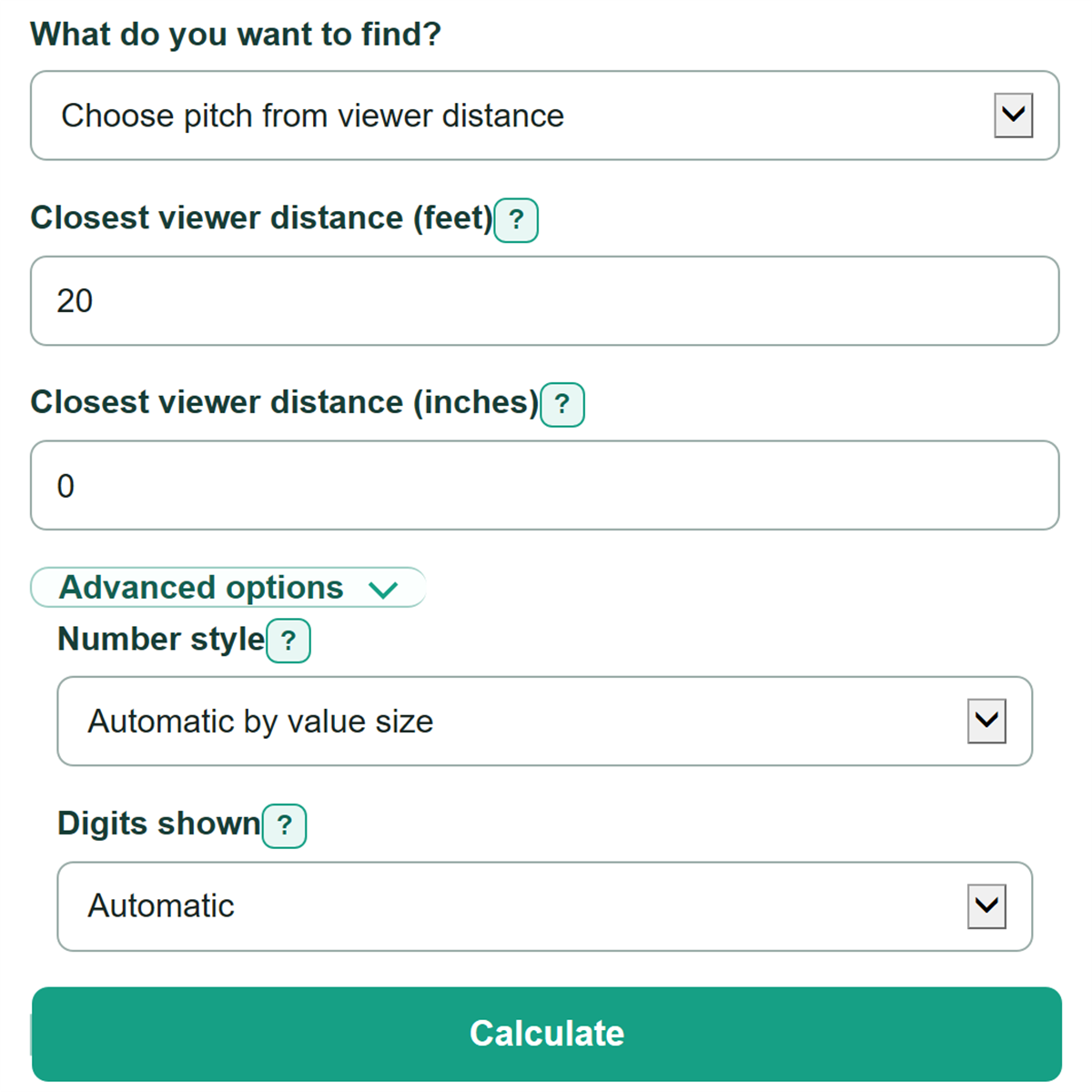
- Choose "Choose pitch from viewer distance" if you know where the nearest regular viewer will stand or sit.
- Enter the measurement from the front face of the LED wall in "Closest viewer distance (feet)" and "Closest viewer distance (inches)."
- Choose "Check a known pixel pitch" if you have a panel quote, then enter its label in "LED pixel pitch (mm)," such as P2.6.
- Click Calculate and read the practical, comfortable, and 20/20 detail estimates as separate planning guides.
- Sanity-check the result: a smaller pixel-pitch number should produce shorter viewing-distance estimates, and a farther closest viewer should allow a larger pitch limit.
Definitions
Pixel pitch: The center-to-center spacing between neighboring LED pixels, measured in millimeters. A smaller pitch means pixels are closer together. [2]
P-series notation: A common shorthand for pixel pitch. P2.6 means a 2.6 mm pixel pitch.
Practical distance: A lower planning boundary based on 1 meter of viewer distance per millimeter of pixel pitch.
Comfortable planning distance: A more conservative planning estimate using 1.72 meters of distance per millimeter of pixel pitch.
20/20 detail distance: An estimate using 11.26 feet of distance per millimeter of pixel pitch for a viewer with 20/20 vision.
Common mistakes and quick fixes
Mistake: Entering 12 or more in "Closest viewer distance (inches)."
Fix: Use 0 through 11 inches and add any full feet to "Closest viewer distance (feet)."
Mistake: Measuring from the stage edge, seating row, or room wall instead of the LED face.
Fix: Measure from the front face of the display to the nearest regular viewer for "Closest viewer distance (feet)."
Mistake: Treating P2.6 as a product name rather than a measurement.
Fix: Enter P2.6, 2.6, or 2.6 mm in "LED pixel pitch (mm)" to mean 2.6 mm between pixels.
Mistake: Choosing a pitch from "Largest pitch under the practical-distance rule" and expecting fine text to look equally clear at every seat.
Fix: Also compare "Largest pitch for comfortable planning" and "Largest pitch for the 20/20 detail estimate" before selecting a panel.
Mistake: Changing "Number style" or "Digits shown" and assuming it changes the planning calculation.
Fix: Those controls change only how the same calculated values are rounded and displayed.
Limitations & Key Assumptions / Boundary Conditions
- These are planning estimates, not a guarantee that every viewer can read every type size, spreadsheet, camera image, or detailed graphic.
- The calculation uses fixed practical, comfortable, and 20/20 detail multipliers. Actual results can differ with content, brightness, contrast, viewing angle, processing, and eyesight.
- Use the closest regular viewer, measured from the front face of the LED wall. A temporary walk-through position may not be the right design distance.
- The 20/20 detail estimate applies to a viewer with 20/20 vision and does not account for all visual conditions.
- This calculator does not size the wall, calculate native resolution, select cabinets, or evaluate power, structural support, camera performance, or cost.
- Feet and inches are converted using 12 inches per foot and 0.3048 meter per foot. [1]
Methodology
Calculation method
In "Choose pitch from viewer distance," the calculator first converts the entered feet and inches into feet, then meters. It divides that distance by each planning multiplier to find the largest pitch that fits the entered closest-viewer distance.
distance in feet = closest feet + (closest inches / 12)
practical pitch in mm = distance in feet x 0.3048 / 1
comfortable pitch in mm = distance in feet x 0.3048 / 1.72
20/20 detail pitch in mm = distance in feet / 11.26
In "Check a known pixel pitch," the calculator reverses those relationships and reports each estimated distance in feet and inches, with meters also shown.
practical distance in feet = pitch in mm x 1 / 0.3048
comfortable distance in feet = pitch in mm x 1.72 / 0.3048
20/20 detail distance in feet = pitch in mm x 11.26
Worked example
For a closest viewer distance of 20 feet 0 inches, the practical pitch limit is 20 x 0.3048 = 6.096 mm. The comfortable planning limit is 6.096 / 1.72 = about 3.54 mm, and the 20/20 detail estimate is 20 / 11.26 = about 1.78 mm. A quoted P2.6 panel is smaller than the first two limits but larger than the 20/20 detail limit.
The calculator accepts P-series text such as P2.6, a plain number such as 2.6, or a value followed by mm. It rejects zero, negative, incomplete, and multi-number pitch entries. It also stops if the total closest viewer distance is zero or if inches are outside 0 through 11.