
Calculate a selected OTDR event location from the fiber-under-test start and keep its reported event loss separate from attenuation.
Launch reference
Advanced options
Table of contents
How to use our OTDR Event Loss and Fault Distance Calculator
- Copy the selected event position into Event distance, then choose the same Event distance unit shown on the OTDR.
- Choose How should the launch cable be handled?. Select subtraction only when the OTDR distance still includes the launch cable.
- If subtraction is selected, enter Launch cable length and its unit from the cable label, setup record, or trace.
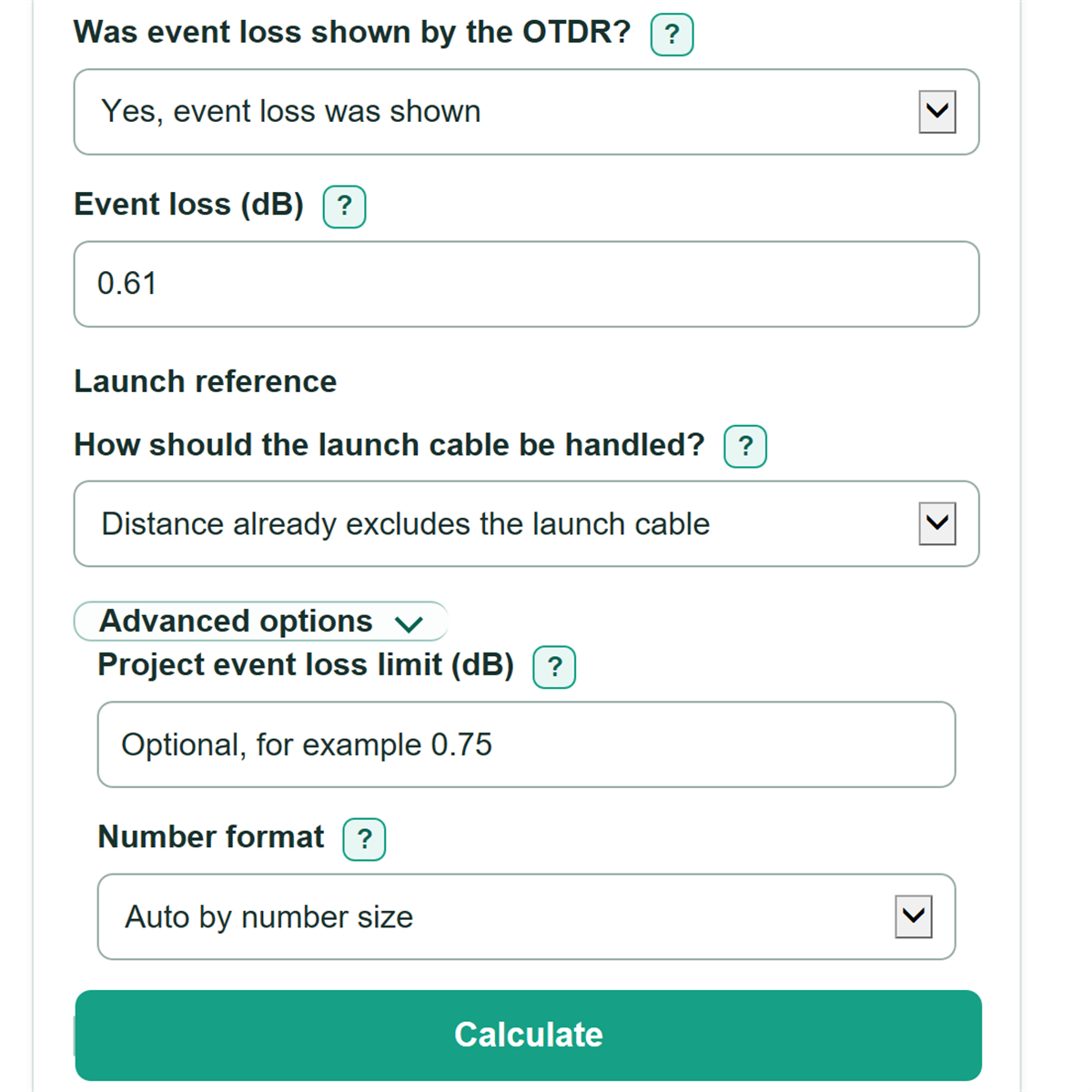
- Choose whether loss was shown, then enter the signed Event loss (dB) exactly as displayed. Leave the optional project limit blank unless you have a project-specific limit.
- Check that Fault distance from the fiber-under-test start and Event distance from the OTDR differ by the launch length only when subtraction was selected.
Definitions
OTDR: An optical time-domain reflectometer, a tester that estimates where events occur along fiber by analyzing returned light.
Event distance: The selected event position shown in an OTDR event table or at a trace cursor. The displayed reference can be the OTDR port or the fiber-under-test start. [1]
Launch cable: A known length of fiber between the OTDR and the fiber under test. It is subtracted only when the displayed event position includes it.
Event loss (dB): The loss assigned by the OTDR to one selected event, such as a connector, splice, bend, or break.
dB/km: Attenuation per kilometer of fiber. It is a distance-based rate, not the same measurement as an event loss in dB.
Apparent gain: A negative event-loss reading. Preserve the signed reading for review instead of changing it to zero.
Attenuation dead zone: A short area after a strong reflection where the OTDR may locate an event but cannot make a usable loss measurement. [2]
Common mistakes and quick fixes
Mistake: Entering attenuation such as 0.35 dB/km into Event loss (dB) .
Fix: Copy the selected event's Loss value in dB. Attenuation in dB/km is a rate for a fiber section, not one event.
Mistake: Guessing the Event distance unit from the size of the number.
Fix: Choose the unit printed on the OTDR screen or report, even if the number looks familiar.
Mistake: Selecting launch subtraction after the OTDR already excluded the launch cable.
Fix: In How should the launch cable be handled? , choose "Distance already excludes the launch cable" unless the displayed position includes it.
Mistake: Replacing a negative Event loss (dB) with zero.
Fix: Keep the minus sign. The OTDR event loss reading will identify it as an apparent gain for inspection or retest.
Mistake: Typing a loss value when Was event loss shown by the OTDR? is set to unavailable in a dead zone.
Fix: Keep the unavailable choice so the calculator does not present an invented loss measurement.
Mistake: Treating Project event loss limit (dB) as a universal pass/fail rule.
Fix: Enter only the limit from the applicable project plan, customer specification, or tester setup.
Limitations & Key Assumptions / Boundary Conditions
- This calculator adjusts the distance shown by the OTDR. It does not verify the OTDR's distance calibration, refractive-index setting, pulse width, range setting, or cursor placement.
- Subtract the launch cable only if the OTDR event distance includes it. Choosing the wrong reference point shifts the reported field location.
- The result is the distance along the fiber path, not necessarily a straight-line map distance or a physical access-point location.
- An event loss value is copied from the OTDR. The calculator does not determine whether that reading is valid for the event type, wavelength, trace direction, or test conditions.
- A negative event loss remains an apparent gain. It may need trace review or retesting before it is used for an acceptance decision.
- If loss is unavailable in an attenuation dead zone, the calculator reports it as unavailable and does not estimate a replacement value.
- The optional project event loss limit is user supplied. It is not a universal acceptance limit for connectors, splices, bends, or reflective events.
Methodology
Distance calculation
The calculator converts the selected OTDR event distance and, when selected, the launch cable length to feet. It subtracts the launch cable only when the displayed OTDR distance includes that cable, then converts the adjusted result back to the selected event-distance unit.
event_distance_ft = event_distance * unit_conversion_factor
subtracted_launch_ft = launch_length * launch_unit_conversion_factor, or 0 when launch subtraction is not selected
fault_distance_ft = event_distance_ft - subtracted_launch_ft
fault_distance_from_link_start = fault_distance_ft / event_unit_conversion_factor
For example, an event at 1,500 ft from the OTDR with a 500 ft included launch cable is 1,000 ft from the fiber-under-test start. The unadjusted distance remains 1,500 ft for a reference-point check.
Event loss and limit check
The calculator preserves the signed OTDR event-loss reading when it is available. If you enter a project event loss limit, it calculates the signed amount below that limit. A positive amount is under the limit, zero is exactly at the limit, and a negative amount is over it.
loss_margin_db = loss_limit_db - event_loss_reported_db
For example, a 0.61 dB event loss with a 0.75 dB entered limit has a margin of 0.14 dB. If the OTDR reports loss as unavailable in a dead zone, no event-loss number or limit comparison is calculated.
Unit handling
Feet are used as the internal common unit. The conversion uses 1 ft = 0.3048 m, 1 kft = 1,000 ft, and 1 mi = 5,280 ft. The calculator rejects a launch cable longer than the selected event distance after conversion because that would place the event before the fiber-under-test start.