
Enter your car price and loan details to choose a down payment and estimate the amount financed, monthly payment, and total interest.
Advanced options
Trade, tax, and financed fees
Optional buy-now comparison
This is cash only. Trade equity is calculated separately.
Planning estimate, not a loan offer.
Calculation details
A negative value means trade debt increases the amount financed.
Table of contents
How to use our Car Down Payment Calculator
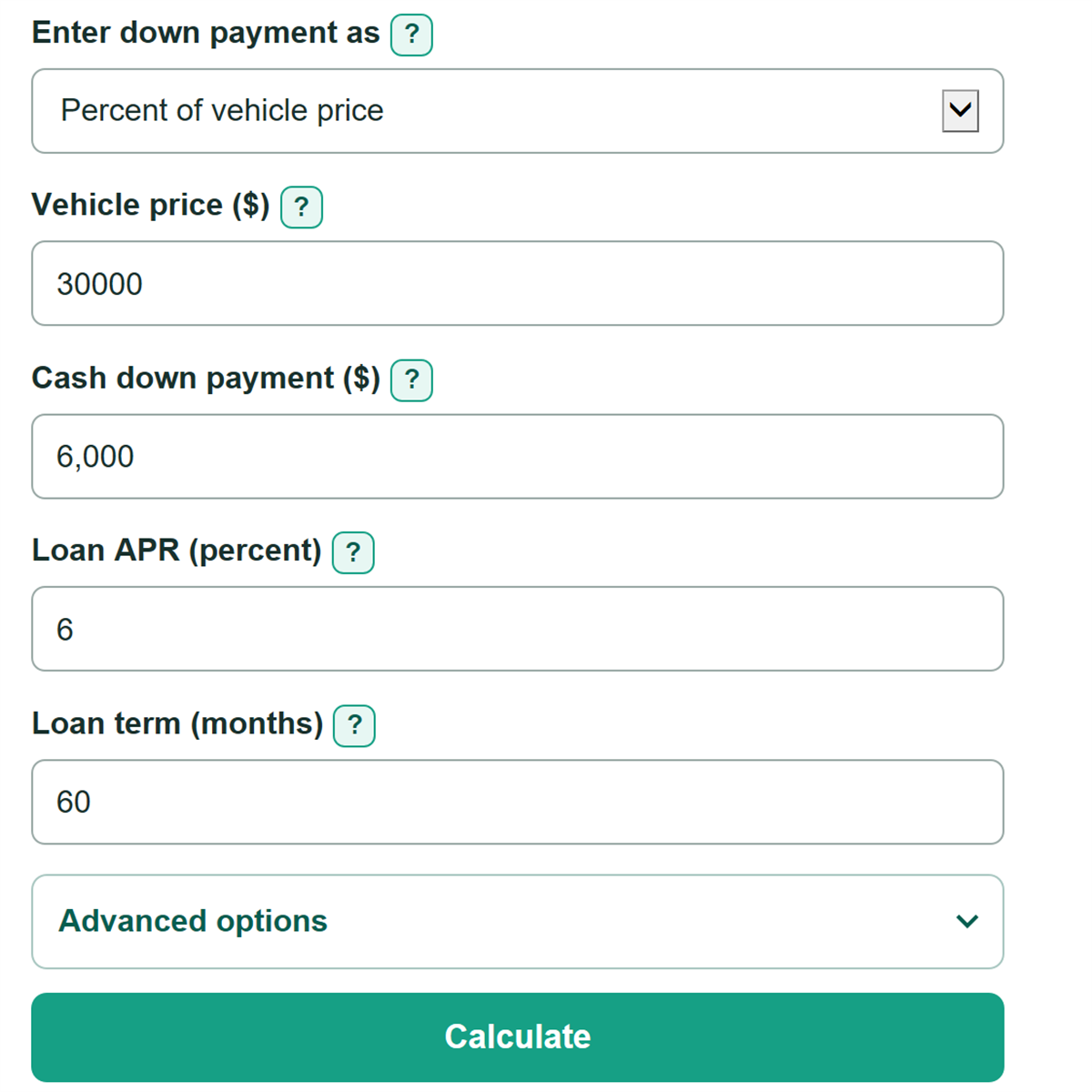
- Choose whether to enter your down payment as a cash amount or as a percent of the vehicle price.
- Enter the negotiated vehicle price, loan APR, and whole-number loan term from your lender quote or preapproval.
- Open Advanced options to add trade-in, sales tax, and financed-fee amounts from the buyer's order if you have them.
- Click Calculate, then review the selected cash down payment, estimated amount financed, monthly payment, and total interest.
- Check that adding cash down or positive trade equity lowers the amount financed. To compare buying now with waiting, enter both cash available now and the amount you can save each month.
Definitions
Cash down payment: Cash you plan to put toward the vehicle purchase. It does not include trade-in value.
Net trade equity: Trade-in value minus the amount still owed on that vehicle. A negative value means the old loan increases the new amount financed.
Amount financed: The estimated deal total left to borrow after cash down and net trade equity are applied.
APR: Annual percentage rate. This yearly borrowing rate is used to estimate monthly loan interest.
Loan term: The number of monthly payments in the loan.
Sales tax method: The part of the deal used to calculate sales tax. Some quotes tax the full vehicle price, while others reduce the taxable price by positive trade equity.
Estimated total interest: Estimated total monthly payments minus the estimated amount financed.
Common mistakes and quick fixes
Mistake: Entering an out-the-door price and also adding sales tax and fees.
Fix: Enter the vehicle price before tax and separate fees, or leave tax and fee fields blank if they are already included in your price.
Mistake: Adding a trade-in allowance to the cash down payment.
Fix: Enter cash separately from trade-in value and the amount owed so net trade equity is calculated correctly.
Mistake: Entering 0.06 for a 6 percent APR.
Fix: Enter 6 for 6 percent. The APR field uses percent, not a decimal rate.
Mistake: Using the balance on an old statement as the trade payoff.
Fix: Use a current payoff quote because the payoff can differ from the balance shown on a statement.
Mistake: Filling in only one savings comparison field.
Fix: Enter both cash available now and amount saved per month, or leave both fields blank.
Mistake: Typing a dollar amount such as 30,00.
Fix: Use commas only for thousands, such as 30,000, and use a decimal point for cents.
Limitations & Key Assumptions / Boundary Conditions
- This is a planning estimate, not a lender offer or purchase contract. A final deal may include lender charges, rebates, optional products, add-ons, or fees not entered here.
- Sales-tax rules, trade-in tax treatment, title fees, registration fees, and dealer fees vary by location and by deal. Confirm them on the buyer's order.
- The payment estimate assumes equal monthly payments at the entered APR for the full stated term, with no late fees, extra payments, refinance, or early payoff.
- The buy-now versus wait comparison keeps the vehicle price, trade value, payoff, taxes, fees, APR, and loan term unchanged while you save. Those values can change in real life.
- The savings timeline does not include interest earned on savings or changes in the amount saved each month.
- Cash down, trade value, trade payoff, tax, fees, and savings amounts must be zero or greater. The calculator stops if cash down and trade equity would create a negative amount financed.
Methodology
Deal estimate
The calculator starts with the vehicle price, then adds optional sales tax and financed fees. It subtracts the selected cash down payment and net trade equity to estimate the amount borrowed.
net trade equity = trade-in value - amount owed on trade-in
estimated deal total = vehicle price + sales tax + financed fees
estimated amount financed = estimated deal total - cash down - net trade equity
If you choose Price after positive trade credit, only positive net trade equity reduces the taxable price. Negative equity still increases the estimated amount financed.
Loan payment and interest
The calculator changes APR from a percent to a monthly decimal rate by dividing by 100 and then by 12. In the fixed-payment formula, P is the amount financed, r is the monthly rate, and n is the number of monthly payments.
monthly payment = P * r * (1 + r)^n / ((1 + r)^n - 1)
total interest = monthly payment * n - P
When APR is 0 percent, the monthly payment is the amount financed divided by the loan term.
Savings comparison
If both savings fields are filled in, the buy-now case uses the smaller of current savings or the selected cash target. The wait case uses the full target. If more cash is needed, the calculator rounds up to a whole month of saving.
months to target = ceiling(additional savings needed / monthly savings)
Worked example
For a $30,000 vehicle, a 20 percent target is $6,000. With a $5,000 trade-in, a $2,000 payoff, 6 percent tax on $27,000, and $800 in financed fees, net trade equity is $3,000 and sales tax is $1,620. The estimated amount financed is $23,420. At 6 percent APR for 60 months, the estimated payment is $452.77 per month and estimated total interest is $3,746.45.