
Calculate flow rate and totalized volume from your meter K-factor, measured Hz, or pulses counted during a timed test.
Table of contents
How to use our Flow Meter K-Factor, Pulse Totalizer and Flow Rate Calculator
- Copy the meter calibration into K-factor form, Meter K-factor, and K-factor volume unit. Match the wording and unit on the meter label or calibration sheet.
- Under Pulse reading available, choose frequency if your counter reports Hz, or choose the timed option if you counted pulses during a test.
- Enter the active rate reading, then enter Accumulated pulses to totalize for the batch or counter total you want to convert.
- Choose Show volume as and Show flow per, then select Calculate.
- Check Calibrated volume per pulse before using the answer. If it looks reversed or has an unexpected unit, recheck K-factor form and K-factor volume unit.
Definitions
K-factor: A meter calibration that links pulse count to fluid volume.
Pulses per volume: The number of pulses produced for one stated volume, such as 100 pulses per US gallon.
Volume per pulse: The volume represented by one pulse, such as 0.002 liters per pulse. It is the inverse form of pulses per volume.
Hz: Hertz, meaning pulses per second in this calculator.
Pulse rate used: The Hz reading entered directly or calculated by dividing the test pulse count by Test time.
Totalized volume: The fluid volume represented by Accumulated pulses to totalize.
US gallon: A US liquid gallon, equal to 0.003785411784 cubic meters. A liter equals 0.001 cubic meter. [1]
Common mistakes and quick fixes
Mistake: Entering a pulses-per-gallon value while K-factor form is set to volume per pulse.
Fix: Match the exact direction on the meter document before entering Meter K-factor.
Mistake: Treating Measured frequency as pulses per minute.
Fix: Enter Hz only. Hz means pulses per second; use Show flow per to choose a per-minute or per-hour answer.
Mistake: Entering a pulse count without the actual Test time.
Fix: Use the elapsed seconds from the same test window as Pulses counted during the test.
Mistake: Putting a lifetime counter reading into Pulses counted during the test.
Fix: Put the lifetime or batch count in Accumulated pulses to totalize ; use only the short test-window count for flow rate.
Mistake: Choosing liters under Show volume as when the procedure needs US gallons, then comparing the number directly.
Fix: Select the required answer unit before comparing Calculated flow rate or Volume represented by accumulated pulses.
Mistake: Typing a malformed grouped number such as 1,01 for Meter K-factor.
Fix: Use a decimal point for decimals, such as 1.01, and use commas only in complete thousands groups, such as 1,001.
Limitations & Key Assumptions / Boundary Conditions
- The calculation assumes the entered K-factor is valid for the meter, fluid, installation, and operating range being checked.
- A frequency reading gives the rate represented by that reading. Pulses counted during the test gives an average rate over Test time, so short tests can vary more.
- Pulse counts are treated as whole pulses. A zero pulse count is valid and produces zero flow or zero totalized volume.
- US gallons, liters, and cubic meters are distinct units. The selected K-factor volume unit must match the meter documentation; the calculator does not infer it from the number.
- Displayed rounding can hide small differences. Use more digits after the decimal when matching a report, controller, or totalizer display.
- This tool converts a documented calibration and observed pulses. It does not diagnose a faulty meter, missed pulses, signal noise, leakage, or an incorrect meter configuration.
Methodology
Calculation method
The calculator first converts the documented K-factor into volume per pulse, using cubic meters internally so the selected input and answer units stay separate.
volume_per_pulse_m3 = k_volume_to_m3 / k_value for pulses per volume.
volume_per_pulse_m3 = k_volume_to_m3 * k_value for volume per pulse.
For a direct frequency reading, the pulse rate is the entered Hz value. For a timed count, the pulse rate is the number of complete pulses divided by the elapsed seconds.
pulse_rate_used = frequency_hz OR count_window_pulses / elapsed_seconds
The flow calculation multiplies pulses per second by calibrated volume per pulse, then converts to the chosen volume and time basis.
flow_rate = pulse_rate_used * volume_per_pulse_m3 * seconds_per_rate_unit / output_volume_to_m3
Accumulated pulses use the same calibrated volume per pulse and do not depend on the current rate reading.
totalized_volume = total_pulses * volume_per_pulse_m3 / output_volume_to_m3
Worked example
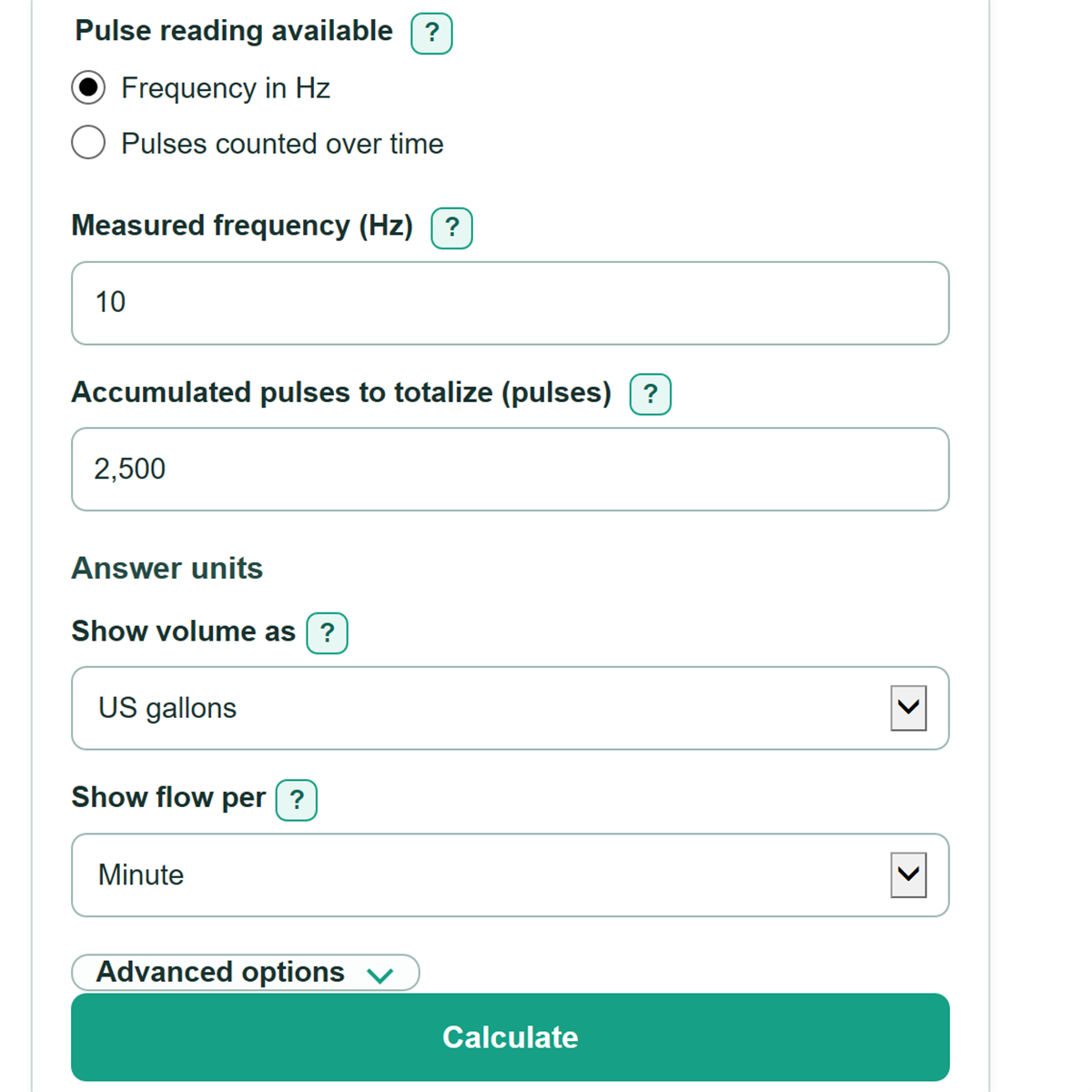
With 100 pulses per US gallon, a measured frequency of 10 Hz equals 0.01 US gallon per pulse. At 10 pulses per second, that is 0.1 US gallon per second, or 6 US gallons per minute. An accumulated count of 2,500 pulses represents 25 US gallons.
Units and rounding
The calculator uses 0.003785411784 cubic meters per US gallon and 0.001 cubic meter per liter. [1] Automatic formatting keeps ordinary decimals for typical answers and uses scientific notation only for very large or very small nonzero values. Fixed decimal places change the display only, not the calculation.