
Convert kilometers to meters or meters to kilometers fast, with clear steps that help you avoid multiplying or dividing the wrong way.
Table of contents
How to use our Kilometers to Meters Converter
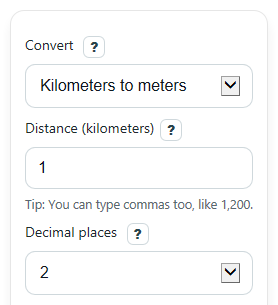
- Choose a direction in Convert: either Kilometers to meters or Meters to kilometers.
- Enter your number in Distance. You can use decimals like 2.5, and negative values will keep their negative sign.
- Pick Decimal places to control rounding in Converted distance.
- Click Calculate, then read Converted distance first and use Formula used and How it was worked out to verify the math.
- Do a quick sanity check: converting km to m should make the number 1,000 times larger, while converting m to km should make it 1,000 times smaller.
Definitions
Kilometer (km): A metric unit of length equal to 1,000 meters.
Meter (m): The base metric unit of length used in this converter.
Convert: The direction of the change, either kilometers to meters or meters to kilometers.
Distance: The number you enter to be converted.
Decimal places: How many digits to keep after the decimal point in the displayed result.
Converted distance: The distance after changing to the other unit.
Formula used: The rule the converter applied, so you can check whether it multiplied or divided by 1,000.
How it was worked out: A plain-number version of the calculation with your input value.
Metric tip: A short reminder that the prefix kilo means 1,000.
Common mistakes and quick fixes
Mistake: Picking the wrong option in Convert and multiplying when you meant to divide.
Fix: Check Formula used before trusting the answer. km to m uses x 1,000, and m to km uses / 1,000.
Mistake: Typing letters or leaving Distance blank.
Fix: Enter numbers only in Distance , such as 3, 2.75, or 1500.
Mistake: Thinking Decimal places changes the real conversion value.
Fix: Decimal places only changes rounding in Converted distance ; it does not change the actual unit relationship.
Mistake: Reading a rounded answer and forgetting the exact math behind it.
Fix: Use How it was worked out to see the original multiply-or-divide step with your entered number.
Mistake: Expecting a larger number after converting meters to kilometers.
Fix: In Meters to kilometers mode, Converted distance is usually a smaller number because 1 kilometer equals 1,000 meters.
Mistake: Assuming a negative Converted distance is an error.
Fix: A negative result means your Distance input was negative, and the sign stays the same during conversion.
Limitations & Key Assumptions / Boundary Conditions
- This converter uses the exact metric relationship 1 km = 1,000 m, so it only works for converting between these two units.
- The displayed answer follows the selected Decimal places, so rounded results may hide extra digits from the exact value.
- Very large inputs can be converted correctly, but the shown value is still a formatted display, not scientific notation.
- Negative values are allowed because the math works, but a negative distance usually describes direction, position change, or difference rather than path length.
- This tool does not add measurement uncertainty, significant figures, or real-world precision limits from rulers, maps, or sensors.
Methodology
Conversion rule
The converter uses one exact metric fact: 1 kilometer equals 1,000 meters.
m = km x 1000
km = m / 1000
How the calculator decides
If Convert is set to kilometers to meters, it multiplies the entered Distance by 1,000. If Convert is set to meters to kilometers, it divides the entered Distance by 1,000. Then it rounds the displayed answer to the chosen Decimal places and trims extra zeros at the end.
Mini example
If you enter 2.75 and choose kilometers to meters, the calculation is:
m = 2.75 x 1000 = 2750
If you enter 1500 and choose meters to kilometers, the calculation is:
km = 1500 / 1000 = 1.5
Decimal shortcut
You can think of this as moving the decimal point. For km to m, move it 3 places to the right because the number gets 1,000 times larger. For m to km, move it 3 places to the left because the number gets 1,000 times smaller.
Assumptions and limits
This method assumes standard SI metric units and the exact prefix value for kilo, which is 1,000. The converter keeps negative signs if the input is negative, and it does not estimate real-world measuring error. If your result looks odd, check that you picked the right direction in Convert and that your entered unit matched that direction.