
Enter your load and battery details to estimate UPS backup time in minutes or find the battery energy needed for a target outage time.
Table of contents
How to use our UPS Battery Runtime Calculator
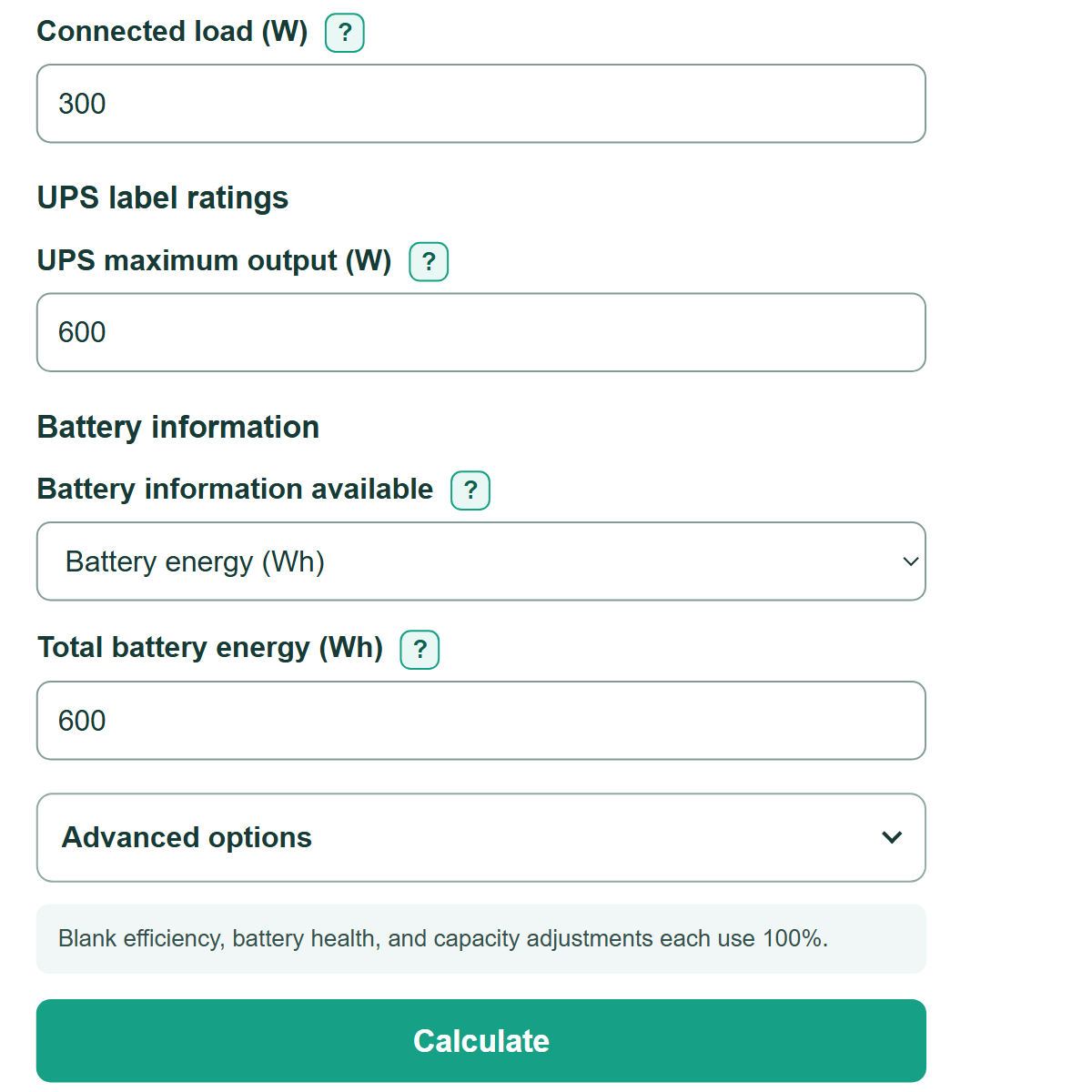
- Choose "Estimate runtime" to estimate backup time for an existing battery setup, or choose "Size battery for a target" to find the nominal battery energy needed for a planned outage.
- Choose whether the connected load is listed in watts or VA, then enter the current load from a UPS display, UPS software, PDU, or power meter.
- If you chose "Volt-amperes (VA)," enter the connected-load power factor and the UPS maximum output in VA. Power factor converts VA to real watts.
- Enter "UPS maximum output (W)" from the UPS label or manual. This is separate from the VA rating.
- For "Estimate runtime," choose the battery information you have. Enter either total battery energy in Wh or the voltage, Ah, batteries in each series string, and parallel battery strings.
- For "Size battery for a target," enter "Target runtime (minutes)." Battery details are not needed in this mode.
- Open "Advanced options" only if you know the UPS efficiency, battery health, or battery capacity you plan to use. A blank adjustment uses 100%.
- Select "Calculate." Read "UPS load check" with the main answer. An overload warning means the entered load is above a stated UPS rating, even if the energy math produces a runtime.
Definitions
Watt (W): Real electrical power. This is the power used in the runtime calculation.
Volt-ampere (VA): Apparent electrical power. VA must be multiplied by power factor to estimate real watts.
Power factor: A decimal from 0 to 1 used to convert VA to watts. In this calculator, watts = VA * power factor.
Watt-hour (Wh): A unit of stored energy. In ideal energy math, 600 Wh can supply 600 W for one hour before losses and battery limits.
Amp-hour (Ah): A battery capacity rating. It must be combined with voltage to estimate energy in Wh.
Series string: Batteries connected end to end. Series connections add voltage. [2]
Parallel strings: Complete battery strings connected side by side. Parallel connections add capacity. [2]
Common mistakes and quick fixes
Mistake: Entering VA as though it were watts.
Fix: Select "Volt-amperes (VA)" and enter the connected-load power factor. The calculator multiplies VA by power factor to find real watts.
Mistake: Adding device nameplate maximums instead of measuring the current operating load.
Fix: Use a UPS display, UPS software, PDU, or power meter when possible. Nameplate values can be much higher than normal operating power.
Mistake: Entering the Wh value for one battery when the UPS has a battery bank.
Fix: Enter total battery-bank energy, or choose "Battery voltage and Ah" and enter the count in each series string and the number of parallel strings.
Mistake: Treating this estimate as the tested runtime for a specific UPS.
Fix: Compare the result with the manufacturer runtime table for the exact UPS, installed battery pack, load, and battery condition before making an outage plan.
Limitations & Key Assumptions / Boundary Conditions
- This is a generic energy estimate, not a manufacturer-tested runtime curve for a particular UPS model.
- Actual runtime can change with battery age, temperature, discharge rate, charge state, UPS cutoff behavior, and changing load. Battery capacity can vary with discharge rate. [1]
- Blank values for UPS efficiency, battery health, and battery capacity to use are treated as 100%, which can overstate runtime.
- The watt and VA checks compare entered values with UPS label ratings. They do not confirm startup-surge support, outlet limits, battery compatibility, or safe wiring.
- The battery-sizing answer is nominal energy only. Confirm voltage, discharge capability, charger compatibility, battery configuration, and manufacturer guidance before selecting or connecting batteries.
Methodology
Energy calculation
The calculator first finds connected real power. A load entered in watts is used directly. A load entered in VA is multiplied by the entered power factor.
Connected real power (W) = connected load (VA) * power factor
For a direct energy entry, nominal battery energy is the entered Wh value. For battery details, the calculator multiplies voltage, Ah, batteries in each series string, and parallel strings. This estimates nameplate energy, not a battery discharge curve.
Nominal battery energy (Wh) = voltage per battery (V) * capacity per battery (Ah) * series batteries * parallel strings
Optional efficiency, battery health, and capacity-to-use percentages reduce the energy available to the load. Each blank optional field uses a factor of 1, meaning 100%.
Available battery energy (Wh) = nominal battery energy * efficiency factor * health factor * usable-capacity factor
Runtime and battery sizing
Runtime divides available battery energy by connected real power, then converts hours to minutes. In sizing mode, the calculator rearranges the same relationship to find the nominal battery energy needed for the target time.
Estimated runtime (minutes) = 60 * available battery energy (Wh) / connected real power (W)
Required nominal battery energy (Wh) = (target runtime (minutes) / 60) * connected real power (W) / adjustment factor
For example, 600 Wh of available battery energy supplying a 300 W load gives 60 * 600 / 300 = 120 minutes. If the load exceeds the entered UPS watt rating, the calculator shows that warning but does not change the entered load.