
Add the watts from equipment on battery-backed UPS outlets to find your total connected load and check whether a selected UPS stays within its W and VA ratings.
Advanced options
Table of contents
How to use our UPS Load Calculator
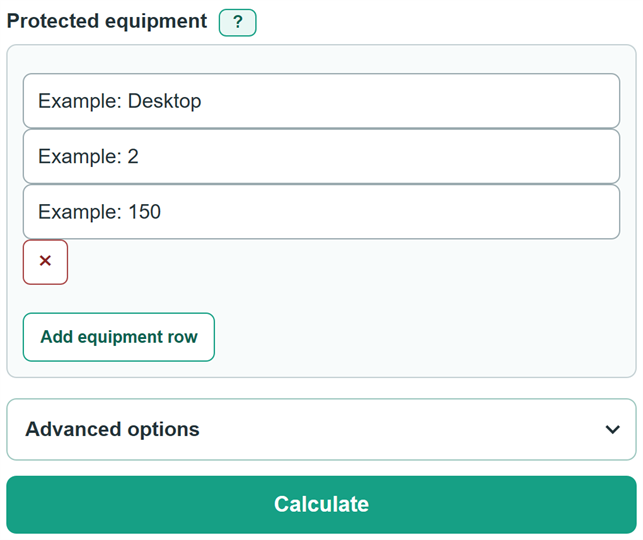
- Add one row for each type of equipment plugged into a battery-backed UPS outlet. Enter a name, the number of matching devices, and watts for each device.
- Use operating watts from a plug-in power meter when possible. Otherwise, use watts from the product label, manual, or specification sheet.
- Select "Calculate" to see the total protected equipment load in watts and kilowatts.
- To check a specific UPS, open "Advanced options" and enter its output rating in W, its rating in VA or kVA, and a measured or documented load power factor.
- Sanity-check the result: the total should match the equipment you actually connected to battery-backed outlets, and the UPS passes only if both capacity percentages are 100% or less.
Definitions
Battery-backed outlet: A UPS outlet that keeps supplying power from its battery during an outage.
Watt (W): A unit of real electrical power. The calculator adds the watts from each protected equipment row.
Kilowatt (kW): 1,000 watts.
Volt-ampere (VA): A unit of apparent power used for UPS capacity ratings.
Kilovolt-ampere (kVA): 1,000 VA.
Power factor: Real power in W divided by apparent power in VA. The optional UPS check uses it to calculate VA from the total W load.
Common mistakes and quick fixes
Mistake: Adding devices plugged into surge-only outlets.
Fix: Include only equipment connected to outlets that run from the UPS battery during an outage.
Mistake: Using maximum nameplate watts to describe normal operating load.
Fix: Use measured operating watts when available. A nameplate total can be a more conservative estimate.
Mistake: Treating the UPS W rating and VA rating as the same limit.
Fix: Enter both ratings and a documented power factor. The selected UPS must stay within both limits.
Mistake: Typing a kVA rating as a bare number.
Fix: A bare apparent-power number means VA. Include the "kVA" suffix for a kilovolt-ampere rating, such as "1.5 kVA".
Mistake: Entering a fractional device count or negative watts.
Fix: Use a whole quantity of at least 1 and watts of 0 or more for every equipment row.
Mistake: Using a comma as a decimal mark, such as "1,20".
Fix: Use a decimal point for decimals and commas only for thousands, such as "1,200".
Limitations & Key Assumptions / Boundary Conditions
- This calculator totals connected real-power load. It does not estimate battery runtime, battery health, recharge time, or shutdown time.
- The optional UPS check runs only when you enter a UPS W rating, a UPS VA or kVA rating, and a load power factor.
- The apparent-load calculation depends on the combined-load power factor you enter. The calculator does not estimate or assume power factor.
- Operating watts can change as equipment works, so a measured load and a maximum nameplate load can give different totals.
- A pass means only that the entered load is within the entered UPS W and VA ratings. It does not account for future equipment, startup surges, outlet limits, wiring limits, or manufacturer requirements.
- A zero-watt device adds zero to the total, but every equipment row still needs a whole quantity of at least 1.
Methodology
Load calculation
Each equipment row contributes its quantity multiplied by its watts per device. The calculator adds these row loads before rounding the displayed answer.
Total protected load (W) = sum of (quantity x watts per device)
Total protected load (kW) = total protected load (W) / 1000
Selected UPS check
If all three optional UPS values are supplied, the calculator converts the real-power load to apparent power, then checks the UPS W rating and VA rating separately. Both limits must pass.
Apparent load (VA) = total protected load (W) / power factor
UPS W capacity used (%) = 100 x total protected load (W) / UPS watt rating (W)
UPS VA capacity used (%) = 100 x apparent load (VA) / UPS apparent-power rating (VA)
Pass when protected load (W) <= UPS W rating and apparent load (VA) <= UPS VA rating
Worked example
Two 150 W desktops plus one 50 W network switch use 350 W:
(2 x 150) + (1 x 50) = 350 W, or 0.35 kW. For a separate 600 W load with a power factor of 0.80, apparent load is 600 / 0.80 = 750 VA. A UPS rated at 900 W and 1,000 VA is using 66.67% of its W rating and 75% of its VA rating, so it passes both checks.