
Enter your heater, labor, and extra-work estimates to find a realistic low-to-high installed cost for a tankless water heater.
Advanced options
Table of contents
How to use our Tankless Water Heater Cost Calculator
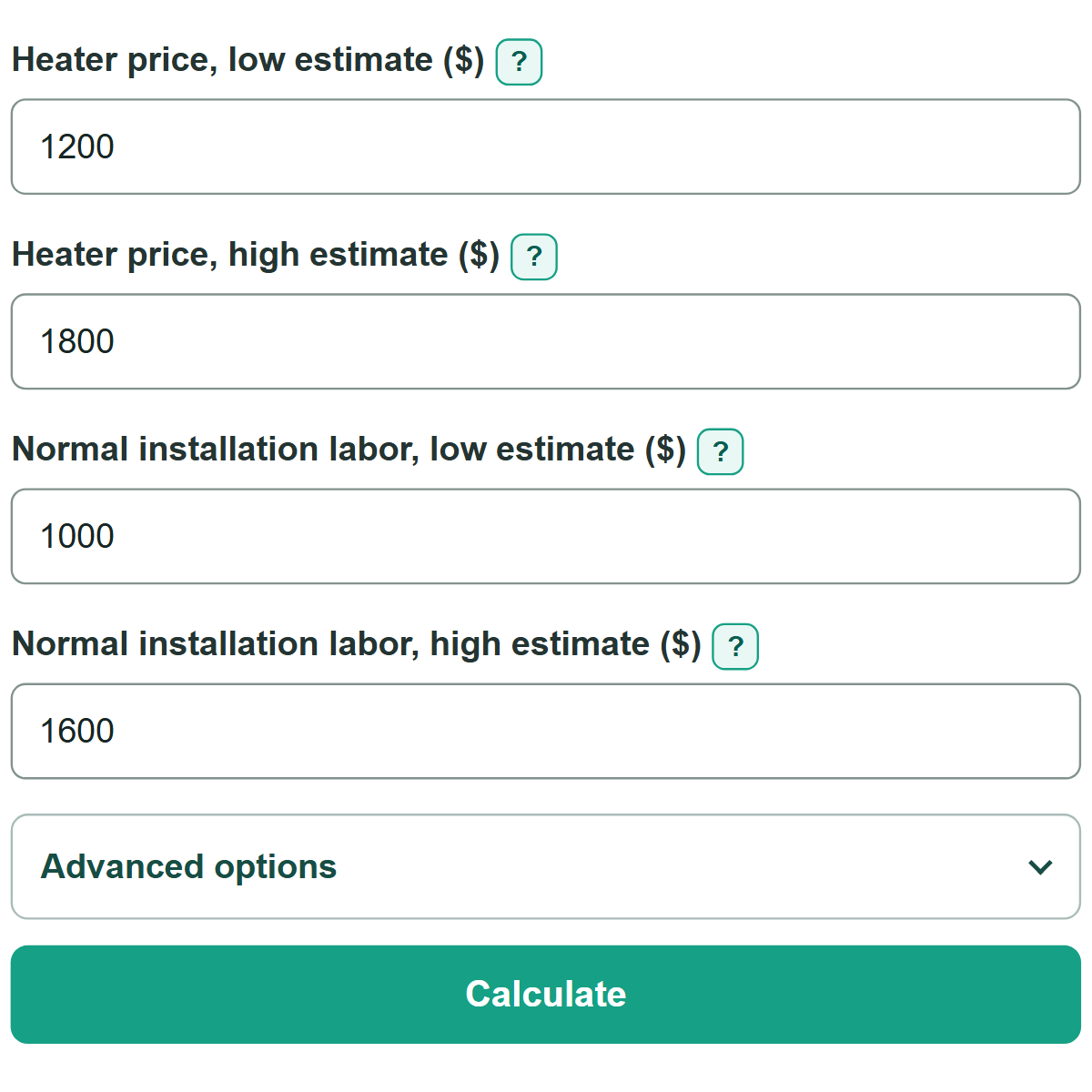
- Enter the lowest and highest realistic equipment prices in "Heater price, low estimate ($)" and "Heater price, high estimate ($)."
- Enter matching estimates for "Normal installation labor, low estimate ($)" and "Normal installation labor, high estimate ($)." Keep separately quoted project work out of these fields.
- Open "Advanced options" and enter only extra costs that apply, such as venting, gas-line work, electrical work, permits, or old-heater removal.
- Select "Calculate" to see the low-to-high installed-cost range. Use the middle of the range as a planning budget number, then compare it with complete contractor quotes.
Definitions
Installed-cost range: The low-to-high one-time project total based on your heater, labor, and entered extra-work amounts.
Normal installation labor: Basic labor for mounting and connecting the heater before separately priced work.
Selected extra-work cost: The combined amount entered for optional project items in "Advanced options."
Middle of the installed-cost range: The midpoint between the calculated low and high totals. It is a planning number, not a guaranteed final price.
Common mistakes and quick fixes
Mistake: Using a retailer's heater price as the full project cost.
Fix: Enter it as the heater estimate, then include normal installation labor and any separately quoted work.
Mistake: Adding venting, permit fees, or removal to labor and entering the same amount again in "Advanced options."
Fix: Count each quote line once. Leave an optional field blank when its work is already included in labor.
Mistake: Entering a higher amount in a low estimate field than in its matching high estimate field.
Fix: Make sure each low estimate is less than or equal to its matching high estimate.
Mistake: Treating the result as an annual utility-cost estimate.
Fix: Use this calculator for one-time installed costs. Gas, propane, and electricity use are not included.
Limitations & Key Assumptions / Boundary Conditions
- This is a planning calculation from the prices you enter. It is not a contractor quote or an automatic local market estimate.
- Both range endpoints include the same entered extra-work total. If an extra item has its own low and high quote, choose one reasonable planning amount before entering it.
- Blank optional fields add $0. A blank field does not mean the work is unnecessary or included elsewhere.
- The calculation covers one-time equipment, labor, upgrade, permit, and removal costs. It does not include annual gas, propane, or electricity use.
- Work, fees, repairs, or code requirements missing from your estimates are not included in the result.
Methodology
Calculation method
The calculator adds each entered optional project cost once. It then adds that same extra-work total to both the low and high equipment-and-labor estimates.
selected extra-work cost = venting + gas supply + electrical + recirculation + condensate + permit + removal + service valves
low installed-cost estimate = low heater estimate + low labor estimate + selected extra-work cost
high installed-cost estimate = high heater estimate + high labor estimate + selected extra-work cost
middle of the installed-cost range = (low installed-cost estimate + high installed-cost estimate) / 2
Worked example
Suppose heater estimates are $1,200 and $1,800, normal labor estimates are $1,000 and $1,600, and entered extra work totals $2,200. The low estimate is $1,200 + $1,000 + $2,200 = $4,400. The high estimate is $1,800 + $1,600 + $2,200 = $5,600. The middle of the range is $5,000.
The calculator uses the full entered amounts in its math and displays currency totals rounded to cents.