
Calculate loan-to-cost percent, or use a lender LTC limit to find the max loan and cash or equity needed.
Table of contents
How to use our Loan-to-Cost Calculator
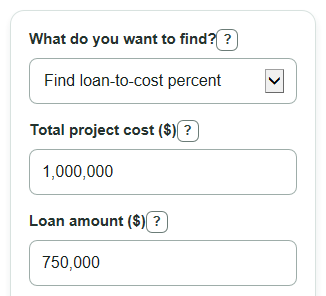
- Choose What do you want to find? based on whether you need the current loan-to-cost percent or the max loan from a lender limit.
- Enter Total project cost using the full cost basis the lender should measure, such as land, construction, soft costs, and contingency if included.
- Enter Loan amount in standard mode, or enter Lender max loan-to-cost in reverse mode.
- Click Calculate and read the first result card first; it gives the main answer for the mode you selected.
- Sanity-check the output: if Loan-to-cost percent is over 100%, the Loan amount is larger than Total project cost, so check both dollar inputs before using the number.
Definitions
Loan-to-cost percent: The loan amount divided by total project cost, shown as a percent. It tells what share of the project cost is covered by debt.
Total project cost: The project cost basis used in the ratio. Depending on the lender, it may include land, hard construction costs, soft costs, and contingency.
Lender max loan-to-cost: The highest loan-to-cost percent a lender allows for the project.
Max loan allowed by lender limit: The largest loan that fits the entered Total project cost and Lender max loan-to-cost.
Cash or equity needed: The part of the project cost not covered by the loan. It may come from cash, land equity, partner equity, or another source the lender accepts.
Common mistakes and quick fixes
Mistake: Entering only construction spending in Total project cost when land or soft costs are part of the lender's cost basis.
Fix: Use the same Total project cost definition the lender uses, then calculate again.
Mistake: Typing 0 or leaving Total project cost blank.
Fix: Enter a Total project cost greater than 0 because Loan-to-cost percent needs a cost base.
Mistake: Using Loan amount as the total project budget.
Fix: Put only the borrowed dollars in Loan amount and put the full budget in Total project cost.
Mistake: Entering 0.75 in Lender max loan-to-cost when you mean 75%.
Fix: Enter Lender max loan-to-cost as a percent, such as 75 for 75%.
Mistake: Reading Cash or equity needed with entered loan as a fee.
Fix: Treat Cash or equity needed with entered loan as the part of Total project cost not covered by Loan amount; a negative value means the entered loan is larger than the project cost.
Limitations & Key Assumptions / Boundary Conditions
- The calculator is a ratio tool, not a full construction loan model. It does not estimate interest carry, draw schedules, fees, reserves, taxes, insurance, or permanent loan payments.
- Total project cost must match the cost basis you want to test. Lenders may include or exclude land value, soft costs, contingency, closing costs, and reserves in different ways.
- Lender max loan-to-cost is limited to 0% through 100% in reverse mode. The calculator does not model exceptions, credit approvals, appraisal limits, loan-to-value caps, or minimum borrower equity rules.
- Loan-to-cost percent can be over 100% if Loan amount is larger than Total project cost. The tool shows that result instead of blocking it because it may reveal an input or cost-basis mismatch.
- Dollar results are simple arithmetic before lender rounding. A real loan approval may round down, set a maximum dollar cap, or use a lower amount based on underwriting.
Methodology
How the ratio is calculated
The calculator uses the standard loan-to-cost method: compare borrowed dollars with the total project cost basis. If Total project cost is 0 or blank, the calculation is blocked because a ratio cannot use a zero cost base.
loan_to_cost_percent = (loan_amount / total_project_cost) * 100
Example: if Loan amount is $750,000 and Total project cost is $1,000,000, the loan-to-cost percent is 75%.
How reverse mode is calculated
In reverse mode, the calculator starts with Total project cost and the Lender max loan-to-cost, then converts the percent cap into a dollar loan amount.
max_loan_amount = total_project_cost * (lender_max_ltc_percent / 100)
required_equity_cash = total_project_cost - max_loan_amount
Example: if Total project cost is $1,000,000 and Lender max loan-to-cost is 75%, the max loan allowed by the lender limit is $750,000 and the cash or equity needed at lender limit is $250,000.
How the cash gap is calculated
In standard mode, the calculator also shows how much cost is not covered by the entered loan.
entered_loan_cash_gap = total_project_cost - loan_amount
A positive cash gap means more cash or equity is needed to cover the project cost. A negative cash gap means the entered loan is larger than Total project cost, so the loan-to-cost percent is above 100%.