
Estimate the lumens, fixture count, simple ceiling layout, and optional energy cost for a home garage.
Table of contents
How to use our Garage Lighting Calculator
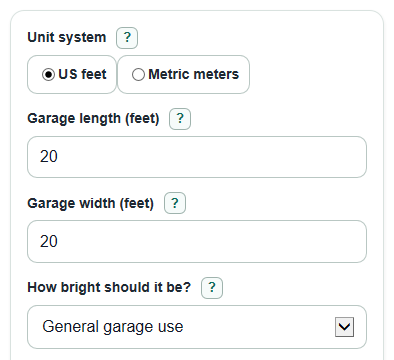
- Choose Unit system, then enter the visible garage length and width fields that match that unit system.
- Pick How bright should it be?, or choose Custom target and enter either Custom target (foot-candles) or Custom target (lux).
- Enter Lumens per fixture (lm) from the fixture box or label, not the watts number.
- Open Advanced options only if you want to adjust light losses, ceiling height, energy cost, or Number display.
- Click Calculate, then sanity-check Expected maintained brightness and Spacing check; if the garage seems too dim or the spacing looks wide, try a higher target, more lumens per fixture, or a tighter layout.
Definitions
Lumens: The amount of visible light a fixture gives off. Fixture packages and Lighting Facts labels use lumens to show brightness [1].
Foot-candles: Lumens spread over square feet. A target of 30 foot-candles means about 30 lumens reaching each square foot of floor.
Lux: Lumens spread over square meters. One foot-candle is about 10.7639 lux.
Maintained brightness: The estimated brightness after fixture count is rounded up and after light losses from fixture shape, room surfaces, age, and dirt.
Light that reaches the garage floor (0 to 1): The share of rated fixture lumens that reaches the floor area you care about.
Light kept after age and dirt (0 to 1): The share of light still available after LED aging, dust, and lens dirt are considered.
kWh: Kilowatt-hour, a unit of electric energy. A 1000 watt load running for 1 hour uses 1 kWh.
Common mistakes and quick fixes
Mistake: Entering metric measurements while Unit system is set to US feet.
Fix: Switch Unit system to Metric meters or re-enter Garage length (feet) and Garage width (feet) .
Mistake: Using watts in Lumens per fixture (lm) .
Fix: Find the lumen rating on the fixture label or box and enter that number in Lumens per fixture (lm) .
Mistake: Choosing Custom target (foot-candles) or Custom target (lux) but leaving the custom target blank.
Fix: Enter a target greater than 0, or change How bright should it be? back to a preset.
Mistake: Setting Light that reaches the garage floor (0 to 1) or Light kept after age and dirt (0 to 1) above 1.
Fix: Use a value from 0.01 to 1 for each loss setting, such as 0.70 or 0.85.
Mistake: Treating Suggested ceiling layout as an exact wiring plan.
Fix: Use Suggested ceiling layout as a starting grid, then adjust around joists, garage doors, openers, shelves, and workbench areas.
Mistake: Comparing only Lumens to install and ignoring Expected maintained brightness .
Fix: Check Expected maintained brightness after rounding up to whole fixtures, because it shows the maintained light you are likely to get.
Limitations & Key Assumptions / Boundary Conditions
- This is a planning estimate for a home garage, not a professional photometric lighting design.
- The brightness presets are practical planning targets, not universal rules. Dark walls, black floors, tall ceilings, or detailed bench work may need a different custom target.
- The layout is a simple rectangular grid. Real fixture locations may change because of joists, garage door tracks, openers, attic hatches, shelves, or work zones.
- The spacing check uses garage length, width, fixture count, and ceiling height. It does not model beam angle, lens shape, glare, shadows, or task-light direction.
- Energy cost depends on Watts per fixture (W), Use time (hours per week), and Electricity price ($ per kWh). Real bills also include taxes, fees, tiered rates, and seasonal changes.
- If the garage is unusually large, used commercially, or needs critical color matching or paint inspection, ask a lighting professional to check the final design.
Methodology
How the lumen estimate is calculated
The calculator first finds floor area from the garage dimensions that match the selected unit system.
area_sq_ft = length_ft * width_ft
area_sq_m = length_m * width_m
It then multiplies floor area by the selected target brightness. US results use foot-candles. Metric results use lux.
target_lumens = area * target_brightness
To plan for real garage losses, the calculator divides by the two loss settings.
installed_lumens_needed = target_lumens / (coefficient_utilization * light_loss_factor)
The fixture count is rounded up because you can only buy whole fixtures.
fixture_count = ceil(installed_lumens_needed / fixture_lumens)
After rounding up
The maintained brightness is recalculated from the rounded fixture count, so it can be higher than the target.
actual_brightness = fixture_count * fixture_lumens * coefficient_utilization * light_loss_factor / area
The simple layout keeps the grid close to the garage shape. Columns run along the garage length, and rows run across the width.
columns = ceil(sqrt(fixture_count * length / width))
rows = ceil(fixture_count / columns)
spacing_length = length / columns
spacing_width = width / rows
Energy cost
If the energy inputs are filled in, total power, weekly energy use, and monthly cost are estimated from fixture watts, weekly use time, and electric price.
total_watts = fixture_count * fixture_watts
weekly_kwh = total_watts * hours_per_week / 1000
monthly_cost = weekly_kwh * electricity_price * 52 / 12
Mini-example
For a 20 ft by 20 ft garage, the area is 400 sq ft. With a 30 foot-candle general-use target, 0.70 light reaching the floor, 0.85 light kept after age and dirt, and 5000 lumens per fixture, the installed lumens needed are 400 * 30 / (0.70 * 0.85) = 20,168 lm. Dividing by 5000 gives 4.03, so the calculator rounds up to 5 fixtures. The expected maintained brightness is 5 * 5000 * 0.70 * 0.85 / 400 = 37.19 foot-candles. With 40 W per fixture and 10 hours per week, energy use is 2.00 kWh per week and the estimated monthly cost at $0.16 per kWh is about $1.39.