
Estimate Dante or AES67 audio traffic on one Ethernet link, then check the busier direction against your planned link limit.
Audio setup
Network setup
Advanced options
Planning assumption
Result display
Table of contents
How to use our Dante and AES67 Audio Network Bandwidth Calculator
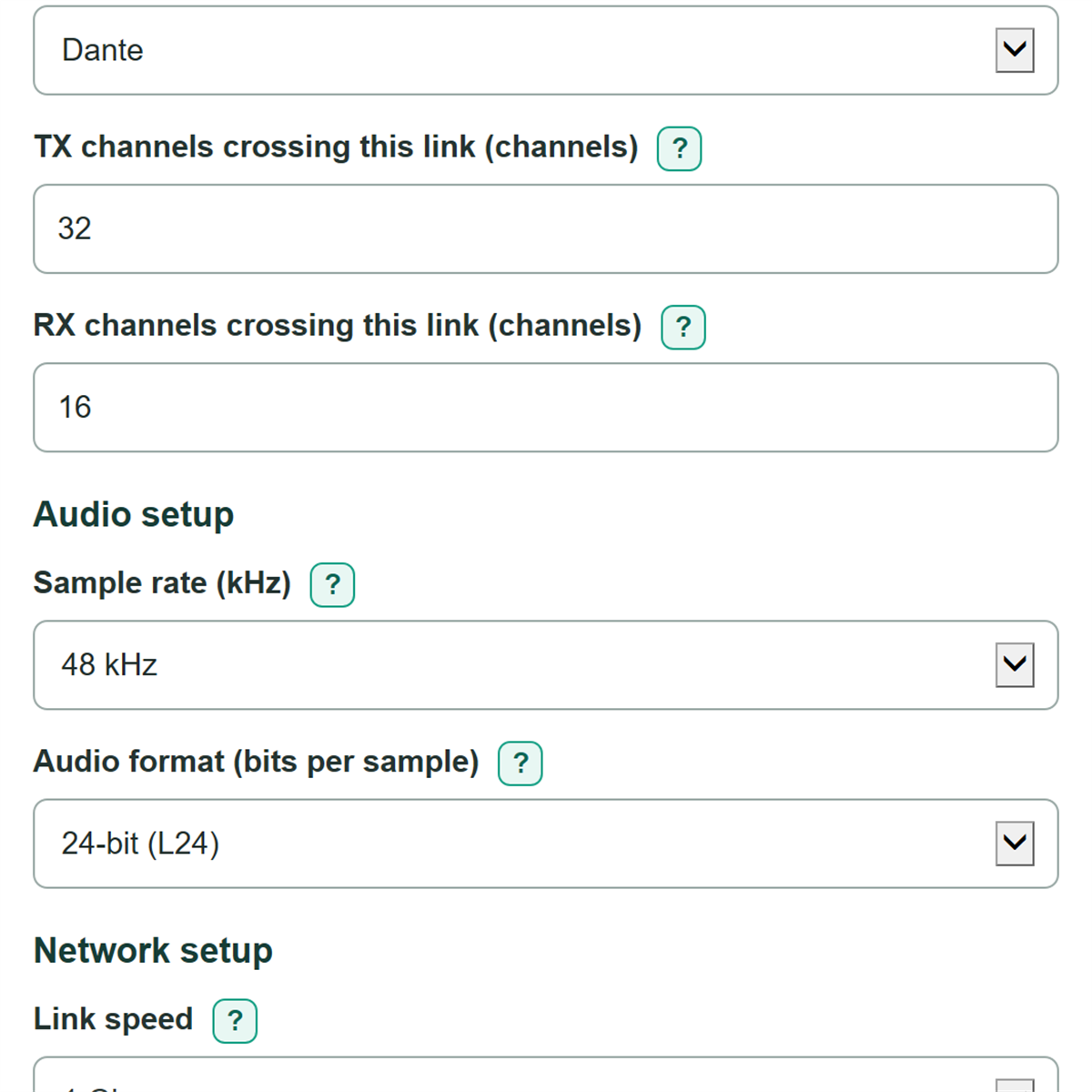
- Choose Audio network type and enter only the TX and RX channels that actually cross the one link you are checking.
- Match Sample rate and Audio format to the stream or device settings, then choose the exact Link speed.
- Set Maximum planned link use to your project limit and choose Network setup; redundant networks are checked as separate matching links.
- Open Advanced options only if needed to change Extra traffic allowance (percent) or Number display, then select Calculate.
- Sanity-check that the busier TX or RX direction matches the system drawing and that Bandwidth remaining below the planning limit is positive before treating the link as within plan.
Definitions
TX channels: Audio channels sent outward across the selected link.
RX channels: Audio channels received across the selected link.
Full-duplex Ethernet: A link that sends and receives at the same time, with separate TX and RX directions.
Sample rate (kHz): Samples sent per second for each audio channel; 48 kHz means 48,000 samples per second.
Audio format (bits per sample): The number of bits used for each audio sample. L16 is 16-bit and L24 is 24-bit.
Raw audio payload: PCM audio bandwidth before the extra traffic allowance.
Planning margin: Allowed bandwidth at the selected planning limit minus the estimated bandwidth. A negative margin means the estimate is above that limit.
Common mistakes and quick fixes
Mistake: Entering every channel available on a device in TX channels crossing this link.
Fix: Count only the transmit channels whose traffic crosses the selected physical link.
Mistake: Adding both directions together before entering TX channels crossing this link or RX channels crossing this link.
Fix: Enter each direction separately. The calculator sizes a full-duplex link from the busier direction.
Mistake: Choosing a 1 Gbps design while the checked port has a different Link speed.
Fix: Copy the negotiated or specified speed for the exact device port, switch port, or uplink.
Mistake: Treating Combined installed link capacity as capacity available on one redundant network.
Fix: Check Estimated use of the selected link and Bandwidth remaining below the planning limit for each network by itself.
Mistake: Assuming Extra traffic allowance (percent) is an exact Dante or AES67 overhead value.
Fix: Use a measured or project-approved allowance when available, and confirm flow, packet, multicast, and switch details separately.
Limitations & Key Assumptions / Boundary Conditions
- This is a simplified PCM planning estimate for one selected Ethernet link. It does not measure live network traffic.
- The extra traffic allowance is a user-selected reserve, not an exact model of Dante flows, AES67 RTP packets, headers, clocking, discovery, control traffic, or switch behavior.
- TX and RX are treated as separate directions on a full-duplex link. Do not add them to judge per-direction utilization.
- With primary and secondary networks, each network is checked at the same per-link load. Combined installed link capacity is not capacity on either individual link.
- Dante designs still need checks for actual flows, receiver counts, multicast routing, clocking, device limits, quality of service, and switch configuration.
- AES67 designs still need checks for packet time, channels per stream, RTP settings, multicast design, and device interoperability.
- The mathematical minimum capacity may fall between real Ethernet port speeds. Choose an available speed at or above it and retain the stated planning margin.
Methodology
Calculation method
The calculator first estimates raw uncompressed PCM audio separately for TX and RX. It then applies the same editable extra traffic allowance to each direction.
raw audio (Mbps) = channels x sample rate (kHz) x 1,000 x bits per sample / 1,000,000
estimated direction bandwidth (Mbps) = raw audio x (1 + extra traffic allowance / 100)
The larger estimated direction is used for link planning because Ethernet is full duplex.
busier direction (Mbps) = max(TX estimated bandwidth, RX estimated bandwidth)
link use (percent) = busier direction / link speed x 100
planning margin (Mbps) = link speed x maximum planned link use / 100 - busier direction
minimum link capacity (Mbps) = busier direction / (maximum planned link use / 100)
Worked example
For 32 TX channels at 48 kHz and 24 bits per sample, raw TX audio is 36.864 Mbps. With a 10 percent extra traffic allowance, estimated TX bandwidth is 40.5504 Mbps. On a 1,000 Mbps link with a 70 percent planning limit, the allowed bandwidth is 700 Mbps, so the planning margin is 659.4496 Mbps. If RX is lower, TX is the busier direction.
Assumptions and limits
A blank extra traffic allowance is treated as 0 percent. A zero channel count correctly produces zero traffic in that direction. Both TX and RX cannot be zero, and the maximum planned link use must be more than 0 percent and no more than 100 percent. A redundant setup multiplies installed link capacity by two but does not double the utilization calculated for either network.