
Estimate a commercial mortgage payment, DSCR, balloon balance, and exit payoff from the loan amount, rate, maturity, and NOI.
Advanced options
Payment and property costs
Sale or refinance check
Table of contents
How to use our Commercial Mortgage Calculator
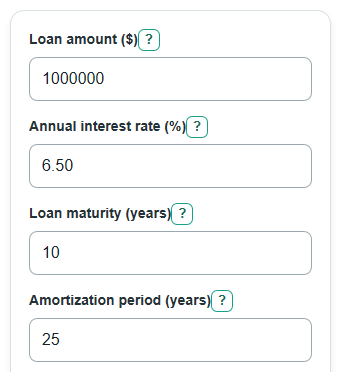
- Enter the Loan amount, Annual interest rate, Loan maturity, Amortization period, and Annual NOI from your loan quote or deal estimate.
- Open Advanced options if the loan has Interest-only time, Property tax, Insurance, an Exit or refi time, a Prepayment penalty, or an Estimated property value at exit.
- Click Calculate to see the monthly principal and interest payment, first-year DSCR, balloon balance, exit payoff, and any tax and insurance estimate.
- Check whether Loan maturity is shorter than Amortization period. If it is, the Estimated balloon balance at maturity is the amount that still needs to be paid, sold, or refinanced.
- Sanity-check the output by comparing First-year loan payments with Annual NOI. A DSCR below 1.00 means the entered NOI is not enough to cover first-year debt payments.
Definitions
Loan amount: The amount borrowed, not the full purchase price.
Annual interest rate: The yearly note rate used to calculate monthly interest. The calculator treats it as fixed.
Loan maturity: The year when the loan is due. If the loan has a balance at that time, the unpaid balance is due.
Amortization period: The payment schedule length used to spread principal repayment over time.
Interest-only time: Months when the payment covers interest but does not reduce principal [1].
Balloon balance: The remaining principal due at maturity when the loan has not fully paid down by then [2].
Annual NOI: Net operating income per year, meaning property income after operating expenses and before debt payments and income taxes.
DSCR: Debt service coverage ratio. Here it is Annual NOI divided by First-year loan payments.
Prepayment penalty: A simple percent of the remaining loan balance that may be charged if the loan is paid off early.
Common mistakes and quick fixes
Mistake: Entering the full property price in Loan amount instead of the amount borrowed.
Fix: Use the loan principal after the down payment, seller credit, or other equity contribution.
Mistake: Making Amortization period shorter than Loan maturity.
Fix: Set Amortization period at least as long as Loan maturity for this calculator.
Mistake: Leaving Annual interest rate blank or typing a negative rate.
Fix: Enter the note rate as a percent, such as 6.50, or enter 0 for a zero-interest test case.
Mistake: Putting gross rent or revenue in Annual NOI.
Fix: Use net operating income after normal operating expenses, before loan payments and income taxes.
Mistake: Setting Exit or refi time later than Loan maturity.
Fix: Use an exit year that is no later than the year the loan comes due.
Mistake: Reading Estimated cash after loan payoff and penalty as sale profit.
Fix: Treat it as property value minus loan payoff and simple penalty only; selling costs, taxes, and closing costs are not included.
Limitations & Key Assumptions / Boundary Conditions
- The calculator models a fixed-rate commercial mortgage. It does not model variable rates, rate resets, rate caps, or future refinance interest rates.
- Prepayment penalty is a simple percent of balance. It is not yield maintenance, defeasance, step-down pricing, lender fees, legal fees, or closing costs.
- Estimated cash after loan payoff and penalty uses Estimated property value at exit only. It does not subtract broker fees, transfer taxes, income taxes, reserves, repairs, or payoff statement fees.
- Annual NOI should already reflect normal operating expenses. Property tax and Insurance are shown as a separate monthly estimate and do not change DSCR unless they are already included in NOI.
- Loan maturity and Amortization period must be compatible. This calculator requires Amortization period to be at least as long as Loan maturity.
- Interest-only time must fit inside the loan term and must be shorter than the amortization schedule.
- Commercial loan documents can use day-count rules, compounding rules, fees, escrow rules, and rounding rules that differ from this monthly estimate.
Methodology
Payment setup
The calculator converts the annual rate to a monthly rate by dividing by 100 and then by 12. It converts years to months by multiplying by 12.
monthly_rate = annual_interest_rate / 100 / 12
maturity_months = Loan maturity * 12
amortization_months = Amortization period * 12
If Interest-only time is greater than 0, the loan balance stays at the original Loan amount during those months because the payment only covers interest.
interest_only_monthly_payment = loan_amount * monthly_rate
Principal and interest payment
After any interest-only months, the calculator finds the level monthly payment needed to pay the remaining balance over the remaining amortization months.
months_left = amortization_months - interest_only_months
if monthly_rate = 0: payment = balance / months_left
otherwise: payment = balance * monthly_rate / (1 - (1 + monthly_rate)^(-months_left))
Balance, DSCR, and balloon amount
The calculator then walks month by month from the start of the loan to the maturity month. During interest-only months, principal paid is 0. After that, each payment first covers interest and the rest reduces balance.
interest = starting_balance * monthly_rate
principal_paid = max(0, payment - interest)
ending_balance = max(0, starting_balance - principal_paid)
First-year loan payments are the scheduled payments in the first 12 months, or through maturity if the loan matures sooner.
first_year_debt_service = scheduled loan payments in months 1 through min(12, maturity_months)
first_year_dscr = annual_noi / first_year_debt_service
If first-year loan payments are 0, DSCR is shown as N/A instead of dividing by zero. The Estimated balloon balance at maturity is the modeled balance at the maturity month.
Exit or refinance check
The exit check uses the same month-by-month balance at the chosen Exit or refi time. The simple penalty is the entered percent of that balance.
exit_prepayment_penalty = exit_remaining_balance * prepayment_penalty_rate / 100
exit_payoff_after_penalty = exit_remaining_balance + exit_prepayment_penalty
cash_after_exit_payoff = estimated_property_value_at_exit - exit_payoff_after_penalty
Negative cash after payoff is kept as a negative number. It means the entered property value is less than the estimated loan payoff plus the simple penalty.
Mini-example
For a $1,200,000 loan at 0% interest, 10-year maturity, 20-year amortization, no interest-only time, and $90,000 Annual NOI, the monthly payment is $5,000 because $1,200,000 is spread over 240 months. First-year loan payments are $60,000, so DSCR is 1.50. At a 5-year exit, the balance is $900,000. With a 1% Prepayment penalty, the simple penalty is $9,000 and the estimated payoff is $909,000. If Estimated property value at exit is $1,500,000, the estimated cash after payoff and penalty is $591,000.
Calculation choices
Dollar outputs are rounded to cents for display. DSCR is shown as a ratio. A fully paid loan carries a balance of $0 for later exit and maturity outputs. Monthly property tax and insurance estimate is calculated separately from debt service.
monthly_tax_insurance = (annual_property_tax + annual_insurance) / 12