
Estimate CCTV storage, drive capacity, and recorder ingest bandwidth from your camera bitrate, recording schedule, and retention requirement.
Recording plan
Advanced options
Storage planning
Table of contents
How to use our CCTV Storage and Recording Bandwidth Calculator
- Enter the Number of cameras that share the same bitrate, recording behavior, and retention period.
- Copy the configured value into Main-stream bitrate per camera, then choose the matching Bitrate unit shown by the camera, NVR, or VMS.
- Enter Recording retention and choose Recording mode. For scheduled or event recording, enter the visible time or activity value.
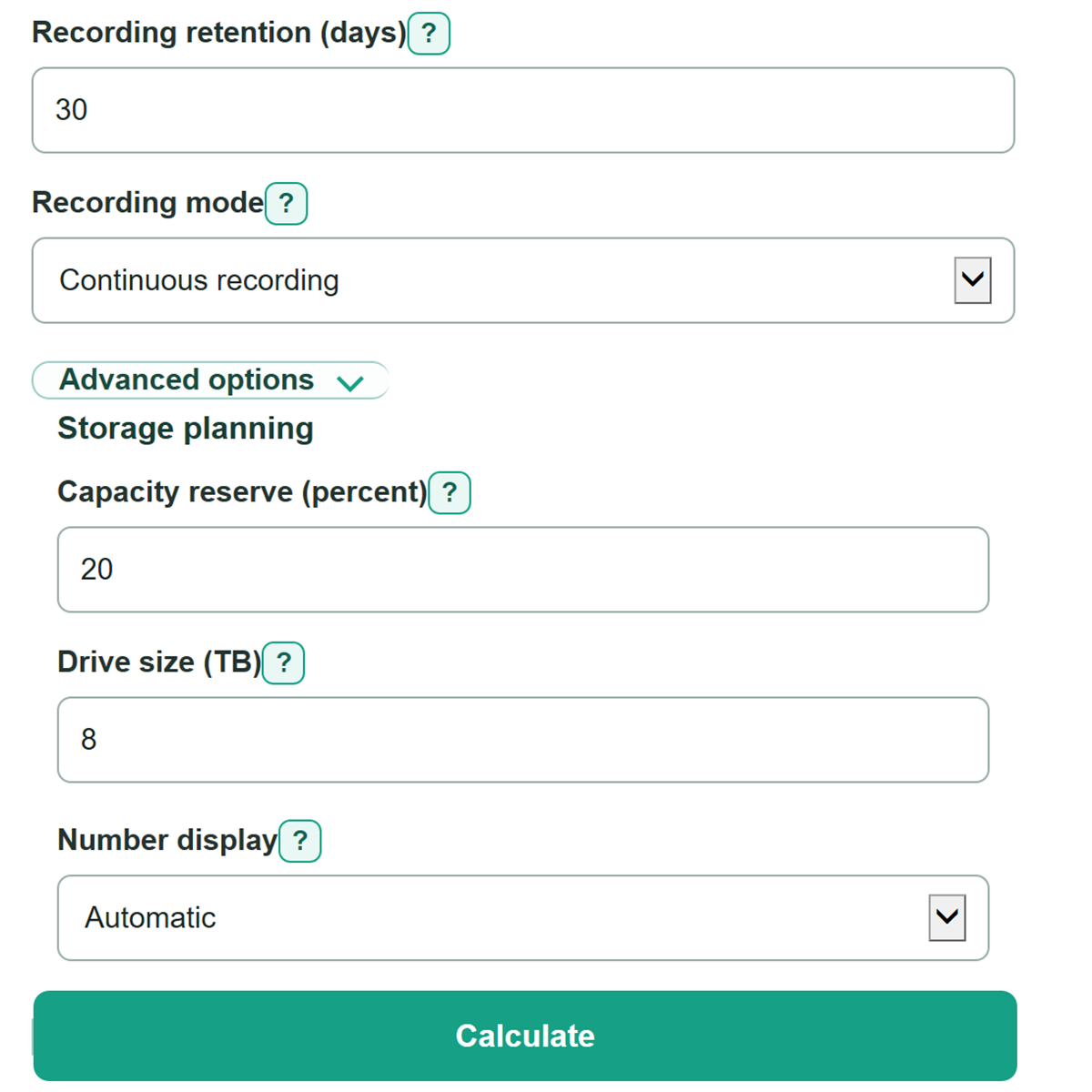
- Open Advanced options to change Capacity reserve (percent), Drive size (TB), or number display if needed.
- Check that Main-stream bitrate per camera in the results matches the expected Mbps conversion, then compare Suggested installed drive capacity with your recorder's supported drive bays and usable storage design.
Definitions
Main-stream bitrate: The video data rate for the camera's primary recording stream. It drives both storage use and recorder ingest.
Mbps and Kbps: Megabits and kilobits per second. 1 Mbps equals 1,000 Kbps, so 4.096 Mbps equals 4,096 Kbps.
Recorder ingest bandwidth: The combined configured main-stream rate sent to the recorder by all included cameras.
Retention: The number of days recordings must remain available.
Effective recording time: The share of each day that creates stored video: 100 percent for continuous recording, scheduled hours divided by 24, or the entered event percentage.
Usable recording storage: The calculated decimal TB needed for video before reserve and whole-drive rounding.
Capacity reserve: Extra storage added above the calculated recording need for planning headroom. It is not RAID capacity loss.
Decimal TB: Drive-label storage units where 1 TB equals 1,000 GB.
Common mistakes and quick fixes
Mistake: Entering 4096 in Main-stream bitrate per camera while Bitrate unit is set to Mbps.
Fix: Select Kbps for a copied 4096 Kbps setting, or enter 4.096 and select Mbps.
Mistake: Using a camera data-sheet maximum rate instead of the configured main-stream rate in Main-stream bitrate per camera.
Fix: Copy the active encoding setting when available, because it better matches the stream being recorded.
Mistake: Entering 24 in Estimated event recording time to mean 24 hours.
Fix: Use a percent from 0 through 100 for event recording, or select scheduled recording and use Recording time per day.
Mistake: Treating Recorder ingest bandwidth as the internet connection or total live-viewing traffic.
Fix: Use it as the configured main-stream traffic arriving at the recorder; plan remote viewers, substreams, and switch traffic separately.
Mistake: Treating Suggested installed drive capacity as usable RAID storage.
Fix: Start with Required usable recording storage, then account separately for RAID parity, duplicate recordings, file-system overhead, recorder bays, and drive compatibility.
Limitations & Key Assumptions / Boundary Conditions
- All included cameras must have the same main-stream bitrate, recording behavior, and retention period. Calculate separate groups for cameras with different settings, then add their storage and ingest results.
- The result uses the entered configured bitrate. Actual video rate can change with scene detail, lighting, motion, compression settings, and rate control.
- Event recording time is an estimate. Check recorder storage reports after deployment and revise the percentage if actual activity differs.
- Recorder ingest bandwidth is main-stream camera traffic only. It does not include live viewers, substreams, remote internet traffic, audio, metadata, or switch overhead.
- Suggested installed drive capacity is raw decimal drive capacity after the selected reserve and whole-drive rounding. It does not subtract RAID parity, file-system overhead, duplicate copies, or recorder limits.
- A zero scheduled time or zero event recording time produces zero stored-video capacity in this model, while recorder ingest bandwidth can remain above zero.
Methodology
Calculation method
The calculator first converts the entered main-stream rate to Mbps. The selected Bitrate unit is binding, so it never guesses whether a number is Kbps or Mbps.
normalized_main_stream_mbps = Kbps entry / 1000, or Mbps entry
It then finds the portion of each day that produces stored video. Continuous recording stores all day. Scheduled recording uses the entered hours, while event recording uses the entered percentage.
effective_recording_fraction = 1, scheduled_hours / 24, or event_percent / 100
Daily storage for one camera uses decimal network and drive units: 1 Mbps is 1,000,000 bits per second, one byte is 8 bits, one day is 86,400 seconds, and 1 GB is 1,000,000,000 bytes.
per_camera_GB_day = Mbps * 1000000 * 86400 * recording_fraction / 8 / 1000000000
Total usable recording storage multiplies one-camera daily storage by camera count and retention days, then changes decimal GB to decimal TB.
usable_TB = per_camera_GB_day * camera_count * retention_days / 1000
The calculator adds the optional capacity reserve, rounds the target up to whole equal-size drives, and reports raw installed capacity. A blank Capacity reserve (percent) is treated as zero.
storage_target_TB = usable_TB * (1 + reserve_percent / 100)
drive_count = ceil(storage_target_TB / drive_size_TB)
installed_TB = drive_count * drive_size_TB
Recorder ingest is calculated separately from stored time because the configured camera streams may still reach the recorder outside scheduled or event recording periods.
recorder_ingest_Mbps = normalized_main_stream_Mbps * camera_count
Worked example
For 8 cameras at 4 Mbps, continuous recording, and 30 days, one camera uses 43.2 GB per day. The system needs 10.368 TB of usable recording storage and 32 Mbps of recorder ingest. With a 20 percent reserve, the storage target is 12.4416 TB; 8 TB drives require 2 drives, or 16 TB of installed capacity.