
Compare two fixed-rate car loan offers and see which one costs less overall, not just per month.
Table of contents
How to use our Car Loan Comparison Calculator
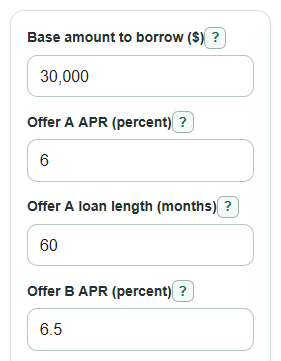
- Enter the shared Base amount to borrow ($), which is the amount you plan to finance before offer-specific fees or credits.
- Enter Offer A APR (percent), Offer A loan length (months), Offer B APR (percent), and Offer B loan length (months).
- Open Advanced options only if one offer has different financed fees, rebates, or credits, then enter those amounts for the matching offer.
- Click Calculate and start with Lower total cost offer, then check Monthly payment note to see if the lower monthly payment hides a higher total cost.
- Sanity-check the results by comparing Offer A amount used in the math and Offer B amount used in the math with the loan amounts shown on your lender or dealer paperwork.
Definitions
Base amount to borrow ($): The shared loan amount before offer-specific financed fees, rebates, or credits are added or subtracted.
APR: Annual percentage rate, or yearly borrowing cost, shown as a percent. Use APR when you can because it is meant for comparing loan offers.
Loan length (months): The number of scheduled monthly payments in the loan. A longer loan can lower the payment but raise the total amount paid.
Financed fees: Extra costs added to the loan balance instead of paid upfront.
Rebate or credit: Money from the dealer, lender, or manufacturer that lowers the amount financed for that offer.
Amount used in the math: The amount financed for one offer after adding that offer's financed fees and subtracting that offer's rebate or credit.
Total of payments: All scheduled monthly payments added together over the full loan.
Total interest: The interest part of the total payments, separate from the amount financed.
B-minus-A gap: Offer B minus Offer A. A negative gap means Offer B is lower; a positive gap means Offer B is higher.
Common mistakes and quick fixes
Mistake: Putting the car price into Base amount to borrow ($) even though your down payment or trade-in already lowered the loan.
Fix: Enter only the amount you plan to finance before offer-specific Offer A financed fees ($) , Offer B financed fees ($) , rebates, or credits.
Mistake: Typing a monthly rate into Offer A APR (percent) or Offer B APR (percent) .
Fix: Enter the yearly APR percent from the loan offer, such as 6 for 6% APR.
Mistake: Entering years in Offer A loan length (months) or Offer B loan length (months) .
Fix: Convert years to months first, such as 5 years = 60 months and 6 years = 72 months.
Mistake: Ignoring Offer A financed fees ($) or Offer B financed fees ($) when one lender rolls extra costs into the loan.
Fix: Add those financed fees under Advanced options so Offer A amount used in the math and Offer B amount used in the math match the real offers.
Mistake: Treating Offer A rebate or credit ($) or Offer B rebate or credit ($) as extra cash you pay, instead of a credit that lowers the loan.
Fix: Enter rebates and credits as positive dollar amounts; the calculator subtracts them from the matching offer.
Mistake: Choosing only by Offer A monthly payment or Offer B monthly payment .
Fix: Use Lower total cost offer , Offer A total of payments , and Offer B total of payments to compare the full scheduled cost.
Limitations & Key Assumptions / Boundary Conditions
- The calculator compares two fixed-rate loans with equal monthly payments within each loan. It does not model variable rates, balloon payments, skipped payments, or special payment schedules.
- Results assume every scheduled payment is made on time and the loan is not paid off early or refinanced.
- The total cost shown is the total of scheduled loan payments. It does not include insurance, gas, maintenance, registration, late fees, or future car value.
- Sales tax, title fees, dealer fees, down payments, and trade-ins are included only if you already put them into Base amount to borrow ($) or the matching financed fee fields.
- Rebates and credits are treated only as reductions to the amount financed. The calculator does not handle separate tax rules or rebate eligibility rules.
- APR entries must be comparable. If one quote uses APR and another uses a different rate measure, the comparison may be unfair.
- Very unusual loan lengths or extremely high APR values can produce results that do not match normal auto loan offers.
Methodology
How the comparison is calculated
The calculator first builds a separate financed amount for each offer. This lets fees and rebates change one offer without changing the other.
P_offer = base_loan_amount + fee_offer - rebate_offer
It converts each APR percent into a monthly decimal rate by dividing by 100 and then by 12.
r = (APR_percent / 100) / 12
The number of payments is the loan length in months.
n = term_months
If the monthly rate is 0, the payment is the amount financed divided by the number of payments.
payment = P / n
If the monthly rate is greater than 0, the calculator uses the standard fixed-payment loan formula.
payment = P * r * (1 + r)^n / ((1 + r)^n - 1)
Then it totals the scheduled payments and subtracts the amount financed to find interest.
total_paid = payment * n
total_interest = total_paid - P
Signed gaps are calculated as Offer B minus Offer A, so the sign tells you which offer is lower.
monthly_payment_gap_b_minus_a = monthly_payment_b - monthly_payment_a
total_cost_gap_b_minus_a = total_paid_b - total_paid_a
The savings number is the absolute difference between the two total payment amounts.
total_cost_savings = abs(total_paid_b - total_paid_a)
Winner logic
The lower total cost offer is the offer with the smaller total of payments. If the totals are equal to the cent, the calculator shows a tie and $0 savings. The monthly payment note is separate because a longer loan can have a lower monthly payment and still cost more over the full loan, which is one of the items the CFPB suggests checking when comparing auto loan offers [1].
Mini example
Suppose both offers finance $30,000. Offer A is 6% APR for 60 months. Offer B is 6.5% APR for 72 months. Offer A has a monthly payment of about $579.98 and total payments of about $34,799.04. Offer B has a lower monthly payment of about $504.30, but total payments of about $36,309.45. The lower total cost offer is Offer A, saving about $1,510.41, even though Offer B is easier on the monthly budget.
Rounding and validation
The calculator keeps full precision during the math and rounds displayed money to cents. A 0% APR is allowed and uses the no-interest formula to avoid division by zero. Blank or invalid required APR values are errors, not 0. Optional fee and rebate fields may be blank, which counts as 0, but non-number text in those fields is an error.