
Calculate required compressor airflow from tool demand, then check a candidate compressor at the same published PSI rating.
Tool demand
Compressor limits
Advanced options
Table of contents
How to use our Air Compressor Duty Cycle and Required Capacity Calculator
- Choose "Size needed" to find required airflow, or "Check a compressor" if you have a compressor specification to compare.
- Copy one tool's airflow into "Tool air use (SCFM or CFM)" and enter the PSI printed beside that rating in "Pressure printed with tool rating (PSI)."
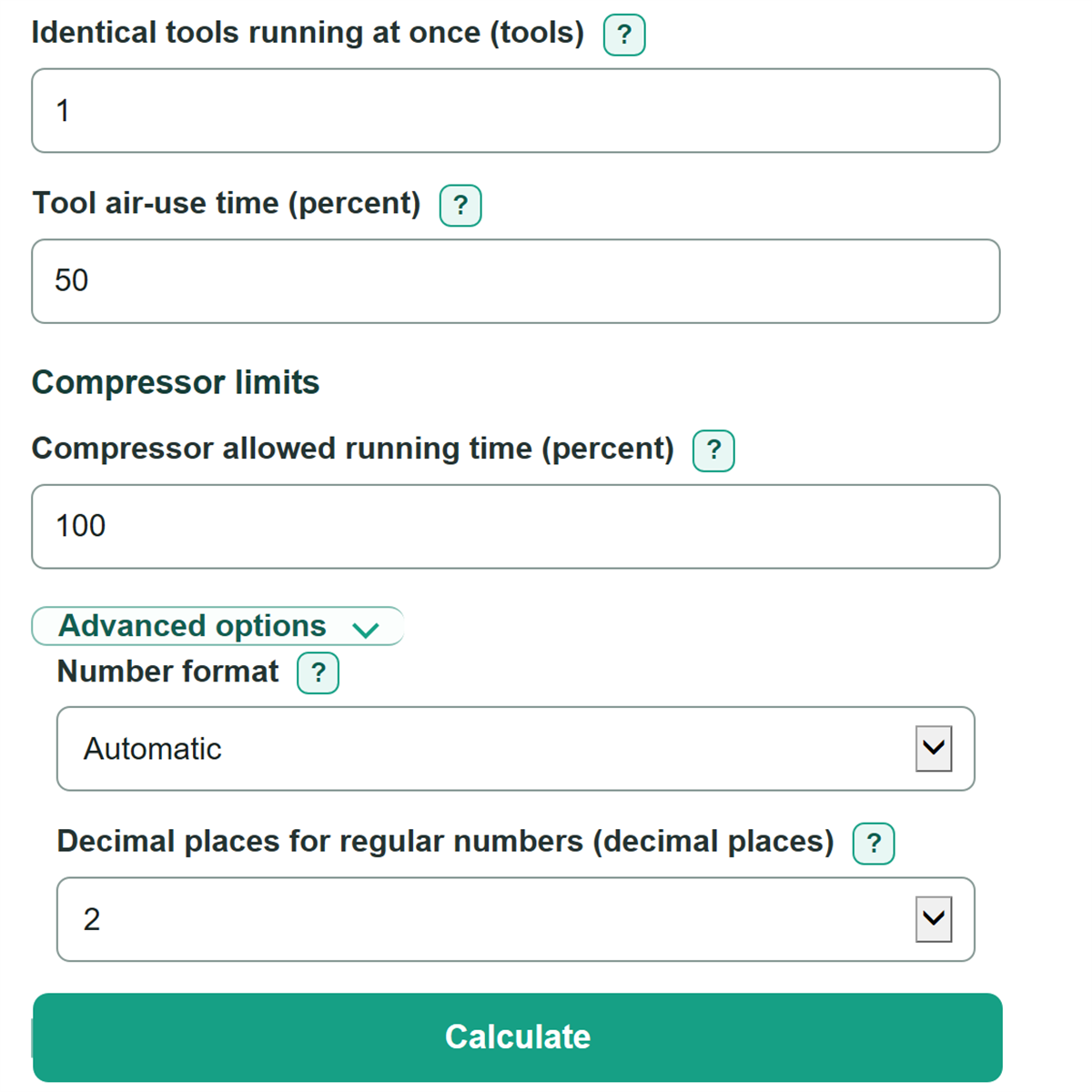
- Enter "Identical tools running at once," then estimate "Tool air-use time (percent)" based on how much of a normal work period air is actually flowing.
- Enter "Compressor allowed running time (percent)" from the compressor manual. In check mode, also copy the candidate airflow and its paired PSI rating.
- Check that the candidate and tool PSI values match, then compare "Required compressor output" with the published compressor output and read the sustained-capacity check.
Definitions
SCFM or CFM: Airflow volume per minute. Enter the published number exactly as shown, along with the PSI printed beside it.
PSI: Pounds per square inch, a pressure unit. Airflow ratings are only directly compared here when they use the same PSI reference.
Peak tool airflow: Airflow needed while all entered identical tools are actively using air at once.
Long-run average tool airflow: Peak tool airflow adjusted for the share of time the tools actually use air.
Tool air-use time: The percentage of a work period when the tool is drawing air. This reduces average demand.
Compressor allowed running time: The maximum percentage of time the compressor may run. A lower allowed percentage requires more compressor output for the same average demand.
Candidate capacity margin: Candidate compressor output minus required compressor output. A negative margin means the candidate is short of sustained airflow.
Common mistakes and quick fixes
Mistake: Entering tank gallons or motor horsepower in "Candidate compressor output (SCFM or CFM)."
Fix: Copy the delivered SCFM or CFM rating from the compressor label, manual, or specification.
Mistake: Using "Tool air-use time (percent)" as the value for "Compressor allowed running time (percent)."
Fix: Use the task's air-on time for the tool field and the compressor manual's permitted running duty for the compressor field.
Mistake: Counting every installed tool in "Identical tools running at once."
Fix: Count only matching tools that can actually consume air at the same time.
Mistake: Comparing ratings with different values in "Pressure printed with tool rating (PSI)" and "Pressure printed with compressor rating (PSI)."
Fix: Find a compressor airflow rating published at the same PSI as the tool rating before using check mode.
Mistake: Treating a positive "Candidate capacity margin" as proof the compressor can cover every active burst.
Fix: Also read "Candidate peak airflow margin." A negative value means peak active tool demand is higher than compressor output.
Limitations & Key Assumptions / Boundary Conditions
- This calculator uses one airflow rating and one pressure point for identical tools. It does not combine different tool types or different pressure requirements.
- Check mode blocks a comparison when the tool and compressor ratings are published at different PSI values. It does not estimate airflow at another pressure.
- The result is based on the entered tool air-use time and compressor allowed running time. A changed work pattern or an incorrect duty rating changes the required output.
- A receiver tank can help with short demand bursts, but this calculator does not size receiver storage, pressure swing, leaks, hoses, filters, or pressure drop.
- SCFM and CFM labels can reflect different test conditions. Compare published ratings that use consistent conditions when possible.
- Purchase cost, electricity use, maintenance, horsepower, and tank size are outside this calculation.
Methodology
Calculation method
The calculator first finds the airflow required when every entered identical tool is actively drawing air. It then applies tool air-use time to find average demand. Finally, it increases that average demand when the compressor is allowed to run less than 100% of the time.
Peak tool airflow = tool air use x identical tools running at once
Long-run average tool airflow = peak tool airflow x tool air-use time / 100
Required compressor output = long-run average tool airflow x 100 / compressor allowed running time
For example, two tools rated at 4.2 SCFM each have a peak airflow of 8.4 SCFM. If they use air 50% of the time, average demand is 4.2 SCFM. With a compressor allowed to run 60% of the time, required compressor output is 7 SCFM at the entered PSI.
Candidate compressor check
Check mode compares a candidate's published delivered airflow with the required compressor output. It requires the candidate rating PSI to match the tool rating PSI because this calculator does not use a compressor performance curve to convert ratings between pressures.
Candidate capacity margin = candidate compressor output - required compressor output
Candidate running time needed = long-run average tool airflow x 100 / candidate compressor output
Candidate peak airflow margin = candidate compressor output - peak tool airflow
A candidate passes the sustained-capacity check when its capacity margin is zero or positive. A negative peak margin can still matter during active bursts; this calculation does not determine whether a receiver tank has enough usable stored air to cover that gap.
Assumptions and limits
The calculation treats the entered airflow ratings as directly comparable published values at the same PSI. It assumes the entered tool-use percentage is representative of the work period and the compressor allowed-running percentage is its applicable limit. It reports signed margins, so a negative margin is a shortfall rather than zero.