
Compare old and new electric bill charges for the same kWh use to estimate the monthly increase and percent change.
Table of contents
How to use our Electricity Bill Increase Calculator
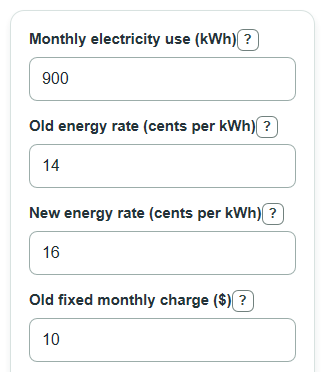
- Enter Monthly electricity use in kWh from a normal bill, or use your best monthly estimate.
- Enter the Old energy rate and New energy rate in cents per kWh. If your bill shows $ per kWh, multiply that number by 100 first.
- Enter the Old fixed monthly charge and New fixed monthly charge. Use 0 if your plan has no fixed monthly charge.
- Open Advanced options only if you want to add Old other monthly charges, New other monthly charges, Old tax or levy rate, or New tax or levy rate.
- Click Calculate, then sanity-check the Estimated old monthly bill against a real bill. If it is far off, recheck kWh, cents versus dollars, and whether fees are counted twice.
Definitions
Monthly electricity use: The amount of electricity used in one month, measured in kilowatt-hours.
kWh: A kilowatt-hour is a unit of electric energy. Electric bills commonly use kWh to measure how much electricity you used [1].
Energy rate: The price for each kWh of electricity. This calculator asks for cents per kWh.
Fixed monthly charge: A charge that is added each month even if electricity use is low or zero.
Other monthly charges: Flat monthly fees or riders that are not already included in the energy rate or fixed monthly charge.
Tax or levy rate: A percent added after the energy charge, fixed charge, and other monthly charges are added.
All-in cost per kWh: The full estimated bill divided by kWh use, shown in cents per kWh. It includes fixed charges, other charges, and tax.
Common mistakes and quick fixes
Mistake: Entering Monthly electricity use as a dollar amount instead of kWh.
Fix: Use the kWh number from the bill, not the bill total.
Mistake: Typing Old energy rate or New energy rate as dollars per kWh when the label asks for cents per kWh.
Fix: Convert $0.16 per kWh to 16 cents per kWh before entering it.
Mistake: Putting the same service fee in Old fixed monthly charge and Old other monthly charges.
Fix: Count each fee once, either as a fixed charge or as another monthly charge.
Mistake: Leaving New fixed monthly charge blank because it did not change.
Fix: Enter the same number as Old fixed monthly charge if the fixed charge stayed the same.
Mistake: Entering Old tax or levy rate as 0.06 for 6 percent.
Fix: Enter 6 when the label says percent.
Mistake: Reading Monthly bill increase as the full new bill.
Fix: Use Estimated new monthly bill for the new total, and use Monthly bill increase for the difference between new and old.
Limitations & Key Assumptions / Boundary Conditions
- The comparison uses the same Monthly electricity use for the old and new bills. It shows a price-change effect, not a usage-change effect.
- The calculator uses one flat Old energy rate and one flat New energy rate. It does not model tiered rates, time-of-use rates, demand charges, credits, minimum bills, or seasonal rate blocks.
- Tax or levy rate is applied to the whole subtotal: energy charge plus fixed charge plus other monthly charges. Some real bills tax only certain line items.
- Old other monthly charges and New other monthly charges are treated as flat monthly dollar amounts, not cents per kWh.
- Extra cost per year at this use assumes the same monthly change happens for 12 months.
- Percent bill change is not calculated when the Estimated old monthly bill is $0 because percent change would require division by zero.
- Actual utility bills can differ because of rounding, delayed rate changes, fuel adjustments, meter fees, low-income credits, city fees, or other line items not entered here.
Methodology
What the math does
The calculator first builds an old bill and a new bill from the same Monthly electricity use. The energy part converts cents per kWh to dollars by dividing by 100. Then it adds fixed and other monthly charges. Finally, it applies the tax or levy percent to the subtotal.
old_subtotal = monthly_kwh * old_rate_cents / 100 + old_fixed_charge + old_other_charges
old_bill = old_subtotal * (1 + old_tax_percent / 100)
new_subtotal = monthly_kwh * new_rate_cents / 100 + new_fixed_charge + new_other_charges
new_bill = new_subtotal * (1 + new_tax_percent / 100)
The main result is the new bill minus the old bill. This value is allowed to be negative, because a lower new bill is a decrease, not an error.
monthly_bill_increase = new_bill - old_bill
Percent bill change follows the standard percent-change setup: change divided by the old value, times 100 [2]. If the old bill is $0, the percent change is shown as N/A.
percent_bill_change = monthly_bill_increase / old_bill * 100
Yearly extra cost is a simple 12-month rollup at the same monthly use.
extra_cost_per_year = monthly_bill_increase * 12
All-in cost per kWh divides the full bill by Monthly electricity use and converts dollars back to cents. This is useful because fixed charges can make the real per-kWh cost higher than the posted energy rate.
effective_rate_cents = bill / monthly_kwh * 100
Worked mini-example
Suppose Monthly electricity use is 900 kWh, Old energy rate is 12 cents per kWh, New energy rate is 15 cents per kWh, Old fixed monthly charge is $10, and New fixed monthly charge is $14. With no other charges or tax, the old bill is 900 * 12 / 100 + 10 = $118. The new bill is 900 * 15 / 100 + 14 = $149. The Monthly bill increase is $31, and the Percent bill change is 31 / 118 * 100 = 26.27 percent.