
Estimate a multifamily mortgage payment and see what loan size the property's rent, expenses, DSCR target, and cash flow can support.
Table of contents
How to use our Multifamily Mortgage Calculator
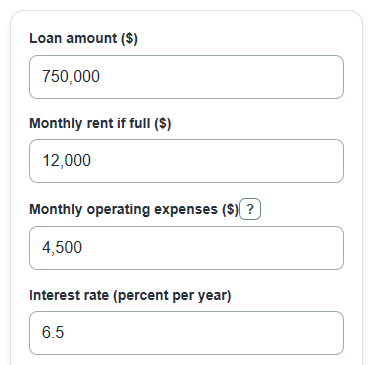
- Enter Loan amount, Monthly rent if full, Monthly operating expenses, Interest rate, and Payback length.
- Open Advanced options if you want to add Other monthly income, Vacancy and rent loss, Down payment for max price, Target DSCR, income safety ratio, or Minimum monthly cash flow.
- Click Calculate to see the Supportable loan amount by your limits first, then the entered-loan payment, DSCR, cash flow, NOI, and break-even occupancy.
- Check Room above or below the entered loan. A negative number means the entered loan is larger than the loan size your limits support.
- Sanity-check the output by comparing Monthly NOI after vacancy with Monthly principal and interest payment. If the payment is close to or above NOI, the deal has little room for vacancy, repairs, or rent changes.
Definitions
Loan amount: The mortgage principal before interest. It is not the full purchase price unless you borrow the full price.
Monthly rent if full: The rent the property would collect in one month if every unit paid in full.
Vacancy and rent loss: The percent of scheduled income removed for empty units, missed rent, or collection loss.
Monthly NOI after vacancy: Net operating income after vacancy and operating expenses, before the mortgage payment. NOI is used to judge income-based repayment capacity [2].
DSCR on the entered loan: Debt service coverage ratio, or monthly NOI divided by monthly mortgage payment. Above 1.00 means NOI is higher than the mortgage payment [1].
Target DSCR, income safety ratio: The DSCR you want the property to meet before the loan is considered supportable.
Supportable loan amount by your limits: The largest loan estimate that fits both Target DSCR, income safety ratio and Minimum monthly cash flow.
Occupancy needed to cover expenses and mortgage: The percent of scheduled income needed to pay operating expenses plus the entered loan's mortgage payment.
Common mistakes and quick fixes
Mistake: Putting the mortgage payment inside Monthly operating expenses.
Fix: Enter only property operating costs in Monthly operating expenses; the calculator adds Monthly principal and interest payment separately.
Mistake: Entering the purchase price as Loan amount when you plan to make a down payment.
Fix: Use Loan amount for the mortgage principal only, then use Down payment for max price to estimate Max purchase price at your down payment.
Mistake: Typing a monthly rate into Interest rate.
Fix: Enter the annual Interest rate as a percent per year, such as 6.5 for 6.5 percent.
Mistake: Leaving Vacancy and rent loss at 0 when the property will not collect full rent every month.
Fix: Enter a realistic Vacancy and rent loss percent so Monthly NOI after vacancy is not overstated.
Mistake: Setting Minimum monthly cash flow higher than Monthly NOI after vacancy and expecting a positive supportable loan.
Fix: Lower Minimum monthly cash flow or improve income and expenses; otherwise Supportable loan amount by your limits can be $0.
Mistake: Reading Room above or below the entered loan as always bad when it is positive.
Fix: A positive Room above or below the entered loan means the supportable loan estimate is higher than the Loan amount you entered.
Limitations & Key Assumptions / Boundary Conditions
- This is a screening estimate for principal and interest only. It does not add lender fees, closing costs, prepayment penalties, income taxes, or replacement reserves to Monthly principal and interest payment.
- Monthly operating expenses should include regular property costs before debt, such as taxes, insurance, utilities, management, maintenance, and repairs. Do not include the mortgage payment there.
- Vacancy and rent loss is one propertywide percent. It does not model each unit, lease timing, concessions, or seasonal rent changes.
- Supportable loan amount by your limits uses your entered Interest rate, Payback length, Target DSCR, income safety ratio, and Minimum monthly cash flow. A lender may use different underwriting rates, reserves, income rules, or DSCR requirements.
- Max purchase price at your down payment assumes the supportable loan equals the financed share of the price. It is not an appraisal, offer price, loan approval, or cash-to-close estimate.
- If Monthly NOI after vacancy is zero or negative, no positive loan can meet a positive Target DSCR, income safety ratio under this method.
Methodology
Income used for the deal
The calculator first builds scheduled monthly income, then lowers that income for vacancy and rent loss.
scheduled_income = monthly_gross_rent + other_monthly_income
effective_income = scheduled_income * (1 - vacancy_percent / 100)
monthly_noi = effective_income - monthly_operating_expenses
Entered-loan payment and deal checks
Interest rate is converted from percent per year to a monthly rate. Payback length is converted to monthly payment periods.
monthly_rate = annual_interest_rate / 100 / 12
number_payments = amortization_years * 12
payment = loan_amount / number_payments when monthly_rate = 0
payment = loan_amount * monthly_rate * (1 + monthly_rate)^number_payments / ((1 + monthly_rate)^number_payments - 1) when monthly_rate is not 0
The entered loan is then tested against monthly NOI.
entered_loan_dscr = monthly_noi / monthly_mortgage_payment
monthly_cash_flow_after_debt = monthly_noi - monthly_mortgage_payment
break_even_occupancy_percent = (monthly_operating_expenses + monthly_mortgage_payment) / scheduled_income * 100
Supportable loan calculation
The calculator finds the smaller monthly payment allowed by the DSCR limit and the minimum cash flow limit. That payment is then converted into a loan amount with the same interest rate and payback length.
payment_by_dscr = monthly_noi / target_dscr
payment_by_cash_flow = monthly_noi - min_monthly_cash_flow
supportable_payment_limit = min(payment_by_dscr, payment_by_cash_flow)
supportable_loan_amount = 0 when supportable_payment_limit <= 0
supportable_loan_amount = supportable_payment_limit * number_payments when monthly_rate = 0 and supportable_payment_limit > 0
supportable_loan_amount = supportable_payment_limit * ((1 + monthly_rate)^number_payments - 1) / (monthly_rate * (1 + monthly_rate)^number_payments) when monthly_rate is not 0 and supportable_payment_limit > 0
supportable_loan_gap = supportable_loan_amount - loan_amount
max_purchase_price_by_down_payment = supportable_loan_amount / (1 - down_payment_percent / 100)
Worked mini-example
Using Loan amount $750,000, Monthly rent if full $12,000, Other monthly income $500, Vacancy and rent loss 5 percent, Monthly operating expenses $4,500, Interest rate 6.5 percent, Payback length 30 years, Target DSCR 1.25, Minimum monthly cash flow $0, and Down payment for max price 25 percent: scheduled income is $12,500, effective income is $11,875, and Monthly NOI after vacancy is $7,375.
The entered loan's Monthly principal and interest payment is about $4,740.51, so DSCR on the entered loan is about 1.56 and Monthly cash flow after the mortgage is about $2,634.49.
The supportable payment is the smaller of $7,375 / 1.25 = $5,900 and $7,375 - $0 = $7,375, so the limit is $5,900 per month. Reversing the payment formula gives a Supportable loan amount by your limits of about $933,442.95, Room above or below the entered loan of about $183,442.95, and Max purchase price at your down payment of about $1,244,590.60.
Sources
- Fannie Mae Multifamily - DSCR Guidance Job Aid (PDF) - Fanniemae
- NOI, Cap Rate, and Cash Flow: The Three Numbers Every Investor Must Know | DSCR Direct - Dscrdirect
- Financing 5 to 8 Unit Properties: Small Multifamily Loan Guide for 2026 | Roxford Holdings - Roxfordholdings
- DSCR Loan for Multifamily Property: The 5-Unit Cliff - Dscrlens