
Enter your current loan details and refinance quote to estimate your new payment and total savings after payoff costs and fees.
Advanced options
Detailed payoff and fee costs
Table of contents
How to use our Auto Loan Refinance Calculator
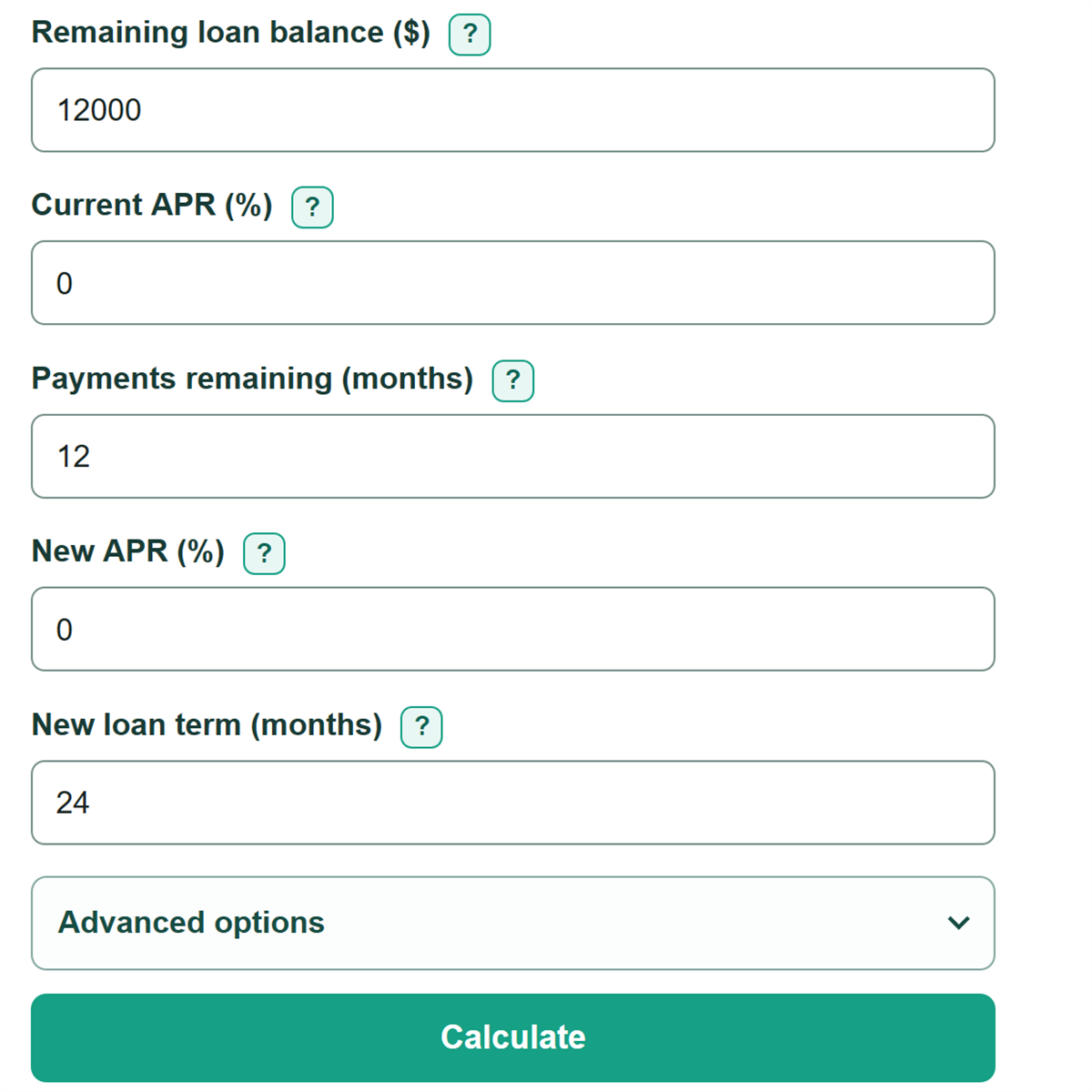
- Enter the remaining balance, current APR, and number of payments left from your lender portal, statement, or payment schedule.
- Enter the APR and term from the refinance quote. Use months, not years, for both loan lengths.
- Open Advanced options if the payoff quote is higher than the displayed balance or the refinance quote lists one-time charges. Enter those amounts and choose whether refinance fees are financed or paid upfront.
- Click Calculate. Start with Estimated net savings from refinancing: a positive value means the modeled refinance costs less over the full remaining loan term, while a negative value means it costs more.
- Sanity-check the payment reduction against net savings. A lower monthly payment can still lead to a higher total cost when the new term is longer or fees are included.
Definitions
APR: Annual percentage rate, shown as a yearly percent. This calculator treats the entered rate as a fixed annual rate divided into 12 monthly periods.
Remaining loan balance: The principal still shown on the loan account. It may be lower than the payoff amount due on a specific date.
Payoff adjustment: The extra amount above the displayed balance needed to close the old loan, such as accrued interest or a prepayment charge.
Amount financed: The old-loan payoff amount plus refinance fees that are added to the new loan.
Net savings: Estimated cost to keep the current loan minus estimated total refinance cost. A negative value means the refinance costs more in this estimate.
Upfront fee recovery month: The first whole month when lower monthly payments add up to fees paid at closing.
Common mistakes and quick fixes
Mistake: Using the displayed account balance when the payoff quote is higher.
Fix: Enter the displayed balance, then enter the difference as Extra payoff amount ($).
Mistake: Entering the original loan length instead of payments still due.
Fix: Check Remaining loan balance ($) and then recalculate. Enter only the scheduled monthly payments remaining from your lender portal or payment schedule.
Mistake: Assuming a lower refinanced payment means the refinance saves money.
Fix: Check Estimated net savings from refinancing, which compares the modeled remaining cost of both choices.
Mistake: Leaving out one-time lender, title, registration, or payoff charges.
Fix: Add payoff-only charges under Extra payoff amount ($) and refinance closing charges under Refinance fees ($).
Mistake: Entering a rate with mixed separators, such as 1,2.3.
Fix: Check Remaining loan balance ($) and then recalculate. Use one decimal point, such as 1.149, or one decimal comma, such as 1,149.
Limitations & Key Assumptions / Boundary Conditions
- This is a fixed-rate estimate with equal monthly principal-and-interest payments. It does not model variable rates, late charges, skipped payments, insurance products, or later loan changes.
- The current payment is calculated from the entered balance, APR, and payments remaining. It can differ from the lender's scheduled payment because of payment timing, rounding, or charges outside principal and interest.
- Blank Extra payoff amount ($) and Refinance fees ($) entries count as $0. Use a current payoff quote to include accrued interest, a prepayment charge, or other amounts needed to close the old loan.
- Financed fees increase the new principal and may increase interest. Upfront fees are included in refinance total cost but do not increase the new principal.
- The fee recovery month compares only upfront fees with the monthly payment reduction. It does not prove that refinancing has positive net savings.
- A refinance quote is not approval. Final rate, term, fees, and eligibility can change with the lender, vehicle, credit, state, and payoff date.
Methodology
How the estimate works
The calculator models the current remaining loan and the proposed refinance as separate fixed-rate loans with equal monthly principal-and-interest payments. It converts each annual percentage rate to a monthly decimal rate by dividing by 1,200.
monthly rate = APR / 1200
payment = balance / months when monthly rate = 0
payment = balance * monthly rate / (1 - (1 + monthly rate)^(-months)) when monthly rate is above 0
The estimated cost to keep the current loan is the unrounded current payment multiplied by payments remaining. The proposed refinance cost is the unrounded new payment multiplied by the new term, plus any fees paid upfront.
current remaining cost = current payment * payments remaining
refinance amount financed = remaining balance + extra payoff amount + financed fees
refinance total cost = refinanced payment * new term months + upfront fees
net savings = current remaining cost - refinance total cost
A positive net savings value means the modeled refinance total is lower. A lower payment alone does not prove savings because a longer term can increase total borrowing cost.[1]
Fee recovery
For fees paid upfront, the calculator divides upfront fees by the monthly payment reduction and rounds up to the next whole month. With no upfront fees and a lower new payment, recovery is month 0. If the new payment is the same or higher, recovery is not reached.
recovery month = ceil(upfront fees / monthly payment reduction)
Worked example
With a $12,000 balance at 0% and 12 payments left, the modeled current payment is $1,000 per month and the remaining cost is $12,000. Refinancing $12,000 at 0% for 24 months produces a $500 monthly payment and a $12,000 total refinance cost, so net savings are $0.
If the payoff adjustment is $300 and $1,200 in fees are paid upfront, the new amount financed is $12,300. At 0% for 24 months, the payment is $512.50. Total refinance cost is $13,500, net savings are negative $1,500, and the $1,200 upfront fees are recovered in month 3 because the monthly payment reduction is $487.50.
Dollar results display to two decimal places, while calculations use unrounded payment values. The calculator accepts annual rates from 0% through 100%, whole payment counts from 1 through 1,200 months, and optional dollar amounts of $0 or more.