
Convert days to minutes or minutes to days fast, including decimals, simple rounding, and an easy time breakdown.
Table of contents
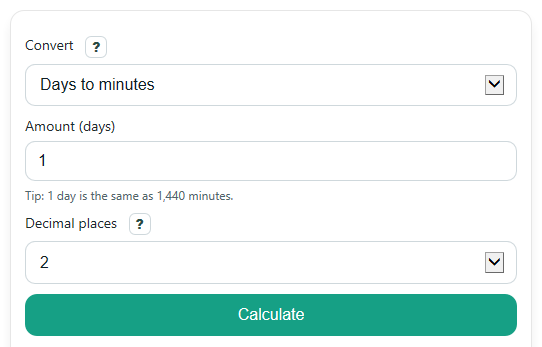
How to use our Days to Minutes Converter
- Choose a direction in Convert: pick Days to minutes or Minutes to days.
- Enter your number in Amount. You can use whole numbers, decimals, 0, or even a negative value if you are measuring a signed time difference.
- Pick Decimal places to control how much rounding you want in Converted value.
- Click Calculate to see Converted value, the Conversion rule used, and the Time breakdown.
- Sanity-check the answer: 1 day should equal 1,440 minutes, and 720 minutes should equal 0.5 days.
Definitions
Day: A fixed time amount used here as 24 hours, or 1,440 minutes.
Minute: A unit of time equal to 60 seconds.
Convert: The direction of the math, either days to minutes or minutes to days.
Amount: The number you enter to convert. It can be a whole number or a decimal.
Decimal places: How many digits appear after the decimal point in Converted value.
Time breakdown: The same result rewritten with mixed time units such as days, hours, and minutes.
Common mistakes and quick fixes
Mistake: Leaving Amount blank and expecting a result.
Fix: Enter a number in Amount , such as 1, 2.5, 720, or 0.25.
Mistake: Typing words like "two days" into Amount .
Fix: Enter numbers only in Amount . Use 2 instead of words, and the calculator will show the Converted value .
Mistake: Forgetting to change Convert before calculating.
Fix: Check Convert first so the calculator knows whether to multiply into minutes or divide into days.
Mistake: Thinking a rounded Converted value changed the actual math.
Fix: Change Decimal places if you want to see more digits. Rounding only changes the displayed result.
Mistake: Reading Time breakdown as a separate answer that disagrees with the main result.
Fix: Use Converted value as the main answer. Time breakdown is just the same time written in a more familiar way.
Mistake: Assuming a negative Converted value is an error.
Fix: A negative result is allowed. It means the number entered in Amount was negative.
Limitations & Key Assumptions / Boundary Conditions
- This converter uses the fixed rule 1 day = 24 hours = 1,440 minutes, so it does not adjust for calendar dates, daylight saving time, or leap seconds.
- Converted value may be rounded to the selected Decimal places, so repeating decimals can look shortened on screen.
- Time breakdown is a readable mixed-unit summary. Small rounding differences can appear when the main answer is shown with limited decimals.
- Very large values are formatted for readability, but the converter is still a simple unit conversion tool, not a full scheduling or date calculator.
- Negative values are allowed and stay negative. That is useful for signed time differences, but it may not match every classroom or real-world use.
Methodology
Conversion method
This calculator uses one fixed time relationship:
1 day = 24 hours = 1,440 minutes. If you convert from days to minutes, it multiplies by 1,440. If you convert from minutes to days, it divides by 1,440.
minutes = days * 1440
days = minutes / 1440
1 day = 24 hours = 1440 minutes = 86400 seconds
Worked mini-example
If Convert is set to Days to minutes and Amount is 2.5, the calculator multiplies 2.5 by 1,440.
2.5 * 1440 = 3600
So the Converted value is 3,600 minutes. The Time breakdown can also show that 2.5 days equals 60 hours, which is the same total time.
If Convert is set to Minutes to days and Amount is 720, the calculator divides 720 by 1,440.
720 / 1440 = 0.5
So the Converted value is 0.5 days.
Display and rounding
The calculator keeps the conversion math exact enough for the chosen display, then rounds the shown answer using Decimal places. This means the stored math follows the conversion rule, while the on-screen number is cleaned up for easier reading.
Time breakdown logic
For days to minutes, the breakdown also shows the same time in hours and minutes. For minutes to days, the breakdown can show full days plus remaining hours and minutes. Negative inputs keep their negative sign so the result matches the entered direction.
Assumptions used
This method assumes a day is always exactly 24 hours. It does not use calendars, clock changes, or local time rules, so real elapsed time across specific dates can differ from this unit conversion.