
Use this calculator to convert days into hours and see the same time as whole days plus extra hours.
Table of contents
How to use our Days to Hours Converter
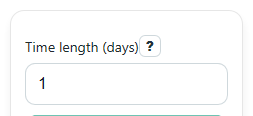
- Enter your value in Time length (days). You can use a whole number like 2 or a decimal like 1.5.
- Click Calculate to get Total time (hours), Same time as days and hours, and Formula used.
- Read Total time (hours) as the full number of hours in the entered time length.
- Use Same time as days and hours when you want an easier real-world reading, such as 2.25 days = 2 days and 6 hours.
- Do a quick check: since 1 day = 24 hours, your Total time (hours) should be about 24 times your day value.
Definitions
Day: A unit of time equal to 24 hours.
Hour: A unit of time used here as the converted result.
Decimal days: A day value with a fraction, such as 1.5 days or 0.25 days.
Whole days: The complete day part before any extra hours are counted.
Leftover hours: The extra hours that remain after the whole days part is separated.
Common mistakes and quick fixes
Mistake: Leaving Time length (days) blank and expecting a result.
Fix: Enter a number in Time length (days) , then click Calculate .
Mistake: Typing words like "two" instead of a number in Time length (days) .
Fix: Use digits only, such as 2, 0.5, or 1.25 in Time length (days) .
Mistake: Reading Total time (hours) as if it were days.
Fix: Remember that Total time (hours) is the full answer in hours, not in days.
Mistake: Getting confused by decimal input like 1.5 in Time length (days) .
Fix: Check Same time as days and hours to see the easier breakdown: 1.5 days = 1 day and 12 hours.
Mistake: Thinking a negative Total time (hours) is always wrong.
Fix: A negative value can be valid if Time length (days) is negative, such as for a time change or adjustment.
Limitations & Key Assumptions / Boundary Conditions
- This converter only changes Time length (days) into hours. It does not convert to minutes, weeks, or other units.
- It assumes the standard relation of 1 day = 24 hours, so it is meant for unit conversion, not calendar scheduling.
- For decimal inputs, Same time as days and hours shows whole days plus the remaining hours. Small display rounding may occur for very long decimals.
- Negative inputs are allowed on purpose. A negative result means the entered time length was negative.
- Blank entries and non-numeric text are not valid and must be corrected before results can be shown.
Methodology
How the calculator works
This converter uses one standard rule: multiply the number of days by 24 to get hours.
hours = days * 24
To make decimal values easier to read, it also shows a mixed breakdown using whole days and leftover hours.
whole_days = trunc(abs(days))
leftover_hours = (abs(days) - whole_days) * 24
If the original input is negative, the sign stays negative in the interpretation of the result instead of being removed.
Mini example
If Time length (days) is 1.5, then the hour result is 36 because 1.5 times 24 equals 36.
1.5 * 24 = 36
The mixed breakdown is 1 whole day plus 12 hours because 0.5 day times 24 equals 12 hours.
whole_days = 1
leftover_hours = 0.5 * 24 = 12
How to read the results
Total time (hours) is the main answer. Same time as days and hours is a friendlier way to read decimal inputs. Formula used lets you check the math yourself.
Assumptions used
This page treats a day as exactly 24 hours for conversion. That works for standard unit conversion, but real calendar days can feel different in special situations like daylight saving time changes.