
Enter decimal hours or separate hours and minutes to find the exact total number of minutes in your duration.
Table of contents
How to use our Hours to Minutes Converter
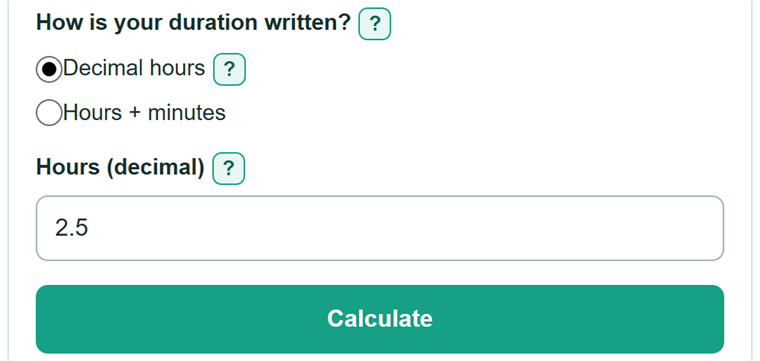
- Choose Decimal hours for a value such as 2.5, or Hours + minutes for a duration such as 2 hours 30 minutes.
- Enter the value from your timesheet, schedule, spreadsheet, invoice, or school problem.
- Click Calculate to see the complete duration in Total minutes.
- Sanity-check the supporting forms. For example, 1.30 decimal hours should equal 78 minutes and display as 1:18, while 1 hour 30 minutes should equal 90 minutes.
Definitions
Duration: An amount of elapsed time, such as the length of a meeting, trip, or task. [1]
Decimal hours: A duration written as one number of hours. For example, 1.5 hours equals 90 minutes.
Clock-style duration (h:mm): A duration written as whole hours followed by remaining minutes, such as 1:30 for 1 hour 30 minutes.
Extra minutes: The minutes remaining after complete hours are counted. In this calculator, the value must be at least 0 and less than 60.
Total minutes: The entire duration written in minutes only.
Common mistakes and quick fixes
Mistake: Typing 1:30 into Hours (decimal).
Fix: Choose Hours + minutes, then enter 1 for Hours (whole) and 30 for Extra minutes (minutes).
Mistake: Reading 1.30 decimal hours as 1 hour 30 minutes.
Fix: Check How is your duration written? and then recalculate. Read 1.30 as 1.3 hours. It converts to 78 minutes.
Mistake: Entering 1.5 in Hours (whole).
Fix: Enter a whole number of hours only. Put the remaining time in Extra minutes (minutes), such as 1 hour and 30 minutes.
Mistake: Entering 60 or more for Extra minutes (minutes).
Fix: Move each full group of 60 minutes into Hours (whole). Enter Extra minutes from 0 up to, but not including, 60.
Mistake: Using the converted duration as an arrival time or pay amount.
Fix: Check How is your duration written? and then recalculate. Add start times, breaks, payroll rounding, billing rules, or pay rates separately.
Limitations & Key Assumptions / Boundary Conditions
- This converter changes a duration only; it does not calculate a start time, end time, date change, or time zone change.
- It does not subtract breaks or apply payroll, billing, attendance, or other rounding rules.
- In Hours + minutes mode, Hours (whole) must be a nonnegative whole number, and Extra minutes must be from 0 up to, but not including, 60.
- In Decimal hours mode, digits after the decimal point are part of an hour, not a minute reading. For example, 1.30 is 1.3 hours.
- Values too large to convert or display safely are rejected.
Methodology
Conversion rule
One hour is exactly 60 minutes. For a decimal-hour entry, the calculator multiplies the entered value by 60.
Total minutes = decimal hours x 60
For a clock-style entry, it multiplies the whole hours by 60 and then adds the extra minutes. If one component is blank and the other is entered, the blank component counts as zero.
Total minutes = whole hours x 60 + extra minutes
Worked example
For 2.5 decimal hours, multiply 2.5 by 60 to get 150 minutes. That same duration is 2:30 in clock-style form and 2.5 decimal hours.
2.5 x 60 = 150
Clock-style display
The calculator takes complete hours from the total minutes, then shows the minutes left over. It does not treat decimal digits as minutes. For example, 1.30 decimal hours equals 78 minutes, which displays as 1:18.