
Convert liquid fluid ounces to milliliters or milliliters to fluid ounces, using the US, UK Imperial, or rounded 30 mL definition.
Advanced options
Fluid ounces measure liquid volume. Weight ounces measure mass and cannot be converted to mL without knowing the substance density.
Table of contents
How to use our oz to mL Converter
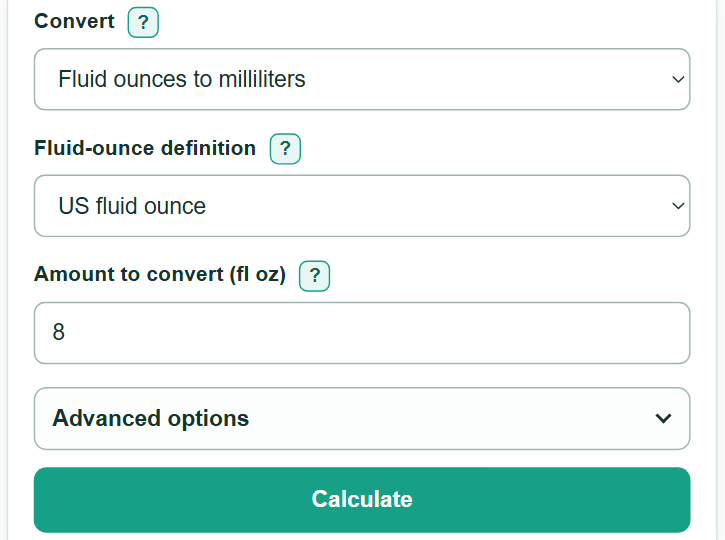
- Choose "Fluid ounces to milliliters" when your amount is in fl oz, or choose "Milliliters to fluid ounces" when it is in mL.
- Select "US fluid ounce" for most US recipes, bottles, and measuring tools. Select "UK Imperial fluid ounce" only when the source says UK, Imperial, or UK fl oz.
- Enter the liquid amount. You can use a decimal, scientific notation, a simple fraction such as 3/4, or a mixed fraction such as 1 1/2.
- Select "Calculate" and use the first result as your converted volume. Check the displayed fluid-ounce definition to make sure it matches the source.
- Open "Advanced options" to change displayed decimal places if needed. This changes rounding only, not the underlying conversion.
Definitions
Fluid ounce (fl oz): A unit of liquid volume. It is different from an ounce used to measure weight.
Milliliter (mL): A metric unit of liquid volume equal to one thousandth of a liter.
US fluid ounce: A US liquid-volume unit. One US fl oz equals 29.5735295625 mL. [1]
UK Imperial fluid ounce: A UK Imperial liquid-volume unit. One UK Imperial fl oz equals 28.4130625 mL.
30 mL label convention: A rounded convention that treats one label fluid ounce as 30 mL. It is not the exact US fluid-ounce conversion.
Mixed fraction: A whole number plus a fraction, such as 1 1/2, which equals 1.5.
Common mistakes and quick fixes
Mistake: Treating oz as a weight unit.
Fix: Use this converter only for fluid ounces, which measure liquid volume. Converting weight ounces to mL also needs the substance density.
Mistake: Using the US definition for a source marked Imperial or UK fl oz.
Fix: Select "UK Imperial fluid ounce" when the original source explicitly uses that definition.
Mistake: Treating 30 mL as the exact value of a US fluid ounce.
Fix: Select "US fluid ounce" for the exact US conversion. Use "30 mL label convention" only when that rounded convention is intended.
Mistake: Entering an invalid fraction such as 1/0 or 1//2.
Fix: Use a denominator greater than 0. Write fractions as 3/4 and mixed fractions as 1 1/2.
Mistake: Leaving a fl oz suffix on an amount while converting from mL.
Fix: Match a typed suffix to the source unit: use mL in the mL-to-fluid-ounces direction and fl oz in the reverse direction.
Limitations & Key Assumptions / Boundary Conditions
- This converter measures liquid volume only. It cannot convert ounces by weight to mL without the substance density.
- Use the fluid-ounce definition stated by the recipe, label, bottle, or measuring tool. US and UK Imperial fluid ounces give different results.
- The 30 mL choice is a rounded convention and can differ from an exact US or UK Imperial conversion.
- Displayed decimal places round the answer for reading. Choose more places when working with a very small volume or a precise formula.
- Only zero and positive liquid volumes are accepted. Negative values, malformed fractions, and nonfinite numbers are outside this converter's input range.
Methodology
Conversion method
The calculator selects a milliliters-per-fluid-ounce factor from the chosen definition. It multiplies for fluid ounces to mL and divides for mL to fluid ounces.
mL = fluid ounces × selected mL-per-fluid-ounce factor
fluid ounces = mL / selected mL-per-fluid-ounce factor
The US factor is 29.5735295625 mL per US fl oz. [1] The UK Imperial factor is 28.4130625 mL per UK Imperial fl oz. The rounded label choice uses 30 mL per fl oz.
Worked example
For 8 US fl oz, multiply 8 by 29.5735295625. The unrounded result is 236.5882365 mL, which displays as 236.59 mL with two decimal places.
8 × 29.5735295625 = 236.5882365 mL
Input handling
The amount can be a nonnegative decimal, scientific-notation number, simple fraction, or mixed fraction. A typed unit suffix must match the source unit selected by "Convert". The calculator keeps the full numeric value internally and rounds only the displayed answer.