
Use this cell EMF calculator to find standard or nonstandard voltage and check what the sign means for the reaction direction.
Advanced options
How to use our Cell EMF Calculator
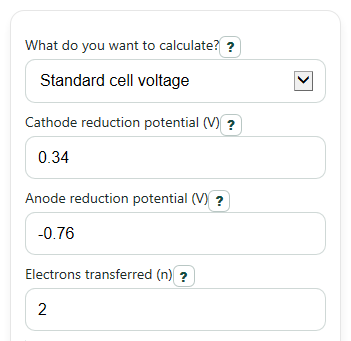
- Pick "What do you want to calculate?" as "Standard cell voltage" or "Nonstandard cell voltage (Nernst)." Then enter "Cathode reduction potential (V)" and "Anode reduction potential (V)" exactly as reduction values from your table.
- Enter "Electrons transferred (n)" from the balanced overall reaction. In Nernst mode, also enter "Temperature (C)."
- For Nernst mode, choose "How do you want to enter Q?" If you already know Q, fill in "Reaction quotient Q." If not, use "Product term total" and "Reactant term total" so the calculator builds Q for you.
- Open "Advanced options" only if you want extras like "Free energy change" or "Equilibrium constant from E0," then click "Calculate."
- Sanity-check the result: if Q = 1, "Cell voltage" should match "Standard cell voltage," and a positive voltage should agree with the direction note for a spontaneous written reaction.
Definitions
Cathode reduction potential: The reduction potential for the half-reaction that gains electrons. Enter it with the sign shown in your table.
Anode reduction potential: The reduction potential for the half-reaction at the anode. Even though oxidation happens there in the full cell, this calculator still wants the reduction form.
Standard cell voltage: E0cell, found from cathode reduction potential minus anode reduction potential.
Cell voltage: Ecell, the actual voltage under the conditions you entered. In Nernst mode, it can differ from E0cell.
Electrons transferred (n): The number of electrons in the balanced overall redox reaction.
Reaction quotient Q: A ratio that compares products to reactants for the written reaction. Q = 1 makes the Nernst correction zero.
Nernst adjustment: The amount subtracted from E0cell in the Nernst equation to get the nonstandard cell voltage.
Free energy change: Delta G for the reaction. A negative value means the written reaction is thermodynamically favorable.
Equilibrium constant from E0: K estimated from the standard cell voltage and temperature. Very large K means products are strongly favored.
Common mistakes and quick fixes
Mistake: Typing an oxidation value into "Anode reduction potential (V)" instead of the table's reduction value.
Fix: Enter the anode exactly as a reduction potential, then let "Standard cell voltage" use cathode minus anode.
Mistake: Putting 0 or a negative number in "Reaction quotient Q."
Fix: Q must be greater than 0. Rebuild the ratio or use "Product term total" and "Reactant term total" to check your setup.
Mistake: Reversing products and reactants when using "Product term total" and "Reactant term total."
Fix: Put multiplied product terms on top and multiplied reactant terms on the bottom, then verify the displayed "Reaction quotient used."
Mistake: Entering the wrong electron count in "Electrons transferred (n)."
Fix: Use the balanced overall redox reaction. "Cell voltage" and "Standard cell voltage" do not multiply by n, but the Nernst step, "Free energy change," and "Equilibrium constant from E0" do use n.
Mistake: Forgetting that "Temperature (C)" is only needed for nonstandard work.
Fix: In "Standard cell voltage" mode, hidden Nernst fields do not affect the result. In Nernst mode, keep "Temperature (C)" at or above -273.15.
Mistake: Comparing "Cell voltage" and "Standard cell voltage" as if they always mean the same thing.
Fix: Read "Standard cell voltage" as the reference value and "Cell voltage" as the actual value after any Nernst adjustment.
Limitations & Key Assumptions / Boundary Conditions
- This calculator assumes both electrode entries are reduction potentials from a reference table; it does not auto-convert oxidation potentials.
- The built-in Q helper uses Q = product term total divided by reactant term total, so you must apply exponents from the balanced reaction before entering those totals.
- Temperature is entered in C and converted to K internally; values below -273.15 C are physically invalid and should be corrected.
- The formulas use ideal textbook relationships, so real measured cell voltages can differ because of activity effects, concentration approximations, junction potentials, and experimental setup.
- "Equilibrium constant from E0" is based on standard cell voltage E0cell, not the nonstandard cell voltage Ecell.
- Very large equilibrium constants may need scientific notation for readable display even when the calculation is valid.
- If the cell voltage is extremely close to 0, the best interpretation is near-equilibrium behavior rather than strongly forward or strongly reverse behavior.
Methodology
Core formulas
This calculator first finds the standard cell voltage from the two half-cell reduction potentials. Both entries must be reduction potentials, even for the anode [1].
E0_cell = E0_cathode - E0_anode
For nonstandard conditions, it then applies the Nernst equation using temperature in kelvin, electrons transferred, and the reaction quotient.
E_cell = E0_cell - (R*T/(n*F))*ln(Q)
T_K = T_C + 273.15
Q = products_term / reactants_term
Optional follow-up values
If you choose the extra outputs, free energy change comes from the calculated cell voltage, and the equilibrium constant comes from the standard cell voltage.
DeltaG = -n*F*E_cell
ln(K) = n*F*E0_cell/(R*T)
The constants used are Faraday constant F = 96485.33212 C/mol and gas constant R = 8.314462618 J/mol/K.
How the sign is interpreted
A positive "Cell voltage" means the reaction as written tends to run spontaneously as a galvanic cell. A negative value means the reverse direction is favored. A value very close to 0 means the system is near equilibrium.
Worked mini-example
Suppose the cathode reduction potential is 0.34 V and the anode reduction potential is -0.76 V.
E0_cell = 0.34 - (-0.76) = 1.10 V
If n = 2, T = 25 C, and Q = 10, then T = 298.15 K and the Nernst term is about 0.02958 V.
E_cell = 1.10 - 0.02958 = 1.07042 V
If you also show free energy, the same example gives a negative Delta G, which matches a spontaneous written reaction.
DeltaG = -(2)*(96485.33212)*(1.07042) approx -206600 J/mol reaction
Assumptions used
This method follows standard textbook electrochemistry formulas [1][2]. It does not correct for non-ideal activities, salt bridge effects, or other lab-specific voltage losses, so real experiments can give slightly different values.