
Paste uppercase or mixed-case text to make it lowercase, then copy the result while keeping spaces, line breaks, punctuation, and symbols unchanged.
Advanced options
Table of contents
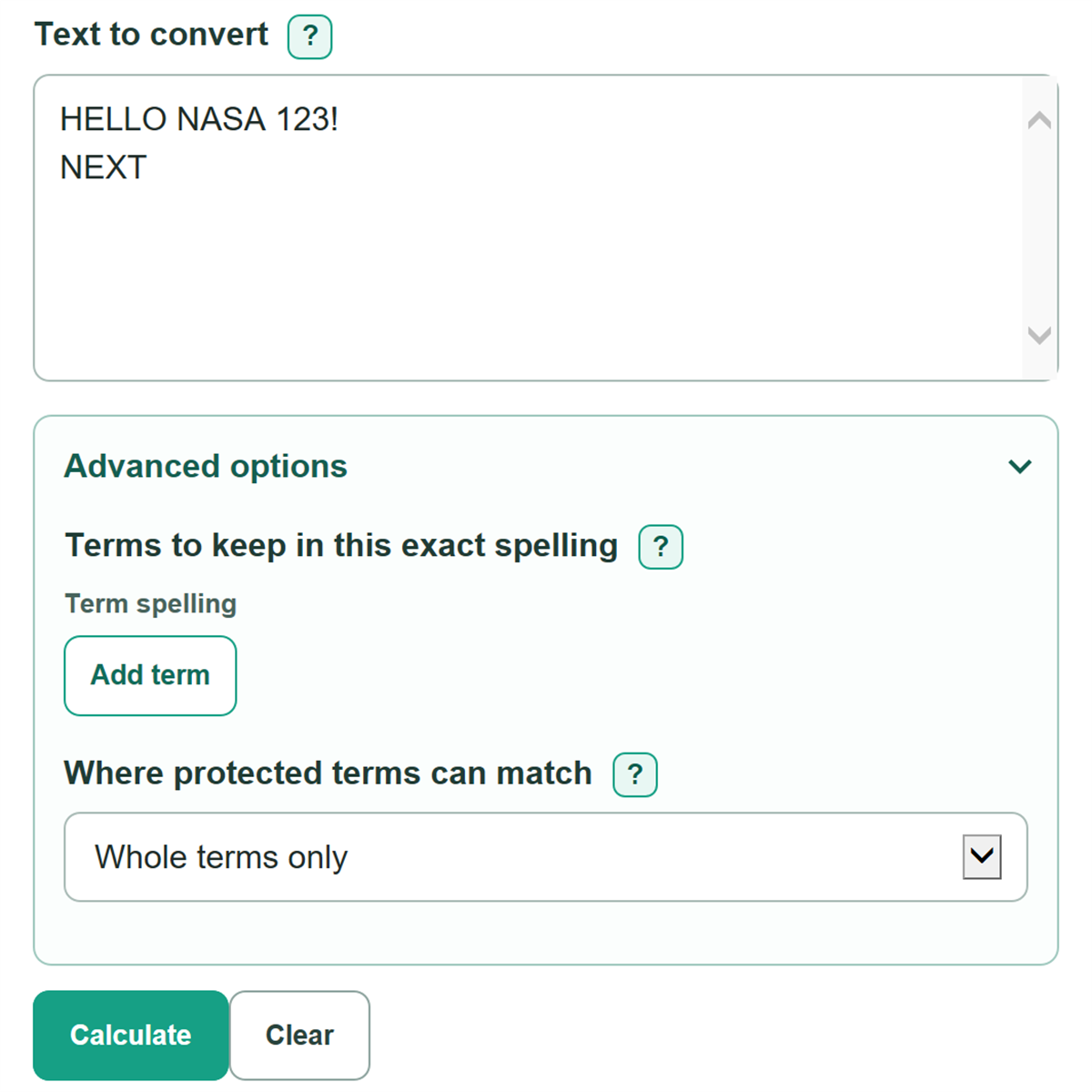
How to use our Uppercase to Lowercase Converter
- Paste or type your content into "Text to convert."
- Open "Advanced options" if a name, acronym, brand, or product code needs to keep a specific spelling.
- Add each spelling exactly as you want it to appear, then choose whether it can match only whole terms or anywhere in the text.
- Select "Calculate" and review "Lowercase text" first, then compare the character and word counts with your source to check that the full text was included.
- Copy the converted text, then review sentence starts and any names that you did not protect.
Definitions
Literal lowercase: Changing letters to lowercase without repairing sentence starts, names, grammar, or punctuation.
Protected term: A name, acronym, brand, or product code that keeps the exact spelling you enter.
Whole term: A protected match with no letter or digit directly attached to either end. For example, "NASA" matches "NASA," but not the NASA part of "NASABase."
Non-overlapping match: One accepted span of source text. When possible terms cover the same letters, the longer term is used first.
Unicode code point: The text unit used for the character count. Spaces, punctuation, and line breaks count too.
Common mistakes and quick fixes
Mistake: Leaving "Text to convert" blank or pasting only spaces.
Fix: Paste or type text that includes at least one non-space character.
Mistake: Expecting lowercase conversion to fix sentence capitalization.
Fix: Check Text to convert and then recalculate. This tool makes literal lowercase text. Capitalize sentence starts afterward if needed.
Mistake: Entering "nasa" when the desired spelling is "NASA."
Fix: Check Text to convert and then recalculate. Enter every protected term in its final form, such as "NASA," "iPhone," or "Model X2."
Mistake: Using "Whole terms only" for text that appears inside a longer code.
Fix: Check Text to convert and then recalculate. Choose "Anywhere in text" only when you intend to protect a matching fragment inside a larger word or code.
Mistake: Expecting duplicate protected-term rows to create extra matches.
Fix: Check Text to convert and then recalculate. Each accepted source span is counted once. Repeated rows with the same term do not increase the count.
Limitations & Key Assumptions / Boundary Conditions
- The converter makes literal lowercase text. It does not repair sentence case, grammar, spelling, or punctuation.
- Names, acronyms, brands, and codes become lowercase unless you add them as protected terms.
- Protected terms ignore capitalization in the source, but use the exact spelling entered in the protected-term row.
- With "Whole terms only," a letter or digit touching a term prevents a match. "Anywhere in text" can match inside a longer word or code.
- Spaces, line breaks, punctuation, digits, emoji, and symbols stay in their original positions.
- Some languages have special casing rules. The converter does not choose a language from the pasted text, and an unusually large paste may exceed safe browser processing limits.
Methodology
How conversion works
The converter finds protected terms before changing other text. It compares protected terms without case, accepts non-overlapping matches, and checks longer terms before shorter ones. Each accepted match is placed in the result using the exact spelling from its protected-term row. All text outside those matches is changed to lowercase.
protected matches = non-overlapping protected-term matches, longest term first
lowercase text = source text lowercased outside protected matches
Counts shown
The changed-letter count includes source character positions outside protected matches where lowercase text differs from the original character. The character count includes Unicode code points, including spaces and line breaks. The word count is the number of nonempty groups separated by whitespace.
letters changed = positions outside protected matches where lowercase differs from source
words = nonempty groups separated by whitespace
Worked example
For source text "HELLO NASA" with "NASA" as a protected term, the converted text is "hello NASA." The five letters in HELLO change to lowercase, and one protected match is kept.
Matching choices
"Whole terms only" prevents a short protected entry from matching inside a longer letter-or-digit word. "Anywhere in text" allows such inside matches, which can be useful for a code fragment but can also preserve text you did not intend to protect.