
Paste your text to turn lowercase letters into uppercase while keeping numbers, punctuation, spaces, and line breaks the same.
Table of contents
How to use our Lowercase to Uppercase Converter
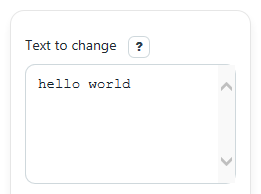
- Paste or type your content into Text to change.
- Click Calculate to create Uppercase text.
- Use the copy action on Uppercase text if you want to paste the result somewhere else.
- Check Letters changed, Characters, Words, and Lines to make sure the result looks right for your text.
Definitions
Text to change: The original text you paste or type into the converter.
Uppercase text: The converted text after lowercase letters are changed to uppercase letters.
Letters changed: The number of character positions where the converted text is different because a lowercase letter became uppercase.
Characters: The total number of characters in the original text, including spaces, punctuation, and numbers.
Words: A simple count of nonempty text parts separated by spaces, tabs, or line breaks.
Lines: The number of text lines. A blank input has 0 lines in this tool.
Common mistakes and quick fixes
Mistake: Expecting Text to change to remove punctuation or numbers.
Fix: This tool only changes letter case, so symbols, numbers, spaces, and line breaks stay as they are in Uppercase text .
Mistake: Thinking the converter failed because Letters changed is 0.
Fix: Check Note . Your text may already be uppercase, blank, or have no lowercase letters to change.
Mistake: Comparing Characters to a version where you manually deleted spaces first.
Fix: Characters counts all characters in Text to change , including spaces and punctuation.
Mistake: Expecting Words to match a special school or app counting rule exactly.
Fix: Words uses a simple whitespace-based count, so review the text yourself if a teacher or app uses different rules.
Mistake: Wondering why Lines is more than 1 after pasting a list.
Fix: Each line break in Text to change counts as a new line, and those line breaks stay preserved in Uppercase text .
Limitations & Key Assumptions / Boundary Conditions
- This tool changes case with the platform's standard uppercase method, so some languages or special Unicode letters may behave differently than you expect.
- Words is a simple whitespace-based count, so it may not match every classroom, publishing, or app-specific word-count rule.
- Characters is a simple text length count and may differ from how some apps count visual symbols or complex emoji.
- Blank input is allowed. In that case, counts are 0 and Note should prompt you to enter text.
- If your browser blocks automatic copying, the converted text still appears normally and you may need to copy it by hand.
Methodology
How the converter works
The tool reads the exact text from Text to change and creates a new version where letters are converted to uppercase with the standard JavaScript method toUpperCase() [2]. Spaces, punctuation, numbers, and line breaks are kept in place.
uppercase_text = toUpperCase(input_text)
The tool then compares the original text and converted text character by character. Each position that changed counts toward Letters changed.
changed_letters = count(i where input_text[i] != uppercase_text[i])
Characters is the total text length of the original input.
character_count = length(input_text)
Words is found by trimming the input, splitting on whitespace, and counting nonempty parts.
word_count = count(nonempty tokens after splitting trimmed input on whitespace)
Lines is 0 for blank input. Otherwise, it counts the number of text lines separated by line breaks.
line_count = 0 if input_text is empty else count(split on line breaks)
Mini example
If Text to change is hello world, then Uppercase text becomes HELLO WORLD. The tool reports 10 for Letters changed, 11 for Characters, 2 for Words, and 1 for Lines.
Assumptions used
The calculator does not remove spaces, fix spelling, or change punctuation. It only changes letter case. Word counting uses a simple whitespace rule, and character counting uses straightforward text length rather than a language-aware or visual-symbol-aware method.