
Enter a proposed timber payment and harvest costs to estimate your pre-tax landowner net revenue before signing a sale agreement.
Table of contents
How to use our Timber Sale Net Revenue Calculator
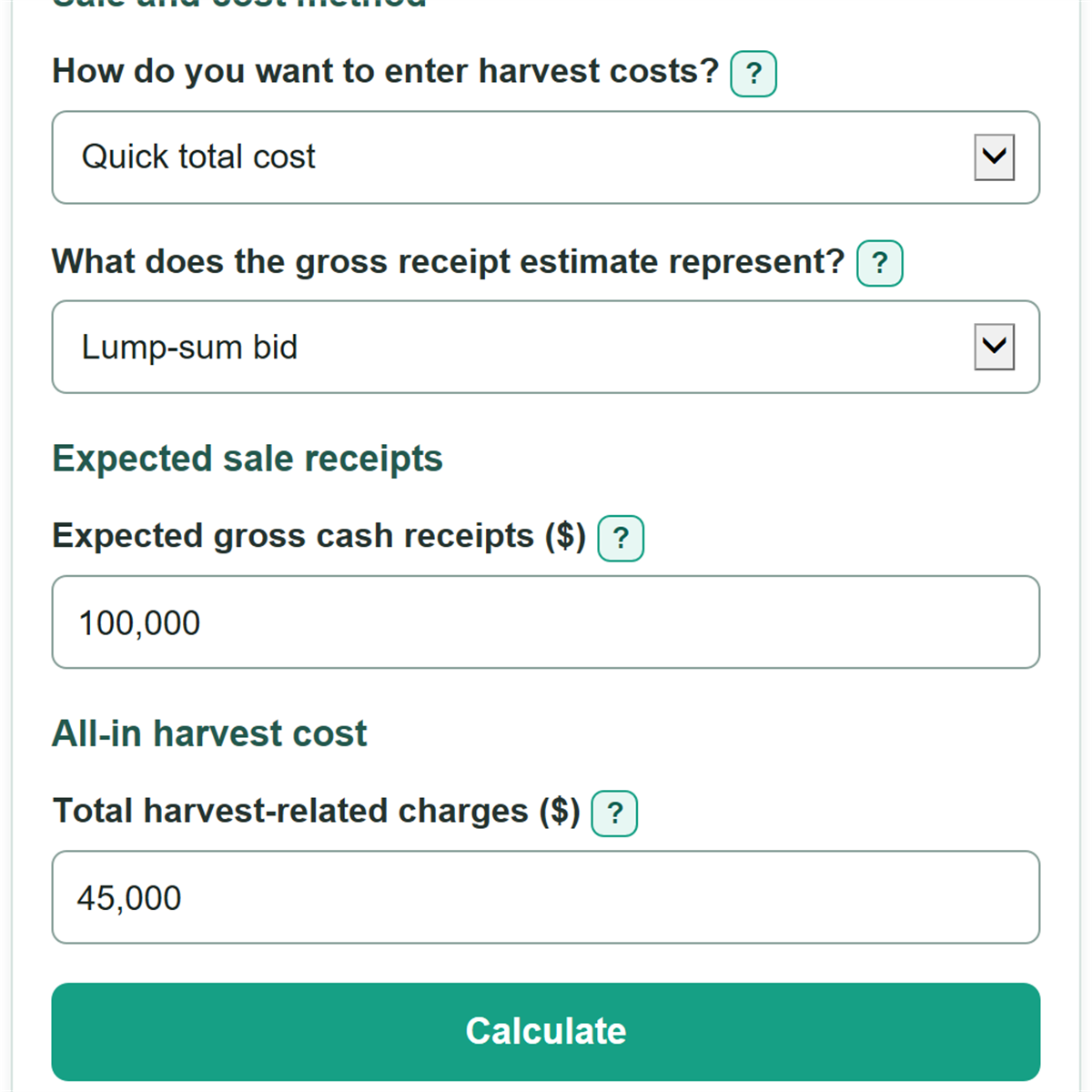
- Choose how you want to enter harvest costs: use Quick total cost for one all-in quote, or Itemized costs for separate charges.
- Choose what the gross receipt estimate represents, then enter Expected gross cash receipts ($) from the bid, contract, or mill estimate.
- Enter Total harvest-related charges ($) in quick mode, or fill in each itemized cost field using total dollars for the full sale.
- Click Calculate and read Estimated pre-tax landowner net revenue first. A negative amount means entered charges are greater than expected receipts.
- Sanity-check Total harvest-related charges used against your logger, hauling, road, permit, and sale-administration quotes. Make sure no cost was left out or deducted twice.
Definitions
Gross cash receipts: The total payment expected before subtracting the harvest-related charges entered here.
Lump-sum bid: A stated price for the timber sale, usually agreed before harvesting starts.
Standing timber payment: Payment for timber while it is still standing, often called stumpage.
Mill or scale-out receipts: Expected payment tied to timber delivered and measured at a mill or other receiving point. Confirm whether the payment uses gross or net scale and whether deductions have already been made. [1]
Harvest-related charges: Total landowner-paid costs connected to the sale, such as logging, hauling, road work, permits, and sale administration.
Pre-tax landowner net revenue: Gross cash receipts minus the entered harvest-related charges. It is a cash estimate, not a taxable gain calculation.
Common mistakes and quick fixes
Mistake: Entering a per-ton, per-cord, per-MBF, or per-acre rate in Expected gross cash receipts ($).
Fix: Convert the rate to total dollars for the proposed sale before entering Expected gross cash receipts ($).
Mistake: Treating Mill or scale-out receipts as if they were a Lump-sum bid.
Fix: Use What does the gross receipt estimate represent? to match the bid or contract, then check whether logging or hauling was already withheld.
Mistake: Leaving hauling, road work, permits, or consulting out of Total harvest-related charges ($).
Fix: Switch to Itemized costs and review Logging and processing cost ($), Hauling cost ($), Road work cost ($), Permit and required fee cost ($), and Sale administration cost ($).
Mistake: Subtracting a cost twice because it is already reflected in Expected gross cash receipts ($).
Fix: Check the payment terms and enter only landowner-paid charges that are not already withheld from the payment.
Mistake: Reading Estimated pre-tax landowner net revenue as taxable timber gain.
Fix: Treat it as a cash-flow estimate before income taxes. Timber tax calculations can require basis, records, and sale-expense treatment.
Limitations & Key Assumptions / Boundary Conditions
- This calculator uses only the dollar amounts you enter. It does not estimate timber volume, species value, quality, defect deductions, market prices, or buyer demand.
- All cost entries must be total dollars for the proposed sale. Convert per-acre, per-ton, per-cord, or per-MBF quotes before entering them.
- For mill or scale-out receipts, confirm the payment basis, measurement rule, defect deductions, and any charges withheld before payment. Do not subtract a withheld charge again.
- A positive estimated pre-tax landowner net revenue does not prove that a sale is profitable after taxes, property costs, prior management costs, or other expenses not entered here.
- Timber tax results can depend on timber basis, allowable expenses, volume and valuation records, and taxpayer facts. IRS timber reporting instructions require separate records and calculations. [2]
- Use a timber cruise, local forester, contract review, and current buyer or logger quotes for an actual sale decision.
Methodology
Calculation
The calculator uses the cost method you choose. Quick total cost uses one entered amount. Itemized costs adds the five visible itemized charges. Hidden fields are not included.
selected harvest-related charges = quick total cost, or logging + hauling + road work + permit and required fee + sale administration
estimated pre-tax landowner net revenue = expected gross cash receipts - selected harvest-related charges
total harvest-related charges used = selected harvest-related charges
Worked example
If expected gross cash receipts are $100,000 and total harvest-related charges are $45,000, estimated pre-tax landowner net revenue is $55,000. In itemized mode, logging of $28,000, hauling of $8,000, road work of $4,000, permits of $1,000, and sale administration of $4,000 also add to $45,000.
The sale-value basis changes the description of the payment, not the subtraction. Different sale arrangements can use different payment bases, so compare the selected basis with the bid or contract before relying on the estimate. [1]