
Enter numbers exactly as written to count significant figures, round a value, or calculate a final answer using the right precision rule.
Advanced options
Table of contents
How to use our Significant Figures Calculator
- Choose whether you want to count significant figures, round a number, or calculate with sig-fig rules.
- Enter each number exactly as it appears in your problem, including decimal points, trailing zeros, and an exponent such as e3.
- For rounding, enter the requested whole-number count of significant figures. For a calculation, choose Add, Subtract, Multiply, or Divide and enter both numbers.
- Open Advanced options only if a number is an exact count or defined value, or if your instructions require half-to-even rounding.
- Before reporting the answer, check the rule used and the limiting significant figures or decimal place. Keep any trailing zeros shown in the final answer.
Definitions
Significant figures: Digits that show the precision of a written measured value. Leading zeros do not count, while zeros between nonzero digits do count.
Trailing zeros: Zeros at the end of a written number. They count after a decimal point, but trailing zeros in a plain whole number such as 1200 are ambiguous.
Scientific notation: A form such as 1.200e3, meaning 1.200 times 10 to the third power. It shows exactly which digits are significant.
Decimal place: A position based on powers of 10. Ones are the 10 to the zero place, tenths are the 10 to the negative first place, and hundredths are the 10 to the negative second place.
Measured value: A value read from an instrument or measurement. Its written precision can limit a calculation.
Exact value: A counted quantity or defined value with no measurement uncertainty. It does not limit the final precision in this calculator.
Half to even: A tie-rounding method that sends an exact halfway value to the nearest result whose last kept digit is even.
Common mistakes and quick fixes
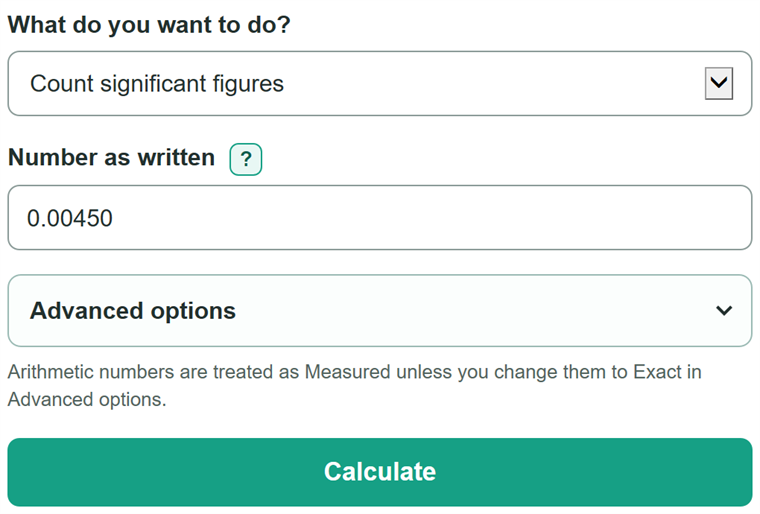
Mistake: Entering 0.0045 when the source says 0.00450.
Fix: Check What do you want to do? and then recalculate. Copy every written zero. The final zero changes the count from 2 to 3 significant figures.
Mistake: Expecting 1200 to have one certain significant-figure count.
Fix: Check What do you want to do? and then recalculate. Use 1200., 1.200e3, or another form that states the intended precision.
Mistake: Using the fewest-significant-figures rule for addition or subtraction.
Fix: Check What do you want to do? and then recalculate. Add and subtract using the least precise decimal place. The calculator applies this rule after you choose Add or Subtract.
Mistake: Treating a counted quantity, such as 2 objects, as measured.
Fix: Check What do you want to do? and then recalculate. Choose Exact in Advanced options for a count or defined value so it does not limit the reported precision.
Mistake: Rounding either input before doing the calculation.
Fix: Check What do you want to do? and then recalculate. Enter the original written values and round only the final arithmetic answer.
Mistake: Entering 2.5 as the requested number of significant figures.
Fix: Check What do you want to do? and then recalculate. Enter a whole number from 1 to 15.
Limitations & Key Assumptions / Boundary Conditions
- The calculator handles one operation between two numbers. It does not evaluate multi-step expressions or calculate measurement uncertainty.
- A plain whole number ending in zeros, such as 1200, does not state whether those zeros are significant. Use a decimal point or scientific notation to state the intended precision.
- Addition and subtraction are rounded to the least precise decimal place among measured inputs. Multiplication and division are rounded to the fewest significant figures among measured inputs.
- Mark a value Exact only when it is a count or a defined value. A whole number is not automatically exact.
- Rounding targets are limited to whole numbers from 1 through 15. Course or lab instructions may require a different tie-rounding method.
- The calculator applies precision rules to numbers only. Keep measurement units and any unit-conversion rules from the original problem.
Methodology
Counting written digits
The calculator reads each entry as text before doing arithmetic, so it does not lose a decimal point or written trailing zeros. It ignores leading zeros, counts zeros between significant digits, and counts trailing zeros in a decimal value. A plain whole number with trailing zeros is reported as ambiguous because its written form does not show the intended precision. [1]
significant figures = meaningful written digits
For example, 0.00450 has 3 significant figures: 4, 5, and the final written zero.
Rounding to a requested count
The calculator keeps the requested number of meaningful digits, checks the next digit, and retains trailing zeros needed to show the requested precision. The default method rounds an exact halfway case away from zero. Half to even is available when course or lab instructions require it.
reported answer = number rounded to requested significant figures
For example, 2.345 rounded to 3 significant figures is 2.35 with half away from zero and 2.34 with half to even.
Arithmetic reporting rules
The calculator completes the arithmetic before rounding the final answer. For addition and subtraction, the measured input with the least precise decimal place sets the final place. For multiplication and division, the measured input with the fewest significant figures sets the final count. [2]
add or subtract: reported answer = raw answer rounded to the limiting decimal place
multiply or divide: reported answer = raw answer rounded to the limiting significant-figure count
Example: 12.11 + 0.3 = 12.41 before final rounding. Since 0.3 is precise only to tenths, the reported answer is 12.4. For an exact 2 multiplied by measured 2.35, the raw answer is 4.70 and the reported answer remains 4.70 because the measured value has 3 significant figures.
Exact values and written precision
Values marked Exact are excluded from the limiting-precision check. The calculator does not guess hidden digits, infer whether a whole number is exact, or replace instructions from a course, lab, or reporting standard.