
Find percent increase or decrease, apply a known percent change, or calculate the starting value before a change.
A positive number was added. A negative number was removed.
Percent change is measured from this starting value.
Table of contents
How to use our Percent Increase Calculator
- Choose the task: find percent change, apply a known percent increase, or find the starting value before a change.
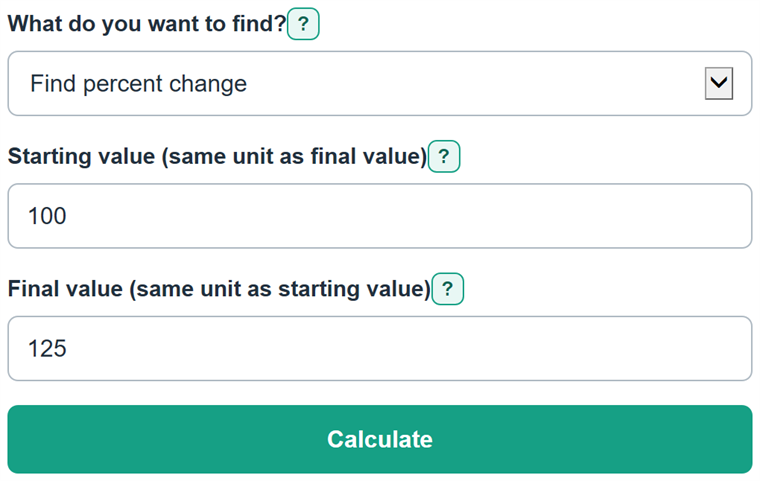
- To compare values, enter the earlier number as Starting value and the later matching number as Final value.
- To apply or reverse a rate, enter the known value and the percent rate. Enter a negative rate, such as -20%, for a decrease.
- Click Calculate. Read the first result first, then check the numeric increase or decrease and the comparison base.
- Sanity-check the direction: a final value larger than the starting value should produce an increase, while a smaller final value should produce a decrease.
Definitions
Starting value: The earlier or original amount. Percent change is measured from this value.
Final value: The later, current, or updated amount compared with the starting value.
Percent increase or decrease: The numeric change divided by the starting value, written as a percent.
Numeric increase or decrease: The final value minus the starting value, in the same unit as the entered values.
Comparison base: The starting value used as the denominator when calculating percent change.
Growth multiplier: One plus the percent rate divided by 100. For example, a 20% increase has a multiplier of 1.20.
Percentage point: The direct difference between two percentages. Moving from 4% to 6% is 2 percentage points and a 50% relative increase.
Common mistakes and quick fixes
Mistake: Putting the newer value in Starting value and the older value in Final value.
Fix: Enter the earlier or original figure as Starting value and the later figure as Final value.
Mistake: Dividing the change by the final value when checking the percent change.
Fix: Divide by the Starting value. It is the comparison base.
Mistake: Using zero as the Starting value for a percent comparison.
Fix: Percent change from zero is undefined. Compare the numeric difference instead, or use a nonzero starting value.
Mistake: Subtracting a percent directly from the final value to find the old value.
Fix: Check What do you want to find? and then recalculate. Choose Find starting value. The calculator divides the final value by the growth multiplier.
Mistake: Treating a negative result as an increase.
Fix: Check What do you want to find? and then recalculate. A negative percent and negative numeric change mean the value decreased.
Mistake: Typing 1,01 when you mean one point zero one.
Fix: Check What do you want to find? and then recalculate. Use 1.01 for decimals. Use commas only for thousands, such as 1,001.
Limitations & Key Assumptions / Boundary Conditions
- Enter like-for-like values. The calculator does not convert dollars, measurement units, or time periods.
- The Starting value must be greater than zero when finding percent change or applying a rate.
- Percent change from a starting value of zero is undefined because it would require division by zero.
- In Find starting value mode, the percent rate must be greater than -100%. A -100% change cannot identify one unique starting value.
- When both entered values are percentages, the result is relative percent change. Use percentage points for their direct difference.
- The calculator handles one change. For repeated increases over several periods, apply each period's rate in sequence.
Methodology
Percent change
For Find percent change, the calculator subtracts the starting value from the final value. It divides that signed change by the starting value, not the final value.
numeric change = final value - starting value
percent change = (numeric change / starting value) * 100
A positive result is an increase. A negative result is a decrease.
Apply a known rate
For Apply percent increase, the calculator changes the rate into a growth multiplier. A negative rate creates a multiplier below 1 and reduces the value.
final value = starting value * (1 + percent rate / 100)
Find the starting value
For Find starting value, the calculator reverses the growth multiplier by dividing the known final value by it. This is why a known percent should not be subtracted directly from the final value. [1]
starting value = final value / (1 + percent rate / 100)
Worked example
If a value rises from 100 to 125, the numeric change is 25. Dividing 25 by the starting value of 100 gives 0.25, or a 25% increase. If 120 is the final value after a 20% increase, divide 120 by 1.20 to recover a starting value of 100.