
Convert torque between Nm and in-lbs with an exact result, a tool-friendly rounded setting, and a quick reminder not to confuse in-lbs with ft-lbs.
Advanced options
How to use our Nm to in-lbs Converter Calculator
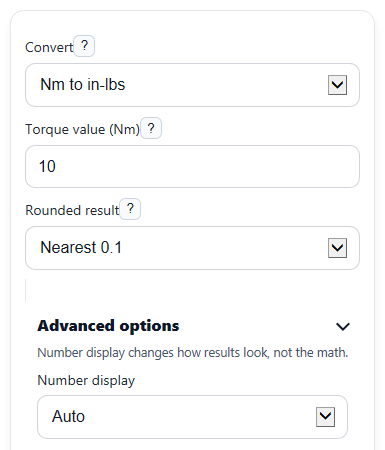
- Choose a direction in Convert: either Nm to in-lbs or in-lbs to Nm.
- Enter your number in Torque value using the starting unit from the direction you picked.
- Pick a step in Rounded result if you want a wrench-friendly setting, or choose No rounding to keep the exact value in both result boxes.
- Click Calculate, then read Exact converted torque for precision and Rounded torque for tool setting for a practical setting.
- Do a quick sanity check: if the Unit note says in-lbs, make sure you are not using a ft-lb wrench scale, because those are different units.
Definitions
Nm: Newton-meter, an SI unit of torque.
in-lbs: Inch-pounds of force, also written as lb-in or in-lbf. This is a torque unit, not a weight value.
Exact converted torque: The direct unit conversion before any practical rounding.
Rounded torque for tool setting: The converted value rounded to the step you chose so it is easier to match on a wrench or spec sheet.
Formula used: The conversion equation applied to your selected direction.
Pound-force: The force unit behind inch-pound torque. In torque, the "lb" means pound-force, not pounds of mass.
Common mistakes and quick fixes
Mistake: Entering a value in ft-lbs while Convert is set to Nm to in-lbs or in-lbs to Nm .
Fix: Type the number only in the starting unit named by Convert , then check Unit note before using the result.
Mistake: Reading Rounded torque for tool setting as if it were more precise than Exact converted torque .
Fix: Use Exact converted torque for precise math and use Rounded torque for tool setting only when your tool needs a simple step value.
Mistake: Choosing Nearest 5 in Rounded result for a small torque and thinking the rounded value should stay close.
Fix: Pick a smaller step such as Nearest 0.1 , Nearest 0.5 , or Nearest 1 when you need a tighter setting.
Mistake: Leaving Torque value blank or typing text like "ten".
Fix: Enter a numeric Torque value only, such as 10, 88.5, 0, or -2.5.
Mistake: Thinking a negative Exact converted torque means the calculator is broken.
Fix: A negative result is allowed and usually means torque in the opposite rotation direction from a positive value.
Mistake: Ignoring Formula used when checking a manual conversion.
Fix: Compare your work to Formula used so you can confirm the correct factor and direction were applied.
Limitations & Key Assumptions / Boundary Conditions
- This converter handles only Nm and in-lbs. It does not convert ft-lbs, so do not use it as if inch-pounds and foot-pounds were the same.
- The rounded result depends on the step chosen in Rounded result. A larger step can move the tool-setting value farther from the exact value.
- Negative torque values are allowed and stay negative after conversion, which is useful for signed direction math but may not match every wrench display.
- Real tools may have limited scale marks, calibration error, or manufacturer rounding rules, so your actual setting may differ slightly from the displayed rounded value.
- Very small values can round to 0 if you choose a large rounding step. That is normal behavior for the selected rounding rule.
- The calculator shows numerical conversions only. It does not judge whether a torque target is safe for a specific fastener, material, or tool.
Methodology
Conversion method
This calculator converts torque in one step using a fixed factor based on standard unit relationships [1]. It then applies optional rounding for tool-friendly settings.
in-lb = Nm x 8.8507457676
Nm = in-lb x 0.1129848290
Rounding method
If you choose a rounding step, the calculator rounds the exact converted value to the nearest selected increment.
rounded = round(value / step) x step
If you choose No rounding, the rounded result matches the exact result.
Worked mini-example
Example: with Convert set to Nm to in-lbs and Torque value = 10, the exact conversion is 10 x 8.8507457676 = 88.507457676 in-lbs. If Rounded result is Nearest 0.1, the tool-setting value becomes 88.5 in-lbs.
Why the units matter
Torque is force applied at a distance. Here, inch-pounds means inch-pound-force, not pounds of mass. That is why the calculator warns you not to mix up in-lbs and ft-lbs [3].
Assumptions and limits
The math assumes standard conversion constants [1][2]. Display formatting trims extra trailing zeros, but the internal conversion follows the listed factors. Results are unit conversions only and do not include tool accuracy, fastener friction, or manufacturer-specific torque procedures.