
Estimate your mini split's electric cost from watts or from BTU size and an efficiency rating.
Advanced options
Table of contents
How to use our Mini Split Running Cost Calculator
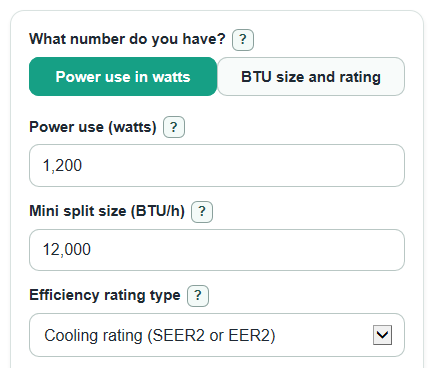
- Choose What number do you have?: Power use in watts if you know or measured the electrical draw, or BTU size and rating if you only have the mini split's size and efficiency rating.
- Enter Power use (watts) or enter Mini split size (BTU/h), Efficiency rating type, and Efficiency rating, depending on the path you chose.
- Enter Hours used per day and Electricity rate ($ per kWh); if your bill says 18 cents per kWh, enter 0.18, not 18.
- Open Advanced options if you want to change Average load (percent of full size), Days used per month, Months used per year, or Standby power (watts).
- Click Calculate, then sanity-check Estimated active power and Electricity used per day against a smart plug, label, or past electric bill if you have one.
Definitions
kWh: Kilowatt-hour, the amount of electricity used over time. A 1000 watt device running for 1 hour uses 1 kWh.
Power use (watts): The electric power the mini split is using while it is actively heating or cooling.
BTU/h: British thermal units per hour, a common way to state mini split heating or cooling size.
SEER2 or EER2: Cooling efficiency ratings. In this calculator, they are treated as BTU of cooling per watt-hour for a planning estimate.
HSPF2 or HSPF: Heating efficiency ratings. In this calculator, they are treated as BTU of heating per watt-hour for a planning estimate.
COP: Coefficient of performance, an efficiency ratio. The calculator converts COP to BTU per watt-hour using 3.412141633.
Average load (percent of full size): The average share of the mini split's rated size used during active heating or cooling.
Standby power (watts): Small electricity use when the mini split is on or ready but not actively heating or cooling.
Common mistakes and quick fixes
Mistake: Entering 18 in Electricity rate ($ per kWh) when the bill means 18 cents per kWh.
Fix: Enter 0.18 for Electricity rate ($ per kWh).
Mistake: Using Power use (watts) as if an inverter mini split always draws the same power all day.
Fix: Use an average measured Power use (watts), or switch to BTU size and rating and adjust Average load (percent of full size).
Mistake: Entering 12 instead of 12000 for Mini split size (BTU/h).
Fix: Enter the full BTU/h size, such as 9000, 12000, 18000, or 24000.
Mistake: Picking the wrong Efficiency rating type for the number on the label.
Fix: Match Efficiency rating type to the label: cooling rating (SEER2 or EER2), heating rating (HSPF2 or HSPF), or COP rating.
Mistake: Treating Hours used per day as the number of hours the unit is turned on, even if it is not actively heating or cooling.
Fix: Use active heating or cooling time for Hours used per day, and use Standby power (watts) for small off-cycle power if you know it.
Mistake: Leaving Days used per month or Months used per year at the default when your season is shorter or longer.
Fix: Set Days used per month and Months used per year to match the period you want to estimate.
Limitations & Key Assumptions / Boundary Conditions
- Mini splits often change power draw as the room warms or cools, so measured average watts usually gives a better estimate than rated capacity alone.
- The BTU size and rating path is a planning estimate. Real power can change with outdoor temperature, indoor set point, humidity, fan speed, defrost cycles, and installation quality.
- SEER2, EER2, HSPF2, and HSPF are treated as BTU per watt-hour for simple cost planning. Lab rating conditions may not match your home.
- Average load (percent of full size) is used only in the BTU size and rating path. It is ignored when Power use in watts is selected.
- Standby power is counted only for the hours outside Hours used per day, using 24 minus Hours used per day.
- The estimate uses one flat Electricity rate ($ per kWh). Time-of-use rates, demand charges, taxes, fees, solar credits, and tiered billing can make the bill differ.
- Days used per month is limited to 0 through 31, Months used per year is limited to 0 through 12, and Hours used per day is limited to 0 through 24.
Methodology
How the calculator chooses active watts
If you choose Power use in watts, the active power is the Power use (watts) you entered. The calculator ignores Mini split size (BTU/h), Efficiency rating type, Efficiency rating, and Average load (percent of full size) in that path.
active_watts = power_watts
If you choose BTU size and rating, the calculator first turns the selected efficiency value into BTU per watt-hour. SEER2, EER2, HSPF2, and HSPF are used directly for this planning estimate. COP is converted with 3.412141633 BTU per watt-hour for each COP point.
if efficiency_type is seer2 or hspf2: eff_btu_per_wh = efficiency_value
if efficiency_type is cop: eff_btu_per_wh = efficiency_value * 3.412141633
Then it estimates active watts from the mini split size, the efficiency value, and Average load (percent of full size).
active_watts = capacity_btuh * (average_load_percent / 100) / eff_btu_per_wh
How electricity use is calculated
Watts are divided by 1000 to convert to kilowatts. Active electricity is based on Hours used per day. Standby electricity is based on the remaining hours in a 24 hour day.
active_kwh_day = active_watts / 1000 * hours_per_day
standby_kwh_day = standby_watts / 1000 * max(0, 24 - hours_per_day)
daily_kwh = active_kwh_day + standby_kwh_day
How costs are calculated
The calculator multiplies electricity use by Electricity rate ($ per kWh). Monthly and season totals then use Days used per month and Months used per year.
daily_cost = daily_kwh * electric_rate
period_cost = daily_cost * days_per_month
cost_per_active_hour = active_watts / 1000 * electric_rate
period_kwh = daily_kwh * days_per_month
season_cost = daily_cost * days_per_month * active_months_per_year
Mini example
For Power use (watts) of 1200, Hours used per day of 8, Electricity rate ($ per kWh) of 0.18, Days used per month of 30, Months used per year of 4, and Standby power (watts) of 0:
active daily use is 1200 / 1000 * 8 = 9.6 kWh. The Estimated cost for the month is 9.6 * 0.18 * 30 = $51.84. The Estimated cost for the season is $51.84 * 4 = $207.36.
Calculation choices
Hidden mode inputs are ignored, so a value left in Power use (watts) does not affect the BTU size and rating path, and rating fields do not affect the watts path. A blank Standby power (watts) is treated as 0, but invalid standby text is an error. If Electricity rate ($ per kWh) is above 2, the calculator still calculates and shows a warning because the entry may be cents instead of dollars.