
Convert liters to cubic yards for soil, mulch, concrete, or other bulk material, with optional item count and buying helpers.
Advanced options
Table of contents
How to use our Liters to Cubic Yards Converter
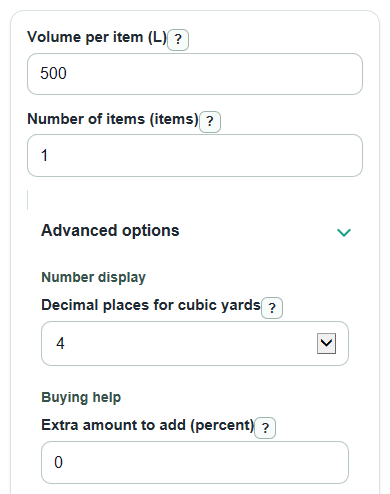
- Enter Volume per item (L). Use the total liters if you have one amount, or the liters in one same-size bag or container.
- Enter Number of items (items). Use 1 when the liter amount is already the full total.
- Open Advanced options only if needed. Set Decimal places for cubic yards, add Extra amount to add (percent), choose Round order up to nearest (cubic yards), or enter Price ($ per cubic yard).
- Click Calculate and read Cubic yards first. Use Planning amount for buying if you added extra or rounded the order up.
- Sanity-check the result by comparing Total liters used with what you meant to enter, then compare Same volume in cubic feet if your project space is measured in feet.
Definitions
Liter (L): A metric unit of volume. One liter is the same volume as 0.001 cubic meter.
Cubic yard (yd^3): A cube-shaped volume that is 1 yard long, 1 yard wide, and 1 yard high. It is often used for bulk materials such as soil, mulch, gravel, and concrete.
Volume per item (L): The liters in one bag, bucket, container, or single total amount.
Number of items (items): How many same-size items you are converting.
Extra amount to add (percent): A percent added before ordering to cover waste, settling, spills, or small measurement errors.
Round order up to nearest (cubic yards): The order size rule used by some sellers, such as rounding up to the next 0.25 cubic yard.
Common mistakes and quick fixes
Mistake: Entering the total liters in Volume per item (L) and also entering more than 1 in Number of items (items).
Fix: If Volume per item (L) is already the total, set Number of items (items) to 1.
Mistake: Leaving Volume per item (L) blank or typing a negative number.
Fix: Enter a volume of 0 L or more in Volume per item (L).
Mistake: Using 0 in Number of items (items) when you want to convert one amount.
Fix: Enter 1 in Number of items (items) for a single amount.
Mistake: Adding a waste value in Extra amount to add (percent) when you need a plain unit conversion.
Fix: Set Extra amount to add (percent) to 0, then use Cubic yards as the direct conversion.
Mistake: Choosing Round order up to nearest (cubic yards) and then treating Planning amount as the exact conversion.
Fix: Use Cubic yards for the exact conversion and Planning amount for ordering.
Mistake: Entering delivery fees or a total quote in Price ($ per cubic yard).
Fix: Enter only the per-cubic-yard price, or leave Price ($ per cubic yard) blank.
Limitations & Key Assumptions / Boundary Conditions
- The direct conversion uses 1 cubic yard = 764.554857984 L and 1 L = 0.001307950619314392 yd^3.
- Planning amount may be larger than Cubic yards because it can include Extra amount to add (percent) and Round order up to nearest (cubic yards).
- Estimated cost uses only Price ($ per cubic yard). It does not include taxes, delivery, minimum order rules, labor, discounts, or container deposits.
- Bulk material can settle, compact, or spill. The calculator does not know the material type, moisture, compaction, or how level the project area is.
- Rounding is always upward when a round-up size is selected. A zero-liter input stays at 0 and is not forced up to the first order increment.
- Very large inputs can exceed what a browser can safely display. If that happens, reduce the entered values or split the project into smaller parts.
Methodology
Formulas used
The calculator first multiplies the entered item size by the item count.
total_liters = liters_per_item * item_count
It then converts liters to cubic yards using the fixed conversion factor.
cubic_yards = total_liters / 764.554857984
The same exact conversion can also be written with the reciprocal factor.
cubic_yards = total_liters * 0.001307950619314392
Supporting volume units are calculated from the exact cubic-yard result and total liters.
cubic_feet = cubic_yards * 27
cubic_meters = total_liters * 0.001
If an extra percent is entered, it is added before any order rounding.
yards_with_extra = cubic_yards * (1 + extra_percent / 100)
If an order increment is selected, the calculator rounds upward to the next allowed cubic-yard amount.
planning_yards = ceil(yards_with_extra / round_step_yards) * round_step_yards
If no round-up size is selected, planning_yards equals yards_with_extra. If a price is entered, cost uses the planning amount when planning helpers are active; otherwise it uses the exact cubic yards.
estimated_cost = cost_yards * price_per_cubic_yard
Worked example
Suppose each bag is 40 L and there are 25 bags. The total is 40 * 25 = 1000 L. The exact conversion is 1000 / 764.554857984 = 1.3079506193 yd^3, which displays as 1.3080 yd^3 when 4 decimal places are selected. With 10 percent extra, the amount becomes 1.4387456812 yd^3. If orders must round up to the nearest 0.25 yd^3, the planning amount is 1.5 yd^3. At $60 per cubic yard, the estimated cost is 1.5 * 60 = $90.
Rounding and display
The Cubic yards output follows the selected Decimal places for cubic yards. Other supporting volumes are formatted for readability and avoid scientific notation. Validation blocks blank or negative required values, invalid percent entries, negative prices, and non-finite results before showing outputs.