
Enter a decimal, including repeating digits like 0.1(6), to find its exact fraction in lowest terms and mixed-number form.
Advanced options
Table of contents
How to use our Decimal to Fraction Calculator
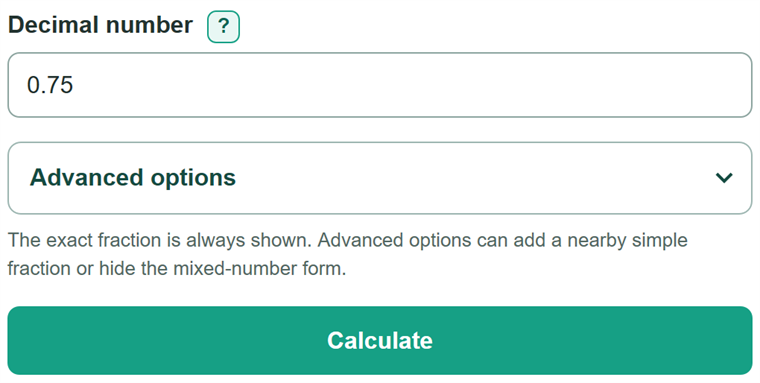
- Enter the decimal as written, such as 0.75, -2.1(6), or 0.(3).
- Use parentheses only for digits that repeat forever. For example, 0.1(6) means 0.1666..., while 0.333 is a finite decimal.
- Open Advanced options if you need a fraction-only answer or a nearby fraction with a limited denominator.
- Click Calculate. Use Fraction in lowest terms as the exact answer, and use the mixed-number form if your assignment asks for it.
- If you requested a nearby fraction, check its absolute approximation error. Zero means it matches the exact fraction; a positive number means it is only close.
Definitions
Terminating decimal: A decimal that ends, such as 0.75 or 2.5.
Repeating decimal: A decimal in which one or more digits continue forever. Parentheses mark the repeating digits, so 0.1(6) means 0.1666....
Numerator: The top number of a fraction. It carries the negative sign for a negative value.
Denominator: The positive bottom number of a fraction. It cannot be zero.
Lowest terms: A fraction whose numerator and denominator have no common factor greater than 1.
Mixed number: A whole number plus a proper fraction, such as 2 1/6. It has the same value as 13/6.
Absolute approximation error: The positive distance between the exact fraction and an optional nearby fraction. Zero means they are equal.
Common mistakes and quick fixes
Mistake: Typing 0.333 when the 3 continues forever.
Fix: Check Decimal number and then recalculate. Type 0.(3). A plain 0.333 is treated as the terminating decimal 333/1000.
Mistake: Typing 0.(16) for 0.1666....
Fix: Check Decimal number and then recalculate. Type 0.1(6), because 1 appears once and only 6 repeats.
Mistake: Using 0.333... to show repetition.
Fix: Check Decimal number and then recalculate. Use parentheses, such as 0.(3), so the repeating digits are known exactly.
Mistake: Entering an existing fraction such as 3/4.
Fix: Check Decimal number and then recalculate. Enter its decimal form, 0.75. The input accepts decimal notation only.
Mistake: Treating a nearby fraction as the exact answer.
Fix: Check Decimal number and then recalculate. Check the absolute approximation error. A positive error means the nearby fraction is an approximation.
Mistake: Entering a denominator limit outside the allowed range.
Fix: Check Decimal number and then recalculate. Use a whole number from 2 through 10000, or leave the field blank to show only the exact conversion.
Limitations & Key Assumptions / Boundary Conditions
- The decimal entry accepts a terminating decimal or one parenthetical repeat block at the end, such as 0.(3) or 0.1(6).
- It does not accept ellipses, fractions, scientific notation, commas, spaces inside the number, or formulas.
- A decimal without parentheses is always treated as finite. For example, 0.333 converts to 333/1000, not 1/3.
- The entry is limited to 100 digits so exact integer calculations remain responsive.
- The optional denominator limit must be a whole number from 2 through 10000. Leaving it blank does not create a nearby-fraction answer.
- A nearby fraction is selected by numerical closeness under the chosen limit. It may not be the fraction convention required by a recipe, ruler, class, or tool.
- If two nearby fractions are equally close, the calculator chooses the smaller denominator, then the smaller absolute numerator.
Methodology
Exact conversion
The calculator reads the sign, whole-number digits, digits before any repeat, and optional repeating digits. It builds an integer fraction, then divides the numerator and denominator by their greatest common factor, meaning the largest whole number that divides both.
terminating fraction = signed whole-and-decimal digits / 10 ^ decimal digit count
For a repeating decimal, subtracting the number before the repeat starts from the number containing one full repeat block removes the repeating part.
repeating denominator = 10 ^ (non-repeating digit count + repeating digit count) - 10 ^ non-repeating digit count
repeating numerator = signed (combined digits with one repeat block - lead-in digits)
Worked example
For 0.1(6), write one copy of the repeating digit:
16. The lead-in value is 1. The denominator is 100 - 10 = 90, so the unreduced fraction is 15/90. Dividing both parts by 15 gives 1/6.
0.1(6) = (16 - 1) / (100 - 10) = 15 / 90 = 1 / 6
Optional nearby fraction
If a largest denominator is entered, the calculator tests denominators from 1 through that limit and finds the fraction with the smallest exact distance from the entered value. It compares integer products instead of rounded decimal values. For 0.42 with a limit of 5, the exact fraction is 21/50 and the nearest allowed fraction is 2/5, with an error of 0.02.
absolute error = abs(exact fraction - nearby fraction)