
Compare three debt payoff plans using your balances, APRs, minimum payments, extra payment, and start date.
Table of contents
How to use our Debt Snowball vs Avalanche Calculator
- In Your debts, enter each account name, balance ($), APR (%), and minimum payment ($ per month).
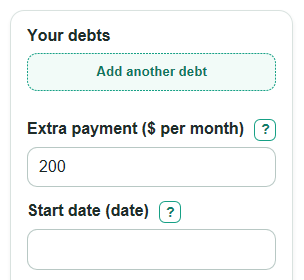
- Enter Extra payment as the amount you can add each month after all required minimum payments.
- Choose the Start date you want to use for estimated payoff timing.
- Click Calculate and compare Best plan from your numbers, payoff time, total interest, and first paid-off account.
- Sanity-check the result: if payoff time is very long or interest is high, recheck APRs, minimum payments, and whether the extra payment is realistic every month.
Definitions
APR: The yearly interest rate for a debt, entered as a percent.
Minimum payment: The required monthly payment you enter for each debt.
Extra payment: Money you can pay each month above all required minimum payments.
Smallest-balance first: A snowball plan that sends extra money to the debt with the lowest balance first. This can pay off one account sooner [2].
Highest-rate first: An avalanche plan that sends extra money to the debt with the highest APR first. This often lowers total interest [2].
Quick-win then highest-rate: A hybrid plan that pays the smallest balance first, then switches to the highest APR after the first account is paid off.
First paid-off account: The month when one listed debt first reaches a $0 balance in the simulation.
Common mistakes and quick fixes
Mistake: Entering only one account in Your debts when you want to compare several debts.
Fix: Add every debt you want included, with its balance ($), APR (%), and minimum payment ($ per month).
Mistake: Putting the total monthly payment into Extra payment .
Fix: Enter only the amount above all minimum payments; the calculator already adds the minimum payments from Your debts .
Mistake: Using a monthly rate in the APR (%) part of Your debts .
Fix: Enter the yearly interest rate. For example, use 24.99 for a 24.99% APR.
Mistake: Leaving a balance, APR, or minimum payment blank in Your debts .
Fix: Enter 0 only when the real value is 0; otherwise enter the actual number so the payoff simulation can run.
Mistake: Ignoring Quick-win extra interest vs highest-rate first .
Fix: Use that dollar amount to see the estimated interest cost of getting one early payoff before switching to the highest-rate debt.
Mistake: Treating Start date as a required lender payoff date.
Fix: Use it as a calendar estimate only; the main payoff math is based on monthly payment cycles.
Limitations & Key Assumptions / Boundary Conditions
- The calculator uses monthly interest: balance times APR divided by 12. Real credit cards may use daily interest, fees, new purchases, or different billing-cycle rules.
- The payment pool stays fixed as original minimum payments plus Extra payment. It does not model falling minimum payments, missed payments, late fees, balance transfers, or new debt.
- A 0% APR debt is allowed, but the rate may change in real life after a promotional period. Enter only the rate you want modeled.
- The simulation stops at 600 months. If a plan cannot finish within that cap, increase Extra payment or check the APR and minimum payment entries.
- If a debt's monthly interest is greater than or equal to its minimum payment, that balance can grow while other debts are targeted.
- Results are estimates, not personal financial advice. Taxes, settlements, hardship programs, and lender payment allocation rules can change real payoff results.
Methodology
Monthly simulation
The calculator runs the same month-by-month payoff simulation for the three plans: smallest-balance first, highest-rate first, and quick-win then highest-rate. Each plan starts with the same debts, the same Extra payment, and the same Start date.
monthly_interest = current_balance * (apr_percent / 100) / 12
Interest is added to each active debt at the start of the month. Then the calculator applies the fixed payment pool.
payment_pool = sum(original_min_payment_for_each_debt) + extra_payment
The payment pool is used for required minimum payments first, capped so a payment cannot push a debt below $0. Any remaining pool money goes to the current target debt. If that debt is paid off during the same month, leftover money moves to the next target in that plan.
Plan rules
Smallest-balance first targets the active debt with the smallest current balance. Ties go to the higher APR, then the original row order. Highest-rate first targets the active debt with the highest APR. Ties go to the smaller current balance, then the original row order. Quick-win then highest-rate uses smallest-balance first until the first debt reaches $0, then switches to highest-rate first for the rest of the payoff.
Totals and recommendation
payoff_months = number_of_monthly_cycles_until_all_balances_are_zero
total_interest = sum(monthly_interest_added_across_all_months_and_debts)
avalanche_interest_saves = snowball_total_interest - avalanche_total_interest
Best plan from your numbers is the plan with the lowest total interest. If two plans tie on interest, the calculator prefers the one with the earlier first paid-off account. Quick-win extra interest vs highest-rate first is the hybrid total interest minus the avalanche total interest.
Mini-example
Suppose one debt has a $500 balance at 12% APR with a $50 minimum payment, and another has a $1,000 balance at 24% APR with a $50 minimum payment. If Extra payment is $100, the payment pool is $200 per month. In this case, both classic plans finish in about 9 months, but highest-rate first pays about $111.47 in interest instead of about $128.76, so Interest saved by highest-rate first is about $17.29.