
Estimate car sales tax, out-the-door cost, and whether a private sale beats your trade-in after tax savings.
Advanced options
Table of contents
How to use our Car Sales Tax Calculator
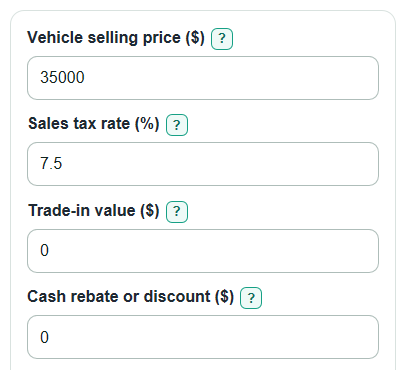
- Enter the Vehicle selling price ($), Sales tax rate (%), Trade-in value ($), Cash rebate or discount ($), and Fees added after tax ($).
- Open Advanced options if you need to change whether the trade-in or rebate lowers tax, add Fees taxed with the car ($), or enter a Down payment ($).
- Use Private sale offer instead of trade-in ($) if you want to compare a private sale with the dealer trade-in after tax savings.
- Click Calculate and read Sales tax due first, then Estimated out-the-door total and Taxable price used.
- Sanity-check the Tax rule note against your dealer quote or state rule, especially if the result differs from the tax shown on the deal sheet.
Definitions
Vehicle selling price ($): The agreed price of the car before sales tax. Do not reduce it for a down payment.
Sales tax rate (%): The combined vehicle tax rate you want to use, such as state plus local tax.
Trade-in value ($): The full allowance the dealer gives for your old car, before any loan payoff.
Cash rebate or discount ($): A price reduction or rebate that lowers what you pay for the car. Whether it lowers tax depends on the selected rule.
Fees taxed with the car ($): Fees or add-ons included in the taxable vehicle price.
Fees added after tax ($): Fees added to the final total after sales tax is calculated.
Taxable price used: The dollar amount multiplied by the Sales tax rate (%). It is floored at $0 because sales tax cannot be negative.
Tax saved by trading in: The estimated tax reduction from a trade-in credit when the selected rule allows it.
Private sale break-even price: The private sale price needed to match the trade-in after any trade-in tax savings.
Common mistakes and quick fixes
Mistake: Subtracting Down payment ($) from Vehicle selling price ($) before tax.
Fix: Enter the full agreed Vehicle selling price ($); Down payment ($) only changes Amount left after down payment.
Mistake: Entering Sales tax rate (%) as 0.075 for 7.5%.
Fix: Enter 7.5 in Sales tax rate (%), not the decimal version.
Mistake: Using trade-in equity instead of the full Trade-in value ($).
Fix: Enter the full dealer allowance in Trade-in value ($); loan payoff is separate from this tax estimate.
Mistake: Putting taxable dealer add-ons in Fees added after tax ($).
Fix: Put taxable add-ons in Fees taxed with the car ($) so they are included in Taxable price used.
Mistake: Leaving Trade-in lowers taxable price? or Rebate lowers taxable price? at the default when your state uses a different rule.
Fix: Change those two fields in Advanced options before trusting Sales tax due.
Mistake: Comparing Private sale offer instead of trade-in ($) with Trade-in value ($) only.
Fix: Compare the offer with Private sale break-even price, which includes Tax saved by trading in.
Limitations & Key Assumptions / Boundary Conditions
- This calculator does not look up your state, county, city, or special vehicle tax rate. Enter the combined Sales tax rate (%) you want to use.
- Trade-in and rebate tax rules vary by state and deal type. Use Trade-in lowers taxable price? and Rebate lowers taxable price? to match your situation.
- Loan payoff, negative equity, lender fees, finance charges, and monthly payments are not included.
- Estimated out-the-door total can be negative if the Trade-in value ($) is larger than the new deal total before loan payoff. That does not mean a dealer will write that exact check.
- Private sale break-even price ignores time, advertising, payment risk, inspection costs, and the effort of selling the old car yourself.
- Fees added after tax ($) and Fees taxed with the car ($) depend on local rules and dealer line items. Put each fee in the bucket that matches how it is taxed on your quote.
- Dollar results are rounded to the nearest cent for display, but the calculator keeps the math unrounded until the final output.
Methodology
How the tax base is built
The calculator first decides which parts of the deal lower the taxable price. A trade-in lowers the taxable price only when Trade-in lowers taxable price? is set to Yes. A rebate lowers the taxable price only when Rebate lowers taxable price? is set to Yes. Down payment ($) is not subtracted when calculating tax.
taxable_raw = vehicle_price + taxable_fees - rebate_tax_deduction - trade_tax_deduction
taxable_price = max(0, taxable_raw)
The $0 floor is intentional. A credit can reduce the taxable amount to $0, but it does not create negative sales tax.
Sales tax and out-the-door total
The Sales tax rate (%) is divided by 100 to turn it into a decimal rate. The sales tax estimate is then based on the floored taxable price.
sales_tax_due = taxable_price * (tax_rate / 100)
The out-the-door estimate subtracts the full rebate and full trade-in from the deal total, then adds taxable fees, after-tax fees, and sales tax. This output is not floored, so it can be negative.
out_the_door_total = vehicle_price - rebate_amount - trade_in_value + taxable_fees + after_tax_fees + sales_tax_due
Trade-in savings and private sale comparison
When the trade-in lowers taxable price, the calculator compares the tax with the trade-in credit to the tax without that credit. When the selected rule says the trade-in does not lower taxable price, trade-in tax savings is $0.
trade_in_tax_savings = tax_without_trade_credit - sales_tax_due
private_sale_break_even = trade_in_value + trade_in_tax_savings
private_sale_advantage = private_sale_offer - private_sale_break_even
A positive Private sale advantage means the private sale offer beats the trade-in on tax math alone. A negative value means the trade-in is better after the lost tax credit is counted.
Down payment output
Down payment ($) is only used after the out-the-door total is found.
amount_after_down_payment = out_the_door_total - down_payment
If this value is negative, the down payment is more than the estimated out-the-door amount.
Mini-example
Suppose Vehicle selling price ($) is $35,000, Sales tax rate (%) is 7.5, Trade-in value ($) is $10,000, Cash rebate or discount ($) is $2,000, Fees taxed with the car ($) is $300, and Fees added after tax ($) is $500. If both the trade-in and rebate lower the taxable price, the taxable price is $35,000 + $300 - $2,000 - $10,000 = $23,300. Sales tax due is $23,300 x 7.5% = $1,747.50. Estimated out-the-door total is $35,000 - $2,000 - $10,000 + $300 + $500 + $1,747.50 = $25,547.50. Tax saved by trading in is $750, so the Private sale break-even price is $10,750.