
Calculate the minimum fixed optical attenuation needed to prevent receiver overload, then check whether a chosen attenuator stays within the receiver power limits.
Table of contents
How to use our Optical Attenuator Value for Receiver Overload Calculator
- Choose Plan from specs to use transmitter and link-loss data, or Use measured Rx power to enter a receiver-end reading taken before the new attenuator.
- Copy signed optical power values in dBm and nonnegative loss values in dB from the optic datasheet, loss report, DOM or DDM screen, power meter, or attenuator label.
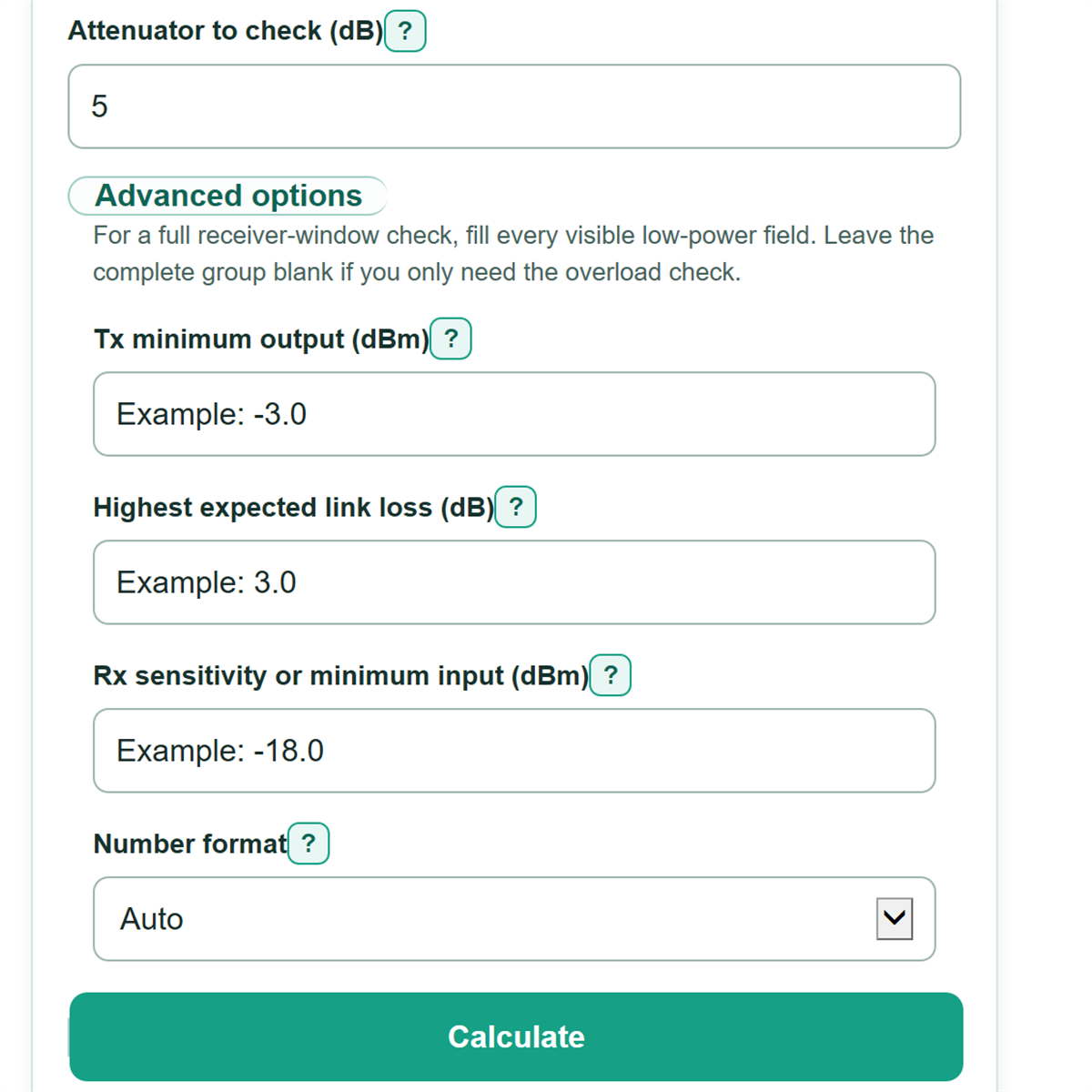
- Enter the receiver overload limit and the attenuator value you want to check. Open Advanced options to include the weak-power sensitivity check.
- For a full receiver-window check, complete every low-power field shown for your selected entry method. Leave the whole group blank if you only need the overload check.
- Select Calculate. Confirm that the checked status is safe and overload clearance is zero or positive. If sensitivity results appear, confirm that sensitivity margin is also zero or positive and that the attenuator falls between the calculated minimum and maximum.
Definitions
dBm: An optical power reading on a logarithmic scale. A more positive value means stronger power, so -3 dBm is stronger than -18 dBm.
dB: An amount of gain or loss, not an absolute power reading. This calculator uses nonnegative dB values for passive loss and added attenuation.
Fixed optical attenuator: A passive device that adds a rated amount of optical loss to reduce power at the receiver.[1]
DOM or DDM: Digital monitoring data reported by an optical module, including an estimated receiver power reading when the module supports it.
Rx maximum input or overload: The strongest optical input the receiver is specified to accept.
Rx sensitivity or minimum input: The weakest optical input the receiver is specified to accept under its stated test conditions.
Overload clearance: How far the strongest checked receiver power is below the overload limit. A negative value means the signal is still too strong.
Sensitivity margin: How far the weakest checked receiver power is above sensitivity. A negative value means the signal is too weak.
Common mistakes and quick fixes
Mistake: Using Tx minimum output for the overload calculation.
Fix: Check How will you enter receiver power? and then recalculate. Enter the maximum, more positive end of the transmitter power range in Tx maximum output.
Mistake: Entering a signed dBm power reading as existing link loss.
Fix: Check How will you enter receiver power? and then recalculate. Enter link loss as a nonnegative dB amount, such as 2.5 dB.
Mistake: Subtracting link loss from a measured Rx power reading.
Fix: Check How will you enter receiver power? and then recalculate. Enter the receiver-end reading directly. It already includes the loss before the measurement point.
Mistake: Reading negative dBm values backward.
Fix: Check How will you enter receiver power? and then recalculate. A more positive value is stronger, so -3 dBm is stronger than -18 dBm.
Mistake: Entering only part of the optional low-power group.
Fix: Check How will you enter receiver power? and then recalculate. In planning mode, enter Tx minimum, highest expected link loss, and Rx sensitivity together. In measured mode, enter lowest expected Rx power and Rx sensitivity together.
Mistake: Assuming an attenuator is safe because it prevents overload.
Fix: Check How will you enter receiver power? and then recalculate. Complete the low-power check and verify that sensitivity margin is zero or positive before choosing the attenuator.
Limitations & Key Assumptions / Boundary Conditions
- The planning path treats Tx maximum output minus existing link loss as the strongest expected receiver power. Missing or incorrect loss data changes the answer.
- A measured Rx power reading is one operating snapshot. Enter the lowest expected Rx power for a full-window check when power can vary.
- If the optional low-power fields are blank, the calculator checks overload only. It does not confirm that the attenuator stays above receiver sensitivity.
- The entered limits must apply to the actual transmitter, receiver, wavelength, data rate, and operating conditions.
- The checked attenuator rating is treated as its actual loss. Tolerance, wavelength dependence, dirty connectors, and measurement error are not added automatically.
- Power exactly at overload or sensitivity is treated as within the entered limit. Add a separate engineering reserve if the design must stay away from either boundary.
- This calculator checks optical power only. It does not verify bit error rate, module compatibility, return loss, dispersion, or other link requirements.
Methodology
Strong-power calculation
In the planning path, existing link loss in dB is subtracted from Tx maximum output in dBm. In the measured path, the receiver-end reading is already the power before the new attenuator, so link loss is not subtracted again.
strongest_rx_before_dbm = tx_max_dbm - existing_link_loss_db
strongest_rx_before_dbm = measured_rx_dbm
The minimum required attenuation is the amount by which the strongest receiver power exceeds the overload limit. The max function chooses the larger of 0 and that difference, so the result cannot be below 0 dB.
minimum_attenuation_db = max(0, strongest_rx_before_dbm - rx_overload_dbm)
The checked attenuator is subtracted from the strongest pre-attenuator power. Overload clearance is positive below the overload limit, zero at the limit, and negative when the signal remains too strong.
strongest_rx_after_dbm = strongest_rx_before_dbm - checked_attenuator_db
overload_clearance_db = rx_overload_dbm - strongest_rx_after_dbm
Full receiver-window calculation
For planning, the weakest pre-attenuator power uses Tx minimum output and the highest expected link loss. For a measured link, the entered lowest expected Rx power is used directly.
weakest_rx_before_dbm = tx_min_dbm - highest_link_loss_db
weakest_rx_before_dbm = lowest_expected_rx_dbm
The maximum safe attenuation is the distance between the weakest pre-attenuator power and receiver sensitivity. It is not floored at zero. A negative maximum means the weak-power case is already below sensitivity before any new attenuation is added.
maximum_safe_attenuation_db = weakest_rx_before_dbm - rx_sensitivity_dbm
weakest_rx_after_dbm = weakest_rx_before_dbm - checked_attenuator_db
sensitivity_margin_db = weakest_rx_after_dbm - rx_sensitivity_dbm
Status decision
If the maximum safe attenuation is below the minimum required attenuation, no fixed attenuator can satisfy both entered receiver limits. Otherwise, the checked attenuator is too small when the strongest post-attenuator power exceeds overload and too large when the weakest post-attenuator power falls below sensitivity. Equality is accepted as exactly on the entered limit. Without complete low-power inputs, a passing status applies only to overload.
Worked example
Suppose Tx maximum output is +3 dBm, existing link loss is 2 dB, and receiver overload is -3 dBm.
Strongest Rx before attenuator = +3 dBm - 2 dB = +1 dBm
Minimum attenuation = max(0, +1 dBm - (-3 dBm)) = 4 dB
A checked 5 dB attenuator produces -4 dBm at the strong end, which gives 1 dB of overload clearance. If Tx minimum is -3 dBm, highest expected link loss is 3 dB, and sensitivity is -18 dBm, the weakest pre-attenuator power is -6 dBm.
Maximum safe attenuation = -6 dBm - (-18 dBm) = 12 dB
The calculated safe range is 4 dB through 12 dB. With the checked 5 dB attenuator, the weakest power is -11 dBm and the sensitivity margin is 7 dB.