
Enter a tire size code to find its circumference, diameter, turns per mile, and size-swap effects.
Use a metric code such as 205/55R16 or a flotation code such as 31x10.50R15. Legacy codes such as 7.75/14 are not supported; do not guess a missing aspect ratio. Check the tire manufacturer’s dimensions for that specific tire.
Table of contents
How to use our Tire Circumference Calculator
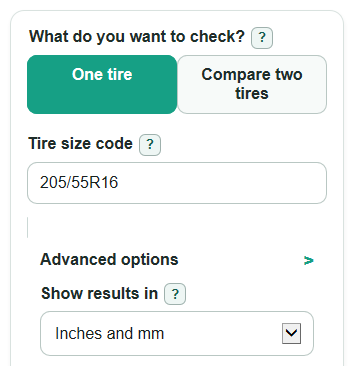
- Choose What do you want to check?: One tire for one size, or Compare two tires for a tire swap.
- Enter the visible size code, such as 205/55R16 or 31x10.50R15, in Tire size code, Original tire size code, or New tire size code.
- Open Advanced options if you want to change Show results in, Dashboard speed to check, or Dashboard trip distance to check.
- Select Calculate and read Tire circumference first, then use the other cards for diameter, tire turns per mile, speed, distance, and ride-height effects.
- Sanity-check Tire size read before trusting the answer; if the parsed width, aspect, rim, or flotation size looks wrong, fix the tire code and calculate again.
Definitions
Tire size code: The sidewall code that gives the tire dimensions, such as 205/55R16 or 31x10.50R15.
Sidewall height: The rubber height from the wheel rim to the tread. In a metric code, it comes from tire width times aspect percent.
Overall tire diameter: The outside height of the tire from tread to tread through the center.
Tire circumference: The distance around the outside of the tire. A larger circumference rolls farther each turn.
Tire turns per mile: The estimated number of full tire rotations needed to travel one mile.
Circumference change: The percent difference between the new tire circumference and the original tire circumference.
Ride-height change: Half of the diameter change. Positive raises the axle, and negative lowers it.
Dashboard speed error: Dashboard speed minus estimated real speed. Positive means the dashboard reads faster than the road speed.
Common mistakes and quick fixes
Mistake: Typing only the rim size in Tire size code , such as 16.
Fix: Enter the full sidewall code in Tire size code , such as 205/55R16 or 31x10.50R15.
Mistake: Using the new tire in Original tire size code when checking a swap.
Fix: Put the factory or current calibrated size in Original tire size code and the replacement size in New tire size code .
Mistake: Reading Circumference change as a direct ride-height change.
Fix: Use Ride-height change ; it is based on half of the diameter difference, not the full circumference difference.
Mistake: Leaving Dashboard speed to check at 60 mph when you care about a different speed.
Fix: Change Dashboard speed to check to the speed you want, then read Real speed at your dashboard speed and Dashboard speed error .
Mistake: Entering a zero or negative number in Dashboard trip distance to check .
Fix: Use a positive trip distance in Dashboard trip distance to check , such as 100, so Real distance for your odometer trip can be calculated.
Limitations & Key Assumptions / Boundary Conditions
- The calculator uses nominal tire dimensions from the size code. Real rolling circumference can change with tire model, load, inflation pressure, tread wear, and measuring rim width.
- It does not check rim width range, load index, speed rating, brake clearance, suspension clearance, ABS rules, traction-control rules, or manufacturer approval.
- Metric tire codes are calculated from width, aspect percent, and rim diameter. Flotation codes such as 31x10.50R15 already state outside diameter, so the calculator uses that stated diameter.
- Compare mode assumes the speedometer and odometer were calibrated for the Original tire size code.
- Road speed and odometer results are estimates. Vehicle electronics, tire growth at speed, and tire wear can make the real value different.
- A small percent change can still matter for clearance, gearing feel, warranty rules, or tire-chain fit, so check your vehicle manual or tire professional before buying.
Methodology
How the size code is read
For a metric code such as 205/55R16, the calculator reads 205 as width in millimeters, 55 as aspect percent, and 16 as rim diameter in inches. Common prefixes such as P, LT, ST, and T do not change the dimension math. Load and speed text after the rim size is ignored when the size part is valid.
For a flotation code such as 31x10.50R15, the calculator reads 31 as outside diameter in inches, 10.50 as section width in inches, and 15 as rim diameter in inches.
Core formulas
sidewall_mm = width_mm * (aspect_percent / 100)
diameter_mm = (rim_in * 25.4) + (2 * sidewall_mm)
diameter_mm = flotation_diameter_in * 25.4
circumference_mm = pi * diameter_mm
circumference_in = circumference_mm / 25.4
revs_per_mile = 1609344 / circumference_mm
revs_per_km = 1000000 / circumference_mm
Compare formulas
circ_change_percent = ((new_circumference_mm - original_circumference_mm) / original_circumference_mm) * 100
actual_speed_mph = dashboard_speed_mph * (new_circumference_mm / original_circumference_mm)
speedometer_error_mph = dashboard_speed_mph - actual_speed_mph
actual_distance_miles = dashboard_trip_miles * (new_circumference_mm / original_circumference_mm)
ride_height_change_mm = (new_diameter_mm - original_diameter_mm) / 2
Mini-example
For 205/55R16, sidewall height is 205 * 0.55 = 112.75 mm. The 16 inch rim is 406.4 mm, so diameter is 406.4 + 2 * 112.75 = 631.9 mm. Circumference is pi * 631.9 = about 1985.17 mm, or about 78.16 inches. That gives about 810.68 tire turns per mile.
For a swap from 205/55R16 to 215/55R16, the new circumference is about 1.74% larger. At a 60 mph dashboard reading, the estimated real speed is 60 * 1.0174 = about 61.04 mph, and the dashboard speed error is about -1.04 mph.