
Convert millimeters to kilometers and see both the decimal answer and scientific notation so tiny results are easier to check.
Advanced options
Table of contents
How to use our Millimeters to Kilometers Converter
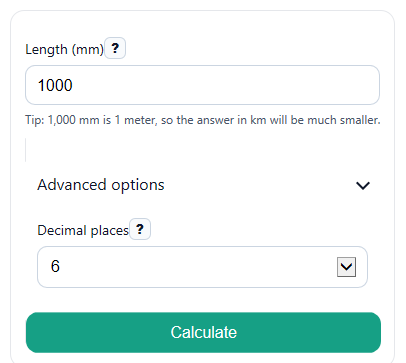
- Enter your value in Length (mm). You can use a whole number, decimal, zero, or a negative value if you need the sign kept.
- Choose Decimal places to control how many digits appear in Kilometers.
- Click Calculate to see Kilometers, Kilometers in scientific notation, the Conversion factor used, and the Quick check.
- Sanity-check the size: since 1 kilometer equals 1,000,000 millimeters, the number in Kilometers should usually be much smaller than the number you entered in Length (mm).
Definitions
Millimeter (mm): A metric length unit equal to one-thousandth of a meter.
Kilometer (km): A metric length unit equal to 1,000 meters.
Decimal places: The number of digits shown to the right of the decimal point in Kilometers.
Scientific notation: A way to write very small or very large numbers as a number times 10 raised to a power, such as 2.5 x 10^-5 [1].
Conversion factor used: The fixed relationship for this calculator: 1 km = 1,000,000 mm.
Common mistakes and quick fixes
Mistake: Leaving Length (mm) blank and expecting 0.
Fix: Enter a numeric value in Length (mm) before you calculate.
Mistake: Typing kilometers into Length (mm) instead of millimeters.
Fix: Make sure the input is really in millimeters, then read the converted value from Kilometers .
Mistake: Thinking the answer should get bigger when converting to Kilometers .
Fix: Check Conversion factor used : mm to km means divide by 1,000,000, so the result usually gets smaller.
Mistake: Rounding too soon and thinking the calculator is wrong.
Fix: Change Decimal places to 6 or 8 if the Kilometers result looks too rounded.
Mistake: Getting confused by many zeros in a tiny answer.
Fix: Compare Kilometers with Kilometers in scientific notation to read very small values more easily.
Mistake: Assuming a negative input should turn positive after conversion.
Fix: The sign stays the same, so a negative Length (mm) gives a negative Kilometers value.
Limitations & Key Assumptions / Boundary Conditions
- This converter handles only millimeters to kilometers. It does not switch directions or convert to other units.
- The math assumes the standard metric relationship 1 km = 1,000,000 mm.
- Decimal places changes only how the result is shown. Internal conversion math is not rounded first.
- Very small nonzero results may look like 0 in Kilometers if you choose too few decimal places. Use more digits or read Kilometers in scientific notation.
- Negative values are allowed and the sign is preserved, even though many real-world length measurements are nonnegative.
- The calculator expects a numeric entry in Length (mm). Blank or non-numeric text should be corrected before a result is possible.
Methodology
Calculation method
The converter uses one fixed metric relationship: 1 kilometer equals 1,000,000 millimeters. To change millimeters into kilometers, divide the millimeter value by 1,000,000.
km = mm / 1000000
Scientific notation display
The scientific notation result shows the same kilometer value in a compact form using powers of ten [1]. This helps when the decimal answer starts with many zeros.
km_sci = a x 10^n
In that form, a is the coefficient and n is the exponent.
Mini example
If Length (mm) is 25, then divide 25 by 1,000,000.
km = 25 / 1000000 = 0.000025
The same value in scientific notation is:
2.5 x 10^-5 km
This is a good quick check because a kilometer is much larger than a millimeter, so the converted number should be much smaller.
Display choices and assumptions
Decimal places affects only the displayed Kilometers value. The conversion factor stays exact, and the scientific notation output is still based on the same converted number. If the displayed decimal answer seems to lose detail, increase the number of decimal places.