
Convert meters to millimeters fast and use the centimeters check to catch decimal-place mistakes right away.
Table of contents
How to use our Meters to Millimeters Converter
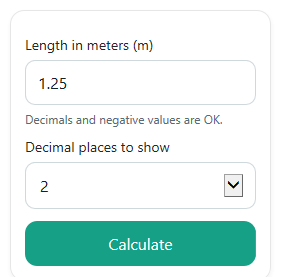
- Enter your value in Length in meters (m). You can use a whole number, decimal, 0, or a negative value for a signed change.
- Choose Decimal places to show for how you want the displayed answer rounded.
- Click Calculate to see Length in millimeters, Same length in centimeters, Conversion used, and the Quick note.
- Sanity-check the result: moving from meters to millimeters should make the number 1,000 times larger, and the centimeters result should be 100 times the meters value.
Definitions
Meter (m): A standard metric unit of length.
Millimeter (mm): A metric unit equal to one-thousandth of a meter, or 0.001 m.
Centimeter (cm): A metric unit equal to one-hundredth of a meter, or 0.01 m.
Decimal places: How many digits are shown after the decimal point in the displayed result.
Length in millimeters: The main converted answer found by multiplying meters by 1,000.
Same length in centimeters: A second check value found by multiplying meters by 100.
Common mistakes and quick fixes
Mistake: Typing centimeters or millimeters into Length in meters (m) .
Fix: Enter only meters in Length in meters (m) . If your value is in centimeters or millimeters, convert it to meters first.
Mistake: Moving the decimal the wrong way and expecting Length in millimeters to be smaller than the meter value.
Fix: Check Quick note . Going from meters to millimeters moves the decimal 3 places right, so the number gets larger in size.
Mistake: Picking too few digits in Decimal places to show and thinking a tiny value became zero.
Fix: Increase Decimal places to show if Length in millimeters looks rounded too much for a very small meter value.
Mistake: Ignoring the sign on a negative input in Length in meters (m) .
Fix: Keep the sign. A negative Length in millimeters means the original meter value was negative too, which can make sense for signed change.
Mistake: Not checking whether Same length in centimeters matches what you expect.
Fix: Use Same length in centimeters as a quick check. It should be 100 times the meters value, while Length in millimeters should be 1,000 times the meters value.
Limitations & Key Assumptions / Boundary Conditions
- This converter handles only meters to millimeters, with centimeters shown as a check value.
- Displayed answers are rounded to the selected Decimal places to show, so very small values can appear as 0 if you choose too little precision.
- Negative values are kept as negative because they can represent signed change, not a physical object length in every real-world situation.
- The math uses exact metric conversion factors, but copied or rounded input values can still affect the displayed result.
- If Length in meters (m) is blank or not a valid number, the calculator should show an error instead of guessing.
Methodology
How the calculation works
The calculator converts the entered meter value into smaller metric units using exact place-value relationships in the metric system.
mm = m * 1000
cm = m * 100
That means 1 meter equals 1,000 millimeters exactly, and 1 meter also equals 100 centimeters exactly. The centimeters result is included as a quick check because it is easier for many users to spot a decimal mistake in cm first.
Mini example
If Length in meters (m) is 1.25, then:
mm = 1.25 * 1000 = 1250
cm = 1.25 * 100 = 125
So the calculator shows Length in millimeters as 1,250 mm and Same length in centimeters as 125 cm.
Why the decimal moves
Going from meters to millimeters means changing to a smaller unit, so the number becomes larger. In base-10 place value, that is the same as moving the decimal point 3 places to the right. Going from meters to centimeters moves it 2 places to the right.
Calculation choices
The selected Decimal places to show changes only how the answer is displayed. It does not change the underlying conversion math.
Assumptions and limits
This method assumes the input is already in meters. It keeps negative signs for signed changes, accepts 0 as valid, and may display a rounded zero for tiny values if the chosen display precision is too low.