
Enter a length in millimeters to find the same length in centimeters, with optional rounding for the displayed answer.
Advanced options
Table of contents
How to use our Millimeters to Centimeters Converter
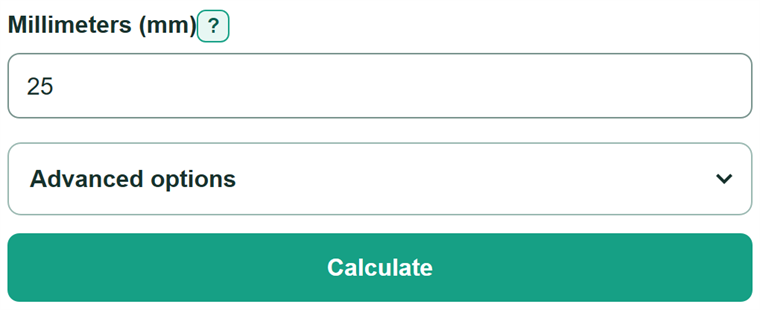
- Enter one length in the "Millimeters (mm)" field. You can enter a decimal such as 25.4 or include the suffix "mm".
- Select "Calculate" to see the equivalent length in centimeters.
- Open "Advanced options" and choose "Result decimal places" only when your worksheet, drawing, or other task needs a certain display format.
- Sanity-check the result by moving the decimal point one place left. For example, 25 mm converts to 2.5 cm.
Definitions
Millimeter (mm): A metric unit of length equal to one-thousandth of a meter.
Centimeter (cm): A metric unit of length equal to one-hundredth of a meter. One centimeter equals 10 millimeters.
Decimal places: The number of digits shown to the right of a decimal point. This changes the display, not the converted length.
Rounding: Showing a nearby value with a selected number of decimal places. Rounding can make a small nonzero value appear as zero.
Common mistakes and quick fixes
Mistake: Multiplying millimeters by 10.
Fix: Divide by 10 because 1 centimeter equals 10 millimeters.
Mistake: Entering a value that is already in centimeters.
Fix: Enter only the original measurement when it is in millimeters.
Mistake: Typing a malformed grouped number such as 1,01.
Fix: Use commas only for thousands, such as 1,000, and use a decimal point for decimal values.
Mistake: Entering a range or two numbers, such as 10-12 or 10 12.
Fix: Convert one numeric measurement at a time.
Mistake: Treating extra zeros in the displayed answer as extra measurement accuracy.
Fix: Choose decimal places for the format you need; rounding does not improve the original measurement.
Limitations & Key Assumptions / Boundary Conditions
- The conversion uses the exact relationship 10 mm = 1 cm and does not estimate a length.
- The converted value is only as accurate as the measurement copied from a ruler, drawing, specification, or problem.
- Changing "Result decimal places" changes only display rounding; it cannot add detail that was not measured.
- Zero and negative numbers convert mathematically, though a negative value may not describe a physical length in a particular situation.
- The field accepts one finite number, with an optional mm suffix. Ranges, formulas, mismatched unit text, NaN, and Infinity are not valid entries.
Methodology
Calculation
Metric prefixes make the relationship exact: milli means one-thousandth of a meter and centi means one-hundredth, so 1 cm equals 10 mm.
centimeters = millimeters / 10
For example, 25.4 mm divided by 10 equals 2.54 cm. If you choose one decimal place, the displayed value becomes 2.5 cm.
Display rounding
The calculator divides the original entered value by 10 before formatting the answer. The decimal-place choice changes only the digits shown. If a nonzero value rounds to zero, the result includes a higher-precision value and the minimum decimal places needed to show it as nonzero.