
Convert months to years and see the answer as decimal years, whole years plus leftover months, and an exact fraction of a year.
Table of contents
How to use our Months to Years Converter
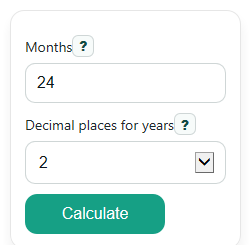
- Enter the total in Months. You can use a whole number like 24 or a decimal like 18.5 if you need part of a month.
- Choose Decimal places for years to control how the Years result is rounded.
- Click Calculate to see Years, Whole years and leftover months, and Exact fraction of a year.
- Sanity-check the result: 12 months should equal 1 year, 24 months should equal 2 years, and any leftover months should be less than 12 in the mixed result.
Definitions
Months: The total number of months you want to convert.
Years: The total months divided by 12, written as a decimal number of years.
Whole years and leftover months: A mixed time answer that pulls out complete years first, then shows the months left over.
Exact fraction of a year: The value written as months over 12. If possible, the fraction is reduced to simplest terms.
Decimal places for years: How many digits appear after the decimal point in the Years result.
Greatest common divisor (gcd): The largest whole number that divides two whole numbers evenly. It is used to simplify the fraction of a year [1].
Common mistakes and quick fixes
Mistake: Leaving Months blank and expecting a result.
Fix: Enter a number in Months , such as 24 or 18.5.
Mistake: Typing words or symbols into Months , like "two years".
Fix: Use numbers only in Months . Enter 24 instead of words.
Mistake: Reading the rounded Years value as exact.
Fix: Check Exact fraction of a year or Whole years and leftover months when you need the unrounded meaning.
Mistake: Forgetting that Decimal places for years changes only how the decimal answer looks.
Fix: Use Decimal places for years for display only, then compare it with Exact fraction of a year for the exact value.
Mistake: Expecting Whole years and leftover months to stay simple when Months includes a decimal, like 18.5.
Fix: Use Years for decimal-month inputs, and treat the mixed result carefully because it includes a partial month.
Limitations & Key Assumptions / Boundary Conditions
- The calculator uses the fixed conversion 1 year = 12 months.
- If Months is a decimal, the Years result is still valid, but the mixed form may include a partial leftover month instead of only whole months.
- Negative values are allowed for math consistency, but a negative time amount may not fit most real-life uses or forms.
- The Years output is rounded to the selected Decimal places for years, so use Exact fraction of a year when you need the exact value.
- The fraction is reduced only when Months is a whole number; decimal month entries are better read as decimal years.
Methodology
How the calculator works
The calculator converts months to years using the standard rule that 1 year equals 12 months.
Years = Months / 12
For the mixed result, it first takes out the complete years, then shows the leftover months.
whole years = floor(Months / 12)
leftover months = Months - 12 x whole years
For the exact fraction, it writes the value as Months over 12. If Months is a whole number, the calculator simplifies the fraction with the greatest common divisor, or gcd [1].
fraction of a year = Months / 12
simplified fraction = (Months / gcd(Months, 12)) / (12 / gcd(Months, 12))
Mini example
If Months is 55, then decimal years is 55 / 12 = 4.5833... . With 2 decimal places, Years shows 4.58. The mixed form is 4 whole years and 7 leftover months because 4 x 12 = 48 and 55 - 48 = 7. The exact fraction is 55/12 because 55 and 12 do not share a larger common divisor than 1.
Rounding and display
The Years output is rounded to the selected Decimal places for years. This changes the display only. The mixed result and exact fraction still help you see the meaning behind the rounded decimal.
Assumptions used
The calculator assumes a year always means 12 months. For decimal month entries such as 18.5, the decimal years result is the clearest result, while the mixed form may include a partial month instead of just whole months.