
Enter an angle in degrees to see its radians as a decimal and exact pi form, or switch directions to convert radians to degrees.
Table of contents
How to use our Degrees to Radians Converter
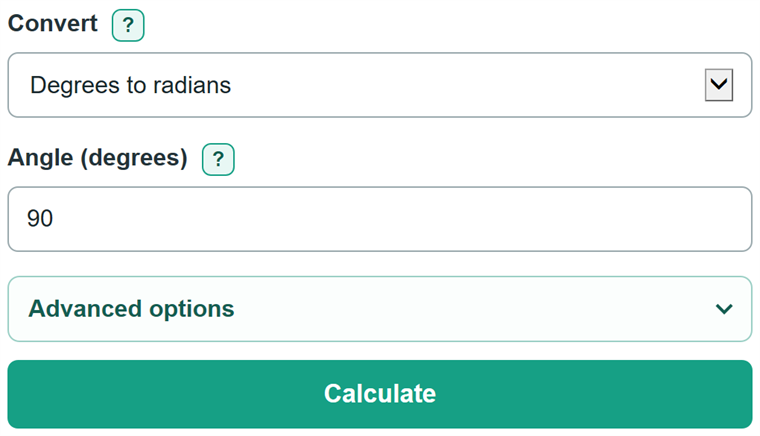
- Choose the unit direction in Convert. Leave Degrees to radians selected if the number you have is in degrees.
- Enter one angle in Angle. Keep any minus sign, and you may type a matching suffix such as deg or rad.
- Click Calculate. The first card shows the converted decimal value in the destination unit.
- For a degrees-to-radians question that asks for an exact answer, use Exact radians in pi form, such as π/2 rad instead of 1.570796 rad.
- Sanity-check familiar values: 90 degrees is about 1.57 rad, and 180 degrees is exactly π rad. Change decimal places in Advanced options only when you need a specific rounding.
Definitions
Degree: A unit for measuring an angle. One full turn is 360 degrees.
Radian: A unit for measuring an angle. One half turn is 180 degrees, which equals π radians. [1]
Pi: The circle constant written as π, approximately 3.141592653589793.
Exact radians in pi form: A radian answer written as a simplified multiple or fraction of π, such as π/2 rad instead of a rounded decimal.
Multiplier of pi: The number multiplied by π in an exact radian answer. In -5π/2, the multiplier is -5/2.
Common mistakes and quick fixes
Mistake: Entering a radian value while Degrees to radians is selected.
Fix: Set Convert to Radians to degrees before entering a radian value.
Mistake: Typing a range or two values, such as "90 180".
Fix: Check Convert and then recalculate. Enter one finite decimal angle only.
Mistake: Typing "rad" after a value while converting degrees to radians.
Fix: Check Convert and then recalculate. Use degrees, deg, or the degree symbol with that direction, or change the direction first.
Mistake: Dropping the minus sign or reducing an angle such as -450 degrees to a different angle.
Fix: Check Convert and then recalculate. Copy the angle exactly. The calculator keeps negative values and values beyond one full turn.
Mistake: Submitting a rounded decimal when the question asks for an exact answer.
Fix: In degrees-to-radians mode, copy Exact radians in pi form, such as -5π/2 rad.
Mistake: Treating a displayed decimal as exact after choosing fewer decimal places.
Fix: Increase Result decimal places or use the exact pi form for a degree input.
Limitations & Key Assumptions / Boundary Conditions
- The angle must be one finite decimal number. A matching unit suffix is allowed: deg or the degree symbol for degrees, and rad for radians.
- Fractions typed with a slash, formulas, ranges, lists, NaN, and Infinity are not accepted.
- The exact pi form is available only for degrees-to-radians conversion. Radians-to-degrees conversion returns decimal degrees.
- Result decimal places change only the displayed decimal. They do not change the entered angle or the exact pi form.
- Negative angles and angles greater than one full turn remain unchanged rather than being reduced to a coterminal angle.
- Extremely large finite inputs may be rejected if the converted decimal value cannot be represented as a finite number.
Methodology
Conversion method
Degrees and radians measure the same angle in different units. A half turn is 180 degrees, or π radians. [1]
radians = (degrees / 180) * π
degrees = (radians / π) * 180
For an exact degrees-to-radians answer, the calculator divides the entered degree value by 180, reduces the fraction, and writes the result as a multiple of π.
pi multiplier = degrees / 180
Worked example
For 90 degrees, 90 / 180 = 1/2. The exact answer is π/2 rad. The decimal calculation is (90 / 180) * π = 1.5707963267948966 rad, shown as 1.570796 rad at six decimal places.
Calculation details
For the exact pi form, decimal degree input is treated as an exact base-10 value before the fraction is reduced. Decimal conversions use π = 3.141592653589793. The decimal-place setting changes formatting only; calculations use the unrounded input value.