
Convert liters to cubic feet or cubic feet to liters with clear rounding, reverse results, and the exact factor used.
Table of contents
How to use our Liters to Cubic Feet Converter
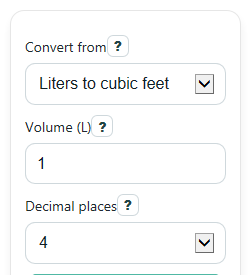
- Choose Convert from so the calculator knows whether your Volume is in liters or cubic feet.
- Enter the amount in Volume. You can use decimals, and 0 is allowed if you want to test the conversion.
- Pick Decimal places based on how precise you want the displayed answer to be.
- Click Calculate, then read Converted volume first and use Same volume in the other unit to make sure you did not swap the direction.
- Sanity-check the result: 1 liter should be a small fraction of 1 cubic foot, while 1 cubic foot should be a little over 28 liters.
Definitions
Liter (L): A metric unit of volume. It equals 0.001 cubic meter.
Cubic foot (ft^3): A volume equal to a cube that is 1 foot long, 1 foot wide, and 1 foot high.
Converted volume: The main answer in the target unit after applying the conversion factor and your chosen rounding.
Same volume in the other unit: A paired statement that shows the same amount in both units so you can quickly check direction.
Conversion factor used: The unit ratio behind the math, either 0.03531466672148859 ft^3 per liter or 28.316846592 liters per cubic foot.
Decimal places: How many digits appear after the decimal point in the displayed result.
Common mistakes and quick fixes
Mistake: Choosing the wrong option in Convert from and then thinking the math is wrong.
Fix: Check Same volume in the other unit and Formula used to confirm whether you converted liters to cubic feet or cubic feet to liters.
Mistake: Entering text or leaving Volume blank.
Fix: Type a real number in Volume , such as 1, 2.5, 100, or 0.
Mistake: Thinking Decimal places changes the actual conversion.
Fix: It only changes rounding on screen. The calculator still uses full precision internally before showing Converted volume .
Mistake: Reading Conversion factor used backward.
Fix: Match the unit ratio shown there, such as ft^3/L or L/ft^3, with your choice in Convert from .
Mistake: Treating a negative Volume like a real container size.
Fix: A negative input can make sense for a signed change, but most physical container sizes should use a positive Volume .
Limitations & Key Assumptions / Boundary Conditions
- The calculator converts volume only. It does not estimate weight, shipping cost, airflow, or how full a container is.
- Results are rounded only for display. If you choose fewer decimal places, the shown answer is easier to read but less detailed.
- Negative values are allowed because signed changes can be useful in math, but negative volume usually does not describe a physical container size.
- The conversion assumes standard unit definitions for liters and cubic feet. If a source uses unusual rounding, its displayed answer may differ slightly.
- Very large or very tiny values can look different from another tool if that tool rounds earlier in the calculation instead of at the end.
Methodology
How the conversion works
The calculator uses one exact direction factor at a time, based on your choice in Convert from. It keeps full precision internally, then rounds only the displayed result.
ft^3 = L * 0.03531466672148859
L = ft^3 * 28.316846592
1 / 28.316846592 = 0.03531466672148859
Where the factor comes from
One liter equals 0.001 cubic meter, and one cubic foot equals 0.028316846592 cubic meter. Using those definitions gives the liters-to-cubic-feet factor and its reciprocal [1].
1 L = 0.001 m^3
1 ft^3 = 0.028316846592 m^3
0.001 / 0.028316846592 = 0.03531466672148859 ft^3 per L
Mini example
If you convert 100 liters to cubic feet, multiply 100 by 0.03531466672148859.
100 * 0.03531466672148859 = 3.531466672148859 ft^3
If Decimal places is set to 4, the displayed Converted volume is 3.5315 ft^3. In reverse, 1 ft^3 becomes 28.316846592 L, which displays as 28.3168 L at 4 decimal places.
Assumptions and calculation choices
The calculator strips commas and spaces before reading the number, accepts 0 as valid input, allows negative values as signed changes, and blocks non-finite results such as NaN or Infinity. Output labels switch with the selected direction so the same numeric input is not misread after you change units.