
Convert months to days using an average month, a 30-day month, or exact calendar days from a start date.
Advanced options
Table of contents
How to use our Months to Days Converter
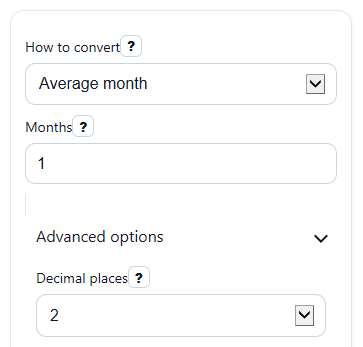
- Choose a method in How to convert: Average month for a general estimate, 30-day month for simple fixed-month problems, or Exact calendar days from a start date for real dates.
- Enter the number in Months. You can use decimals for estimate modes, but Exact mode needs a whole number of months.
- If you picked Exact mode, enter the Start date. The calculator will add the months to that date and count the days in between.
- Pick Decimal places if you want to change how estimate results look on screen.
- Click Calculate, then sanity-check the result by reading Method note and Days used per month so you know whether your answer is an estimate or an exact calendar count.
Definitions
Months: The amount of time you want to convert into days.
Average month: An estimate that treats one month as 30.436875 days, based on the Gregorian mean year divided by 12.
30-day month: A simplified rule where every month is treated as exactly 30 days.
Start date: The calendar date the exact count begins from.
End date: In Exact mode, the date reached after adding the entered number of months to the Start date.
Days used per month: The assumption behind estimate modes, shown so you can see how the answer was calculated.
Method note: A short message that tells you whether the result is an estimate or an exact calendar count.
Common mistakes and quick fixes
Mistake: Using Average month when you really need real calendar dates.
Fix: Switch How to convert to Exact calendar days from a start date and enter a Start date .
Mistake: Entering 1.5 in Months while using Exact mode.
Fix: In Exact mode, enter a whole number in Months , or change How to convert to an estimate mode.
Mistake: Forgetting that Days can change for the same number of months when the calendar dates are different.
Fix: Check Method note and, in Exact mode, verify the End date shown.
Mistake: Leaving Months blank or typing text that is not a number.
Fix: Enter a numeric value in Months , such as 3 or 2.5.
Mistake: Reading Days as exact when the calculator used an estimate rule.
Fix: Look at Days used per month . If it shows 30.436875 or 30, the result is based on that assumption.
Limitations & Key Assumptions / Boundary Conditions
- Calendar months are not all the same length, so month-to-day conversions depend on the rule you choose.
- Average month and 30-day month give estimates, not exact real-date counts.
- Exact calendar days from a start date requires a whole number in Months because fractional calendar months are not defined in one single standard way.
- Exact results depend on the Start date, so the same number of months can produce different Days totals.
- Leap years are handled automatically in Exact mode by the calendar-date calculation.
- This converter assumes months must be 0 or greater, so it does not calculate reverse-time negative month values.
Methodology
How the calculator works
The calculator uses one of three rules, depending on your choice in How to convert. This matters because real calendar months do not all have the same length [1].
Average month: days = months x (365.2425 / 12)
Average month: days = months x 30.436875
30-day month: days = months x 30
Exact calendar days: end date = start date shifted forward by whole calendar months
Exact calendar days: days = end date - start date
What each method means
Average month uses 30.436875 days per month. This is a general estimate based on a Gregorian mean year of 365.2425 days divided by 12.
30-day month uses a simple fixed rule. It is easy to calculate, but it does not match real calendars exactly.
Exact calendar days from a start date adds whole months to the chosen Start date and then counts the actual number of days between the two dates. This automatically captures short months, long months, and leap-year behavior.
Mini examples
If Months = 3 in Average month mode:
days = 3 x 30.436875 = 91.310625
Days would display as 91.31 if Decimal places is set to 2.
If Months = 3 in 30-day month mode:
days = 3 x 30 = 90
If Months = 1 and Start date = 2024-01-31 in Exact mode, the matching future date is 2024-02-29, so the day count is 29.
Assumptions that affect results
Estimate modes are useful for quick conversions, but they are not exact date counts. Exact mode only accepts whole months because values like 1.5 calendar months can mean different things in different contexts. Large values are formatted normally, and invalid or missing inputs should return an error instead of a result.