
Convert a 12-hour AM or PM time to military time, or change military time into the matching 12-hour clock time.
Table of contents
How to use our Military Time Converter
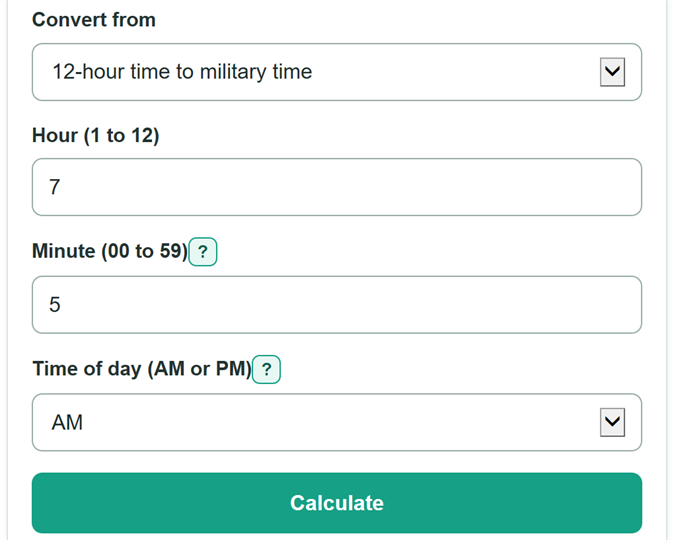
- Choose the format of the time you have under "Convert from."
- For a 12-hour time, enter the hour, minute, and AM or PM. Leave the minute blank only if the time is exactly on the hour.
- For military time, enter a valid time from 0000 through 2359. You can type forms such as 0705, 7:05, or 18:45.
- Select "Calculate" to see the matching time in the other clock format.
- Check noon and midnight if they apply: 12:00 PM converts to 1200, and 12:00 AM converts to 0000.
Definitions
Military time: A 24-hour time format written with an hour from 00 through 23 and a minute from 00 through 59, such as 1845.
12-hour time: A time format that uses hours 1 through 12 plus AM or PM, such as 6:45 PM.
AM: The part of the day from midnight through 11:59 AM. Midnight is 12:00 AM, or 0000 in this converter.
PM: The part of the day from noon through 11:59 PM. Noon is 12:00 PM, or 1200 in military time.
Leading zero: A zero kept at the beginning of a time so it has the expected digits, such as 0705 for 7:05 AM.
Common mistakes and quick fixes
Mistake: Entering 12 AM as 1200.
Fix: Check Convert from and then recalculate. Choose AM for 12:00 AM. Its military-time form is 0000.
Mistake: Treating 12 PM as midnight.
Fix: Check Convert from and then recalculate. Choose PM for 12:00 PM. Its military-time form is 1200.
Mistake: Entering 60 or more for the minute.
Fix: Check Convert from and then recalculate. Use minutes from 00 through 59. For example, enter 1:15 rather than 1:75.
Mistake: Typing 2400 as military time.
Fix: Check Convert from and then recalculate. Enter 0000 for midnight. This converter accepts military hours from 00 through 23.
Mistake: Typing an incomplete colon time such as 18:7.
Fix: Check Convert from and then recalculate. Use two digits after the colon, such as 18:07.
Limitations & Key Assumptions / Boundary Conditions
- This converter changes a time-of-day format only. It does not calculate dates, time zones, daylight saving time, travel time, or elapsed time.
- Military-time input must be from 0000 through 2359. This converter uses 0000 for midnight and does not accept 2400.
- A 12-hour entry requires an AM or PM choice because a time such as 7:05 can mean either 0705 or 1905.
- A blank minute is treated as 00 only when a 12-hour hour has been entered.
- The converted time does not determine which day applies to a schedule or event.
Methodology
Converting a 12-hour time
The converter changes the 12-hour hour into a 24-hour hour, then keeps the same minute. For AM, hours 1 through 11 stay the same. For PM, 12 is added to hours 1 through 11. The formula also handles 12 AM as 0 and 12 PM as 12. The % sign means the remainder after division.
hour_24 = (hour_12 % 12) + (period == "pm" ? 12 : 0)
The military-time display always has two hour digits and two minute digits, so 7:05 AM becomes 0705.
military_display = pad2(hour_24) + pad2(minute_12)
Converting military time
The converter accepts an optional colon, then reads the final two digits as minutes. A three-digit entry such as 705 is read as 7:05. The hour must be 00 through 23, and the minute must be 00 through 59.
military_hour = floor(military_digits / 100); military_minute = military_digits % 100
For the 12-hour display, military hours 00 through 11 use AM, and hours 12 through 23 use PM.
standard_hour = military_hour % 12 == 0 ? 12 : military_hour % 12
Worked example
For 7:
05 PM, the 24-hour hour is 19 because 7 + 12 = 19, so the military result is 1905. In reverse, 1845 has hour 18 and minute 45, so the 12-hour result is 6:45 PM.