
Enter your bill amount and tip percentage to see the tip, total bill, and an optional equal split.
Table of contents
How to use our Tip Calculator
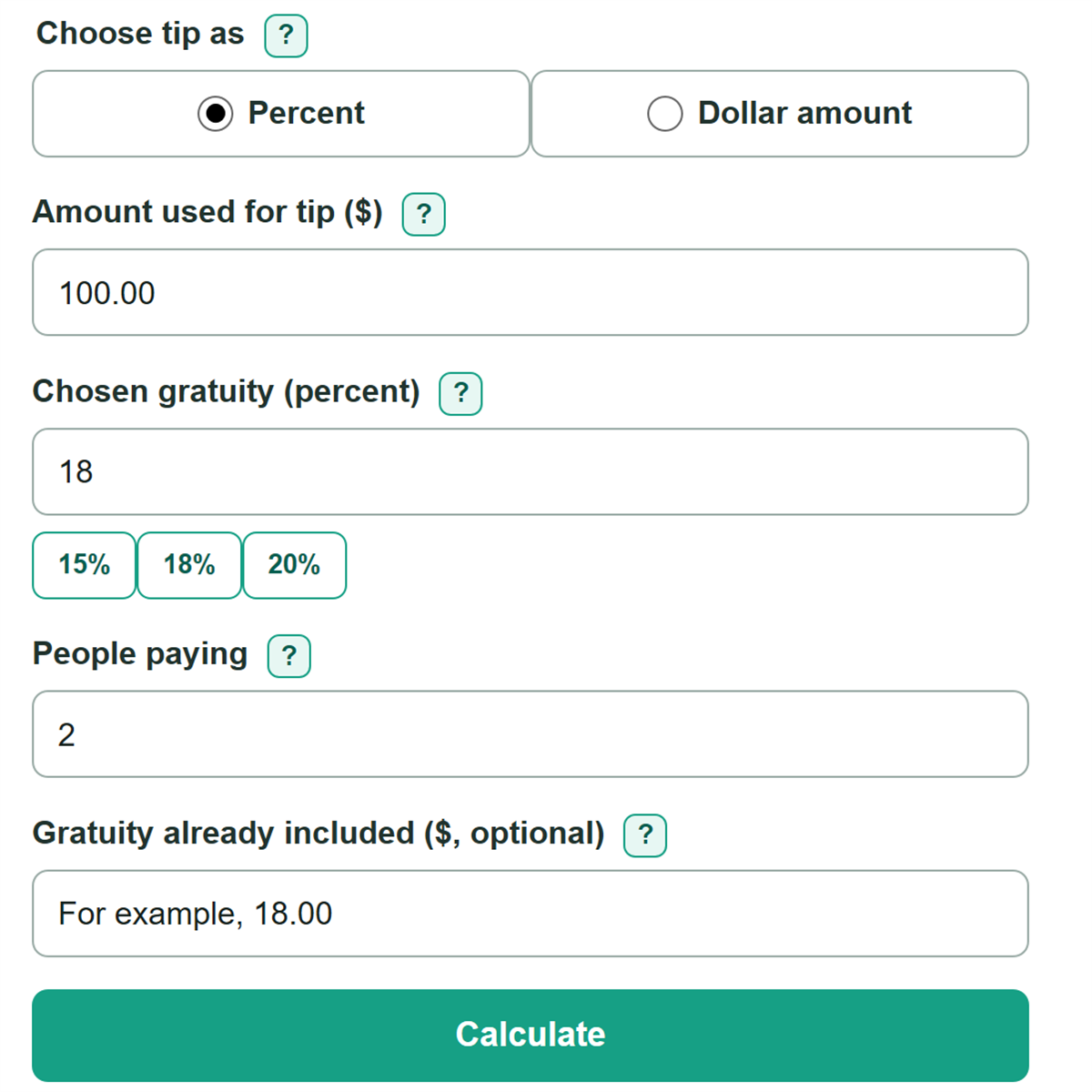
- Enter the bill amount you want to tip on.
- Enter a tip percentage or use a quick tip choice.
- Leave Split between at 1 for one payer, or enter 2 or more for an equal split.
- Open Advanced options only if you want to enter a fixed tip amount or account for a tip already included in the bill.
- Click Calculate. Read Tip amount and Total bill first; a per-person result appears when you choose more than one payer.
Definitions
Gratuity: Money paid for service. In this calculator, it is the included charge you choose to count plus any added tip.
Included gratuity: A separate dollar charge shown on a receipt that you want to count toward your gratuity goal.
Tip basis: The receipt amount used to calculate a percent tip. You choose whether it is a subtotal or a tax-included amount.
Additional tip: The extra money needed after the included gratuity is credited toward the gratuity goal.
Equal split: Dividing the final payment, including gratuity, by the number of people paying.
Common mistakes and quick fixes
Mistake: Including a separate automatic gratuity in the tip basis and entering it again as included gratuity.
Fix: Check Tip entry method and then recalculate. Enter the receipt amount before that separate charge as the tip basis, then enter the charge only in Gratuity already included.
Mistake: Entering a dollar amount while Tip entry method is set to Percent.
Fix: Switch to Dollar amount before entering a total gratuity in dollars.
Mistake: Adding the full chosen tip even though the receipt already has a gratuity charge.
Fix: Add only the displayed Additional tip to add amount. The included charge is already credited.
Mistake: Using Each person pays when people ordered very different amounts.
Fix: Use the equal share only as a starting point, then adjust payments based on each person's order.
Mistake: Entering a partial person, such as 1.5, for People paying.
Fix: Enter a whole number of at least 1 and settle any uneven share separately.
Limitations & Key Assumptions / Boundary Conditions
- The calculator divides the final payment equally and does not assign different amounts based on what each person ordered.
- It does not calculate sales tax, discounts, fees, or restaurant charges. Enter the exact receipt amount you want to use as the tip basis.
- An included gratuity affects the result only if you enter it. Check the receipt for separate gratuity, automatic gratuity, or service-charge lines.
- The additional tip is floored at $0.00. If the included charge is higher than your chosen goal, the calculator does not suggest subtracting money from the receipt.
- Dollar results are rounded to cents for display. Splitting a total can require a one-cent adjustment between people so their payments add exactly to the final payment.
Methodology
Calculation
In the standard Percent mode, the chosen percentage is applied to the Bill amount. In Dollar amount mode, the entered dollar figure is the total gratuity goal. The tip basis should not include a separate gratuity entered in the included-gratuity field.
desired gratuity = tip basis x chosen gratuity percent / 100
desired gratuity = chosen gratuity amount
A blank included-gratuity field counts as $0.00. For a nonblank amount, the calculator credits that receipt charge toward the gratuity goal and calculates only the amount still needed.
additional tip to add = max(0, desired gratuity - included gratuity counted)
final payment after gratuity = tip basis + included gratuity counted + additional tip to add
each person pays = final payment after gratuity / people paying
Worked example
With a $100.00 tip basis and an 18% gratuity goal, the desired gratuity is $18.00. If the receipt already includes $10.00, the added tip is $8.00. The final payment is $118.00, and two people splitting equally pay $59.00 each.